跳转到主内容
加入维修社区 - 创建账户

Xiaomi Mi Pad Front Camera Replacement

你所需要的

    1. Xiaomi Mi Pad Front Camera  Replacement, Rear Case Assembly: 步骤 1 中的图像 1,1
      • Remove the micro SD card slot from the left side of the device using either the metal pin included with the device or a SIM card eject tool.

      询问修复机器人

      添加评论

    2. Xiaomi Mi Pad Front Camera  Replacement: 步骤 2 中的图像 1,2 Xiaomi Mi Pad Front Camera  Replacement: 步骤 2 中的图像 2,2
      • Use a plastic opening tool and/or opening pick to gently pry the back panel away from the device. Work your way around the device, slowly increasing the gap.

      • The back panel has small clips and light adhesive that easily releases from the device.

      询问修复机器人

      添加评论

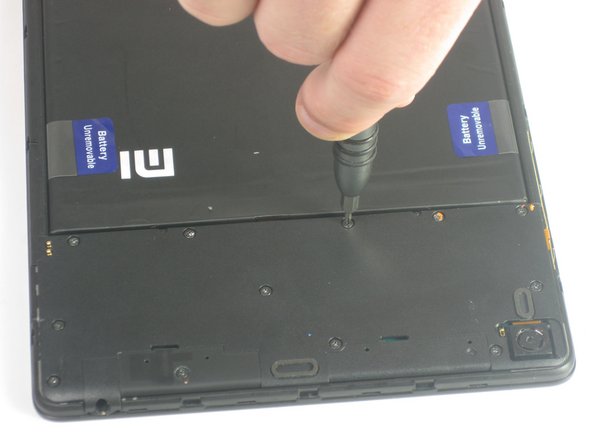
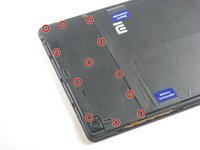
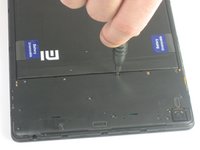
    1. Xiaomi Mi Pad Front Camera  Replacement, Front Camera: 步骤 3 中的图像 1,2 Xiaomi Mi Pad Front Camera  Replacement, Front Camera: 步骤 3 中的图像 2,2
      • Remove the twelve 3.0 mm Phillips #000 screws on the upper cover of the device.

      询问修复机器人

      添加评论

    2. Xiaomi Mi Pad Front Camera  Replacement: 步骤 4 中的图像 1,1
      • Remove the upper cover from the device.

      询问修复机器人

      添加评论

    3. Xiaomi Mi Pad Front Camera  Replacement: 步骤 5 中的图像 1,1
      • Use a plastic opening tool to gently disconnect the front-facing camera from the motherboard.

      询问修复机器人

      添加评论

    4. Xiaomi Mi Pad Front Camera  Replacement: 步骤 6 中的图像 1,1
      • Carefully remove the front camera from the device.

      询问修复机器人

      添加评论

结论

To reassemble your device, follow these instructions in reverse order.

取消:我没有完成这个指南。

Rene Mendoza

于09/03/15注册

323 声望

创作了2篇指南

团队

USF Tampa, Team 12-5, Blackwell Fall 2015 USF Tampa, Team 12-5, Blackwell Fall 2015 的会员

USFT-BLACKWELL-F15S12G5

3 名成员

创作了14篇指南

0指南评论

添加评论

浏览统计数据:

过去 24 小时: 0

过去 7 天: 9

过去 30 天: 28

总计 1,470