跳转到主内容

VTech InnoTab 2 Camera Replacement

你所需要的

  1. VTech InnoTab 2 Camera Replacement, Battery: 步骤 1 中的图像 1,3 VTech InnoTab 2 Camera Replacement, Battery: 步骤 1 中的图像 2,3 VTech InnoTab 2 Camera Replacement, Battery: 步骤 1 中的图像 3,3
    • Apply slight pressure and slide the button above the battery cabinet to the right to open.

    • Remove battery cabinet cover by sliding away from the center of device.

    • This device requires 4AA batteries to function without the AC adaptor.

  2. VTech InnoTab 2 Camera Replacement, Back Panel: 步骤 2 中的图像 1,3 VTech InnoTab 2 Camera Replacement, Back Panel: 步骤 2 中的图像 2,3 VTech InnoTab 2 Camera Replacement, Back Panel: 步骤 2 中的图像 3,3
    • Remove all nine plastic caps from the back of the device using the plastic opening tool.

    • These covers are made of hard plastic so they may be difficult to remove.

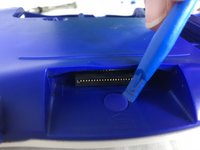
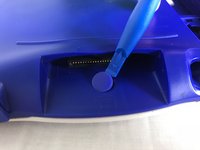
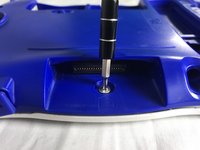
  3. VTech InnoTab 2 Camera Replacement: 步骤 3 中的图像 1,3 VTech InnoTab 2 Camera Replacement: 步骤 3 中的图像 2,3 VTech InnoTab 2 Camera Replacement: 步骤 3 中的图像 3,3
    • Remove the hard rubber tab located by the cartridge slot using the plastic opening tool.

    • Be careful not to apply excessive force.

    • Once the rubber tab is removed unscrew the single 7 mm screw using a J0 screwdriver.

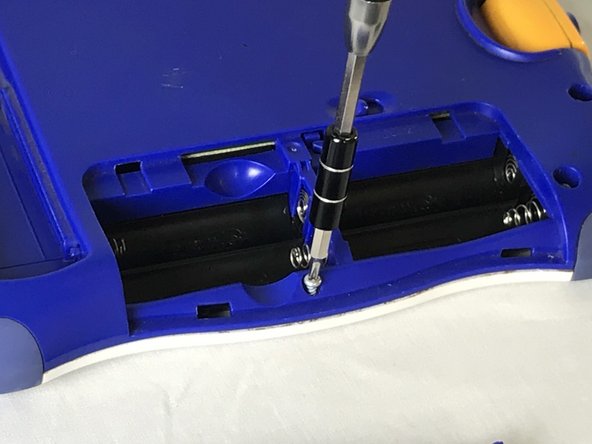
  4. VTech InnoTab 2 Camera Replacement: 步骤 4 中的图像 1,2 VTech InnoTab 2 Camera Replacement: 步骤 4 中的图像 2,2
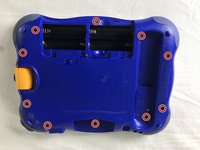
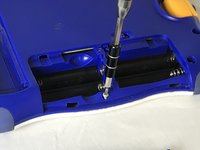
    • Remove all ten 7mm screws from the back panel of the device using a JO bit screwdriver.

    • Do not use excessive force while removing the screws to prevent damaging the plastic case.

  5. VTech InnoTab 2 Camera Replacement: 步骤 5 中的图像 1,2 VTech InnoTab 2 Camera Replacement: 步骤 5 中的图像 2,2
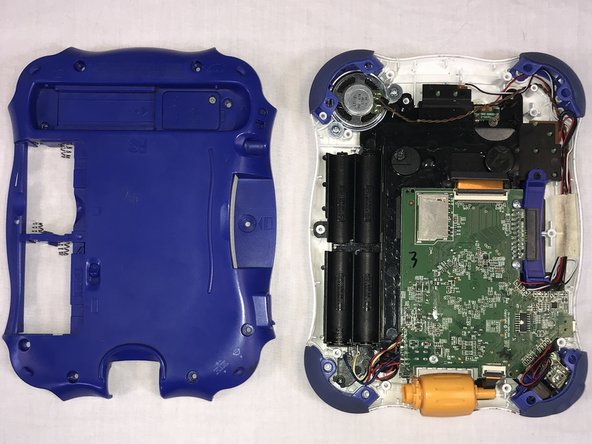
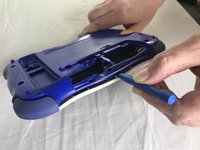
    • Using the plastic opening tool, detach the back plate from the front piece.

    • Do not use excessive force. If the back plate does not gently come on double check that all screws were removed.

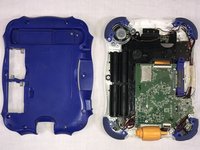
    • Once the back panel is removed, you will be able to see the motherboard and other components within the device.

  6. VTech InnoTab 2 Camera Replacement, Camera: 步骤 6 中的图像 1,3 VTech InnoTab 2 Camera Replacement, Camera: 步骤 6 中的图像 2,3 VTech InnoTab 2 Camera Replacement, Camera: 步骤 6 中的图像 3,3
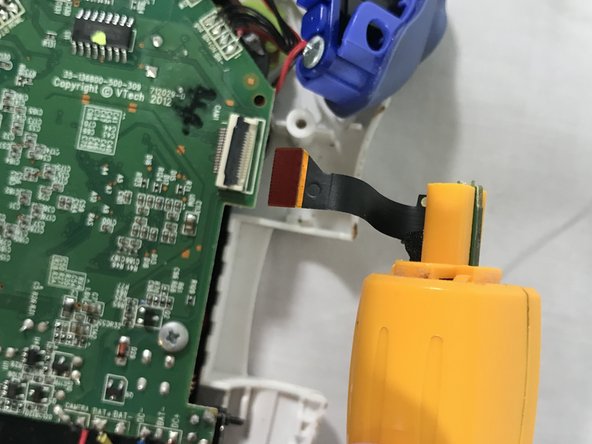
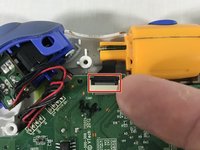
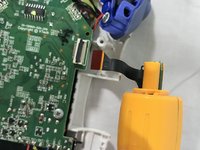
    • Using the tip of your finger, carefully pull the clip upwards to release the camera connection from the motherboard.

    • The connection to the camera is located on top side of the devices motherboard.

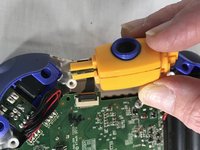
    • Pulling the camera while the connection to the motherboard is still intact can cause damage to the circuit board.

    • Attach the replacement camera and lower the latch until a click sound can be heard.

结论

To reassemble your device, follow these instructions in reverse order.

Roberto Valdes

于10/18/17注册

302 声望

创作了3篇指南

团队

USF Tampa, Team S1-G85, Cagle Fall 2017 USF Tampa, Team S1-G85, Cagle Fall 2017 的会员

USFT-CAGLE-F17S1G85

2 名成员

创作了10篇指南

0指南评论

添加评论

浏览统计数据:

过去 24 小时: 0

过去 7 天: 3

过去 30 天: 10

总计 449