跳转到主内容
加入维修社区 - 创建账户

VTech InnoTab 2 Back Panel Replacement

你所需要的

  1. VTech InnoTab 2 Back Panel Replacement, Battery: 步骤 1 中的图像 1,3 VTech InnoTab 2 Back Panel Replacement, Battery: 步骤 1 中的图像 2,3 VTech InnoTab 2 Back Panel Replacement, Battery: 步骤 1 中的图像 3,3
    • Apply slight pressure and slide the button above the battery cabinet to the right to open.

    • Remove battery cabinet cover by sliding away from the center of device.

    • This device requires 4AA batteries to function without the AC adaptor.

    询问修复机器人

    添加评论

  2. VTech InnoTab 2 Back Panel Replacement, Back Panel: 步骤 2 中的图像 1,3 VTech InnoTab 2 Back Panel Replacement, Back Panel: 步骤 2 中的图像 2,3 VTech InnoTab 2 Back Panel Replacement, Back Panel: 步骤 2 中的图像 3,3
    • Remove all nine plastic caps from the back of the device using the plastic opening tool.

    • These covers are made of hard plastic so they may be difficult to remove.

    询问修复机器人

    添加评论

  3. VTech InnoTab 2 Back Panel Replacement: 步骤 3 中的图像 1,3 VTech InnoTab 2 Back Panel Replacement: 步骤 3 中的图像 2,3 VTech InnoTab 2 Back Panel Replacement: 步骤 3 中的图像 3,3
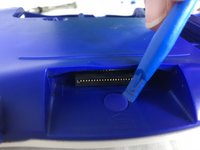
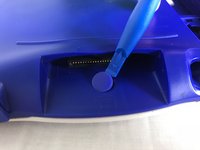
    • Remove the hard rubber tab located by the cartridge slot using the plastic opening tool.

    • Be careful not to apply excessive force.

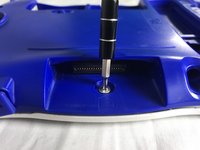
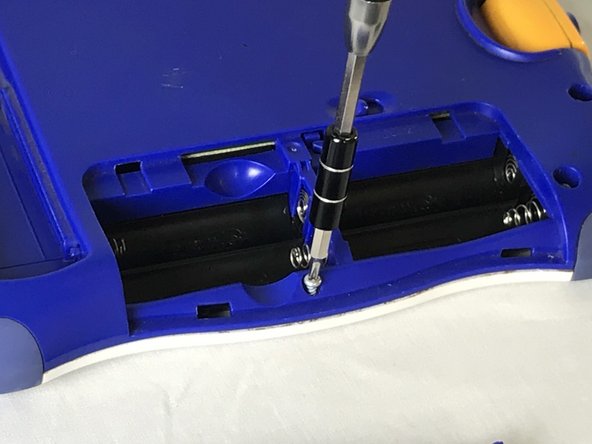
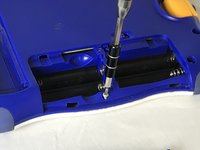
    • Once the rubber tab is removed unscrew the single 7 mm screw using a J0 screwdriver.

    询问修复机器人

    添加评论

  4. VTech InnoTab 2 Back Panel Replacement: 步骤 4 中的图像 1,2 VTech InnoTab 2 Back Panel Replacement: 步骤 4 中的图像 2,2
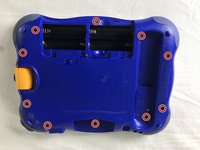
    • Remove all ten 7mm screws from the back panel of the device using a JO bit screwdriver.

    • Do not use excessive force while removing the screws to prevent damaging the plastic case.

    询问修复机器人

    添加评论

  5. VTech InnoTab 2 Back Panel Replacement: 步骤 5 中的图像 1,2 VTech InnoTab 2 Back Panel Replacement: 步骤 5 中的图像 2,2
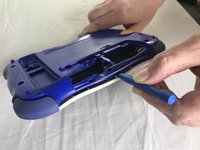
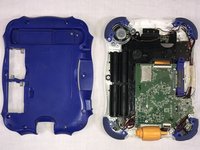
    • Using the plastic opening tool, detach the back plate from the front piece.

    • Do not use excessive force. If the back plate does not gently come on double check that all screws were removed.

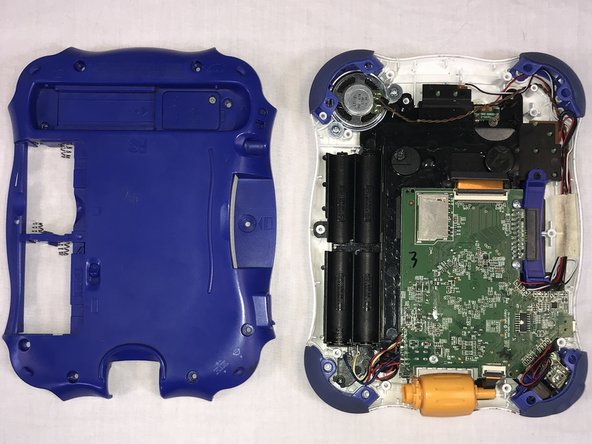
    • Once the back panel is removed, you will be able to see the motherboard and other components within the device.

    询问修复机器人

    添加评论

结论

To reassemble your device, follow these instructions in reverse order.

取消:我没有完成这个指南。

团队

USF Tampa, Team S1-G85, Cagle Fall 2017 USF Tampa, Team S1-G85, Cagle Fall 2017 的会员

USFT-CAGLE-F17S1G85

2 名成员

创作了10篇指南

0指南评论

添加评论

浏览统计数据:

过去 24 小时: 0

过去 7 天: 6

过去 30 天: 31

总计 743