跳转到主内容
加入维修社区 - 创建账户

UTStarcom CDM8945vw Logic Board Replacement

你所需要的

  1. UTStarcom CDM8945vw Logic Board Replacement, Battery: 步骤 1 中的图像 1,1
    • Push the highlighted button in the direction in which the antenna is pointing. The battery will release and pop up.

    询问修复机器人

    添加评论

  2. UTStarcom CDM8945vw Logic Board Replacement: 步骤 2 中的图像 1,1
    • Remove the battery.

    询问修复机器人

    添加评论

  3. UTStarcom CDM8945vw Logic Board Replacement, Antenna: 步骤 3 中的图像 1,1
    • Identify the antenna. It is the extendable plastic component pictured here.

    询问修复机器人

    添加评论

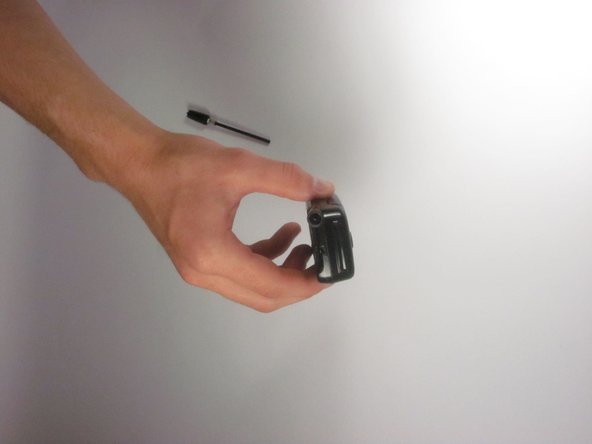
  4. UTStarcom CDM8945vw Logic Board Replacement: 步骤 4 中的图像 1,1
    • Twist the base in a counter-clockwise motion to unscrew the antenna.

    询问修复机器人

    添加评论

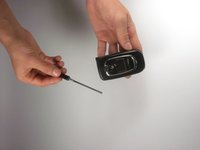
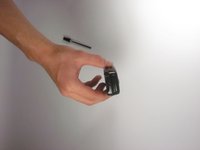
  5. UTStarcom CDM8945vw Logic Board Replacement: 步骤 5 中的图像 1,2 UTStarcom CDM8945vw Logic Board Replacement: 步骤 5 中的图像 2,2
    • The antenna should slide right out of the phone when finished.

    询问修复机器人

    添加评论

  6. UTStarcom CDM8945vw Logic Board Replacement, Speaker: 步骤 6 中的图像 1,1
    • Remove the small rubber grommet using the plastic opening tool.

    询问修复机器人

    添加评论

  7. UTStarcom CDM8945vw Logic Board Replacement: 步骤 7 中的图像 1,1
    • Remove five screws using a Phillips #00 screwdriver.

    询问修复机器人

    添加评论

  8. UTStarcom CDM8945vw Logic Board Replacement: 步骤 8 中的图像 1,1
    • Use the plastic opening tool to separate the two pieces that form the outer case of the phone.

    • Prying the two pieces apart may be difficult. Carefully apply a moderate amount of pressure when attempting to separate the two pieces or else you will risk breaking them.

    询问修复机器人

    添加评论

  9. UTStarcom CDM8945vw Logic Board Replacement: 步骤 9 中的图像 1,1
    • Remove the back piece of the outer case.

    询问修复机器人

    添加评论

  10. UTStarcom CDM8945vw Logic Board Replacement: 步骤 10 中的图像 1,1
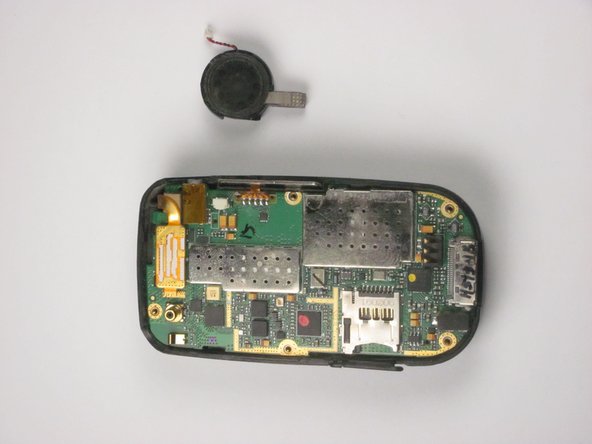
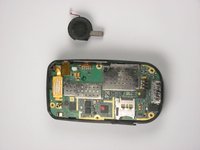
    • Remove the speaker using a plastic opening tool.

    • Apply a small amount of force when removing the broken speaker from the motherboard. If you apply a large amount of force, you may rip out the wires and damage the motherboard.

    询问修复机器人

    添加评论

  11. UTStarcom CDM8945vw Logic Board Replacement: 步骤 11 中的图像 1,2 UTStarcom CDM8945vw Logic Board Replacement: 步骤 11 中的图像 2,2
    在这个步骤中使用的工具:
    Tweezers
    $4.99
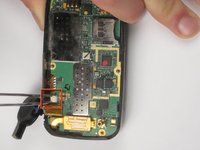
    • Remove the wire attached to the speaker from the motherboard using tweezers.

    • Apply a small amount of force when removing the wire from the motherboard. If you apply a large amount of force, you may rip out the wires and damage the motherboard.

    询问修复机器人

    添加评论

  12. UTStarcom CDM8945vw Logic Board Replacement, Logic Board: 步骤 12 中的图像 1,1
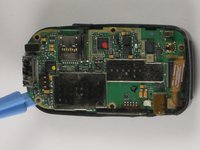
    • Detach the highlighted piece from the logic board using a plastic opening tool.

    询问修复机器人

    添加评论

  13. UTStarcom CDM8945vw Logic Board Replacement: 步骤 13 中的图像 1,2 UTStarcom CDM8945vw Logic Board Replacement: 步骤 13 中的图像 2,2
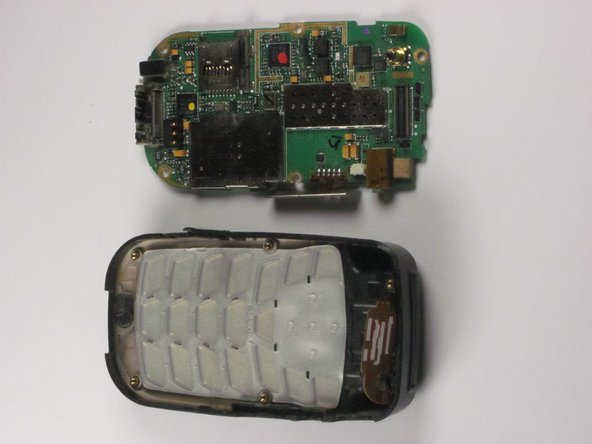
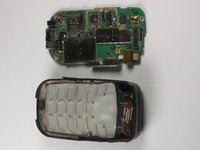
    • Remove the logic board from the anterior piece of the outer case using the plastic opening tool.

    询问修复机器人

    添加评论

结论

To reassemble your device, follow these instructions in reverse order.

取消:我没有完成这个指南。

Bilal

于10/04/12注册

1 声望

撰写一个指南

团队

Cal Poly, Team 24-26, Regan Fall 2012 Cal Poly, Team 24-26, Regan Fall 2012 的会员

CPSU-REGAN-F12S24G26

4 名成员

创作了10篇指南

0指南评论

添加评论

浏览统计数据:

过去 24 小时: 1

过去 7 天: 6

过去 30 天: 26

总计 596