跳转到主内容
加入维修社区 - 创建账户

此翻译由机器生成,尚未经过人工审核。 会说这种语言吗? 查看评论

TomTom XL 电池更换

你所需要的

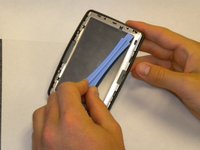
    1. TomTom XL 电池更换, 屏幕和主板: 步骤 1 中的图像 1,1
      • 将小型塑料开启工具插入屏幕边框下方,沿着内侧边缘轻轻滑动。

      • 从边角开始,小心地撬起屏幕边框。

      添加评论

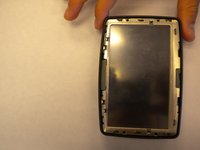
    2. TomTom XL 电池更换: 步骤 2 中的图像 1,1
      • 拧下屏幕边缘的 4 颗十字螺丝。

      添加评论

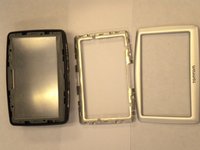
    3. TomTom XL 电池更换, 拆卸中框: 步骤 3 中的图像 1,3 TomTom XL 电池更换, 拆卸中框: 步骤 3 中的图像 2,3 TomTom XL 电池更换, 拆卸中框: 步骤 3 中的图像 3,3
      • 将一个小型塑料开启工具滑入中框顶部下方,然后轻轻将其向上抬起。

      • 沿着中框的内缘滑动塑料开启工具,直到感觉它松动为止。

      • 将中框从外壳上松开可能需要一点时间。过程中可能需要用力,但请小心不要弯曲中框脆弱的内部支架。

      • 将中框从外壳上拆下。

      询问修复机器人

      添加评论

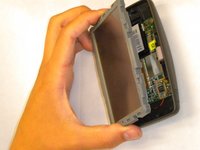
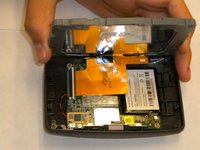
    4. TomTom XL 电池更换: 步骤 4 中的图像 1,2 TomTom XL 电池更换: 步骤 4 中的图像 2,2
      • 从屏幕上边缘开始提起,将屏幕向远离设备的方向倾斜。

      • 缓慢地倾斜屏幕。过快地翻开屏幕可能会损坏显示屏排线。

      询问修复机器人

      添加评论

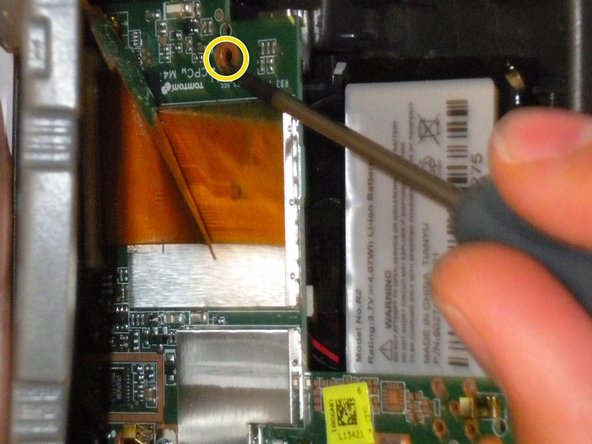
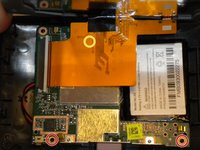
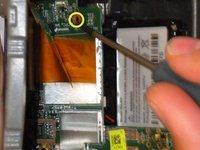
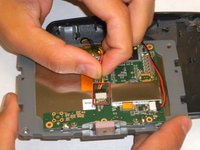
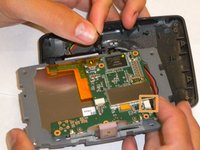
    5. TomTom XL 电池更换: 步骤 5 中的图像 1,2 TomTom XL 电池更换: 步骤 5 中的图像 2,2
      • 拧下将主板固定在外壳上的三颗 Phillips #00 螺丝:

      • 其中两颗 Phillips #00 螺丝位于第一张图片的底部。

      • 第三颗螺丝隐藏在靠近屏幕的橙色排线下方。

      • 你可能需要小心地抬起屏幕才能触及这颗螺丝。

      添加评论

    6. TomTom XL 电池更换: 步骤 6 中的图像 1,2 TomTom XL 电池更换: 步骤 6 中的图像 2,2
      • 翻转屏幕和主板。

      • 抓住塑料外壳,从主板上断开电池电缆连接器。

      • 从主板上断开扬声器电缆连接器。

      • 将主板和屏幕从外壳中取出。

      询问修复机器人

      添加评论

    1. TomTom XL 电池更换, 电池: 步骤 7 中的图像 1,1
      • 将小型塑料开启工具滑入电池下方,缓慢地将电池撬起。

      • 电池通过强力胶固定,可能需要一些力度。请缓慢且小心地操作,以免损坏外壳。

      • 将电池从外壳中取出。

      询问修复机器人

      添加评论

结论

要重新组装设备,请按相反顺序执行这些说明。

取消:我没有完成这个指南。

13等其他人完成本指南。

团队

Cal Poly, Team 33-84, Johann Spring 2010 Cal Poly, Team 33-84, Johann Spring 2010 的会员

CPSU-JOHANN-S10S33G84

4 名成员

创作了48篇指南

12指南评论

Note: There are several variants of this. Some of them have 2 screws on the bottom under the stickers. You'll need to remove those first.

nathan - 回复 分享

Awesome and very detailed guide. Thanks for this.

Phil Harris - 回复 分享

Great demo, for replacement tomtom batteries take a look at : TomTom batteries

based in the UK they are reliable and give a truly longer charge

Kermit45 - 回复 分享

This was a great help. Followed the instructions and it was that easy. Thanks

mark - 回复 分享

nathanrenniewaldock is right... I cracked my screen before finding the hidden screws on the bottom. what a silly company to use the same name for different models!

Laz - 回复 分享

添加评论

浏览统计数据:

过去 24 小时: 6

过去 7 天: 20

过去 30 天: 53

总计 52,639