跳转到主内容
加入维修社区 - 创建账户

Texas Instruments TI-83 Plus Keyboard Mat Replacement

你所需要的

    1. Texas Instruments TI-83 Plus Keyboard Mat Replacement, Backup Battery: 步骤 1 中的图像 1,2 Texas Instruments TI-83 Plus Keyboard Mat Replacement, Backup Battery: 步骤 1 中的图像 2,2
      • Remove the battery cover.

      • Remove the AAA batteries from the calculator.

      询问修复机器人

      添加评论

    2. Texas Instruments TI-83 Plus Keyboard Mat Replacement: 步骤 2 中的图像 1,1
      • Remove the 5mm Philips #00 screw holding backup battery cover.

      • Remove the backup battery cover.

      询问修复机器人

      添加评论

    3. Texas Instruments TI-83 Plus Keyboard Mat Replacement: 步骤 3 中的图像 1,1
      • Use plastic opening tool to remove the backup battery. Place the tool in the small cut-out next to the battery and pry the battery out.

      • Be careful, the backup battery is spring loaded and may shoot up when you remove it.

      添加评论

    1. Texas Instruments TI-83 Plus Keyboard Mat Replacement, Back Case: 步骤 4 中的图像 1,1
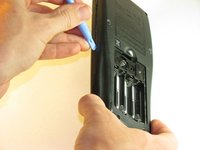
      • Unscrew the six 7.5mm T6 screws on the back case. You will need to use a screwdriver with a long and skinny head.

      询问修复机器人

      添加评论

    2. Texas Instruments TI-83 Plus Keyboard Mat Replacement: 步骤 5 中的图像 1,2 Texas Instruments TI-83 Plus Keyboard Mat Replacement: 步骤 5 中的图像 2,2
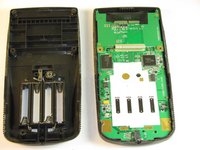
      • Pry back case off. Insert the plastic opening tool in the track for the protective cover and pry the halves of the case apart.

      添加评论

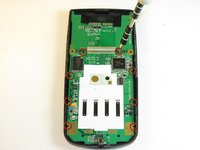
    1. Texas Instruments TI-83 Plus Keyboard Mat Replacement, Motherboard & Screen: 步骤 6 中的图像 1,2 Texas Instruments TI-83 Plus Keyboard Mat Replacement, Motherboard & Screen: 步骤 6 中的图像 2,2
      • Keep the screen face-down during this step. Only the motherboard is attached to the face-plate and the screen may fall out.

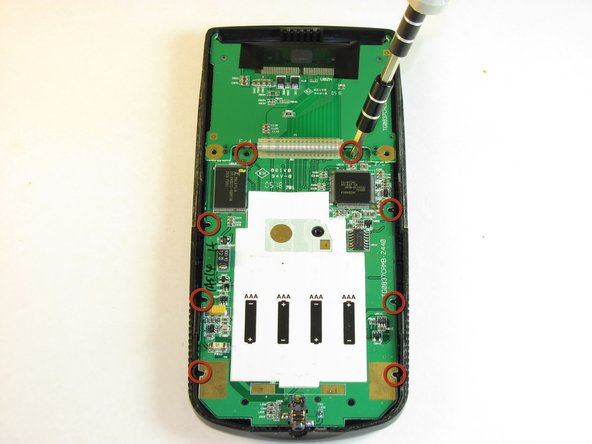
      • Remove the eight (8) 5mm Philips #00 screws on the motherboard.

      询问修复机器人

      添加评论

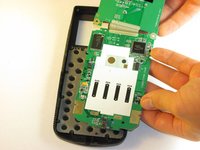
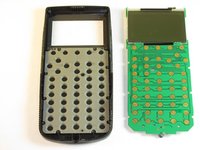
    2. Texas Instruments TI-83 Plus Keyboard Mat Replacement: 步骤 7 中的图像 1,2 Texas Instruments TI-83 Plus Keyboard Mat Replacement: 步骤 7 中的图像 2,2
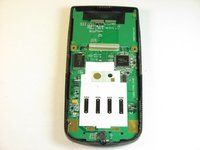
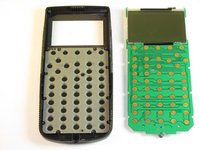
      • Carefully remove the motherboard and screen. Grab the board by its side with one hand and the screen with the other. Carefully lift the two parts up.

      • Keep the face-plate face-down to prevent the keys from falling out.

      询问修复机器人

      添加评论

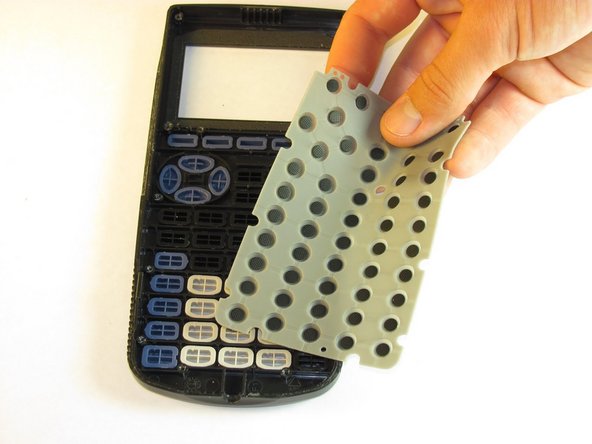
    1. Texas Instruments TI-83 Plus Keyboard Mat Replacement, Keyboard Mat: 步骤 8 中的图像 1,2 Texas Instruments TI-83 Plus Keyboard Mat Replacement, Keyboard Mat: 步骤 8 中的图像 2,2
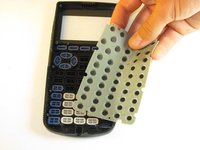
      • Remove light gray rubber keyboard mat.

      • Keep your calculator face down to ensure the individual keys do not fall out.

      询问修复机器人

      添加评论

    2. Texas Instruments TI-83 Plus Keyboard Mat Replacement: 步骤 9 中的图像 1,1
      • Clean the contacts on the keyboard with a soft cloth.

      询问修复机器人

      添加评论

结论

To reassemble your device, follow these instructions in reverse order.

取消:我没有完成这个指南。

另外一个人完成了本指南。

corey

于10/02/12注册

11 声望

撰写一个指南

团队

Cal Poly, Team 18-37, Regan Fall 2012 Cal Poly, Team 18-37, Regan Fall 2012 的会员

CPSU-REGAN-F12S18G37

5 名成员

创作了23篇指南

0指南评论

添加评论

浏览统计数据:

过去 24 小时: 0

过去 7 天: 9

过去 30 天: 49

总计 5,199