跳转到主内容
加入维修社区 - 创建账户

Sony Xperia Z3 Display Prereq

仅作为前提条件
本指南仅提供前提条件!本指南是另一个程序的一部分,不能单独使用。

你所需要的

  1. Sony Xperia Z3 Display Prereq, Back Cover: 步骤 1 中的图像 1,3 Sony Xperia Z3 Display Prereq, Back Cover: 步骤 1 中的图像 2,3 Sony Xperia Z3 Display Prereq, Back Cover: 步骤 1 中的图像 3,3
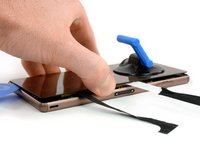
    • Heat the back cover of your Xperia Z3 to loosen the adhesive underneath.

    • If you use an iOpener, follow these instructions for use.

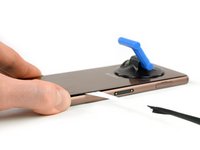
    • Lift up the back cover with a suction handle and put an opening pick in the gap.

    • Move the pick carefully around the edges to loosen the adhesive on every side of the phone.

    • Don't put the pick in too deep under the back cover to not damage any parts inside the phone.

  2. Sony Xperia Z3 Display Prereq: 步骤 2 中的图像 1,2 Sony Xperia Z3 Display Prereq: 步骤 2 中的图像 2,2
    在这个步骤中使用的工具:
    Tweezers
    $4.99
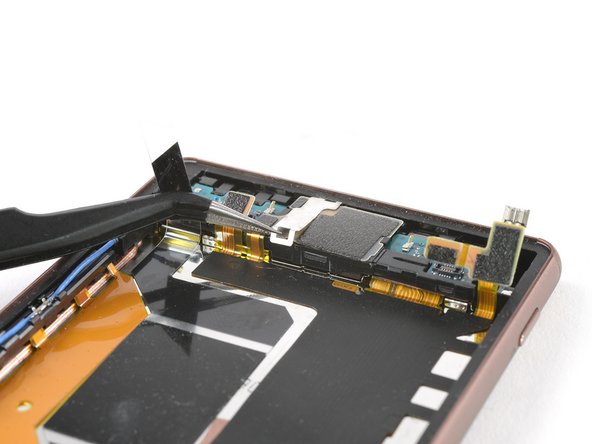
    • There are two adhesive strips in the center of the phone connecting the rear case to the battery, you'll need to remove them to open the phone.

    • When the edges of the cover are free from adhesive, tilt it to allow access to the battery tabs.

    • Use tweezers to pull the two black adhesive strips out of the phone but don't pull just yet.

  3. Sony Xperia Z3 Display Prereq: 步骤 3 中的图像 1,2 Sony Xperia Z3 Display Prereq: 步骤 3 中的图像 2,2
    在这个步骤中使用的工具:
    Plastic Cards
    $2.99
    • Gently pull out both of the adhesive tabs out of the phone, parallel to the rear cover.

    • If the adhesive tabs break, try to use a thin flat plastic tool such as a plastic card to remove the last of the adhesive. If the adhesive is stubborn, heat it with an iOpener or hair dryer and pry again.

  4. Sony Xperia Z3 Display Prereq: 步骤 4 中的图像 1,2 Sony Xperia Z3 Display Prereq: 步骤 4 中的图像 2,2
    • After pulling out the adhesive tabs, you can lift the back cover and remove it.

  5. Sony Xperia Z3 Display Prereq, Battery: 步骤 5 中的图像 1,2 Sony Xperia Z3 Display Prereq, Battery: 步骤 5 中的图像 2,2
    • Unplug the battery flex connector.

    • Use a tweezer to gently pull off the adhesive strip on the bottom part of the battery.

  6. Sony Xperia Z3 Display Prereq: 步骤 6 中的图像 1,2 Sony Xperia Z3 Display Prereq: 步骤 6 中的图像 2,2
    • Use a spudger on the left side of the frame to lever out the battery.

    • Be careful with the spudger - there are cables beneath the battery!

    • Remove the battery.

  7. Sony Xperia Z3 Display Prereq, Display Prereq: 步骤 7 中的图像 1,1
    • Unscrew the two Phillips #00 screws.

  8. Sony Xperia Z3 Display Prereq: 步骤 8 中的图像 1,3 Sony Xperia Z3 Display Prereq: 步骤 8 中的图像 2,3 Sony Xperia Z3 Display Prereq: 步骤 8 中的图像 3,3
    • Unplug the antenna cable with a tweezer.

    • Use a Spudger to unplug the main flex connector and the flex connector of the vibration motor.

  9. Sony Xperia Z3 Display Prereq: 步骤 9 中的图像 1,3 Sony Xperia Z3 Display Prereq: 步骤 9 中的图像 2,3 Sony Xperia Z3 Display Prereq: 步骤 9 中的图像 3,3
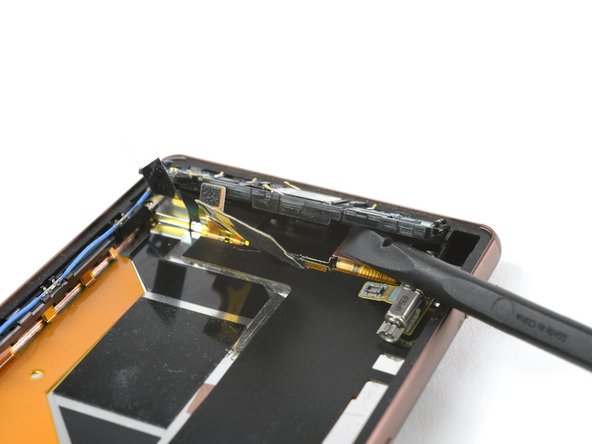
    • Remove the cover on top of the loudspeaker assembly.

    • Use a spudger to pull out the vibration motor and remove its rubber gasket with a tweezer.

  10. Sony Xperia Z3 Display Prereq: 步骤 10 中的图像 1,3 Sony Xperia Z3 Display Prereq: 步骤 10 中的图像 2,3 Sony Xperia Z3 Display Prereq: 步骤 10 中的图像 3,3
    • Use a tweezer to remove the adhesive strip of the loudspeaker assembly.

    • Pull up the metal clamp at the upper end of the loudspeaker assembly by using a tweezer and remove it.

  11. Sony Xperia Z3 Display Prereq: 步骤 11 中的图像 1,3 Sony Xperia Z3 Display Prereq: 步骤 11 中的图像 2,3 Sony Xperia Z3 Display Prereq: 步骤 11 中的图像 3,3
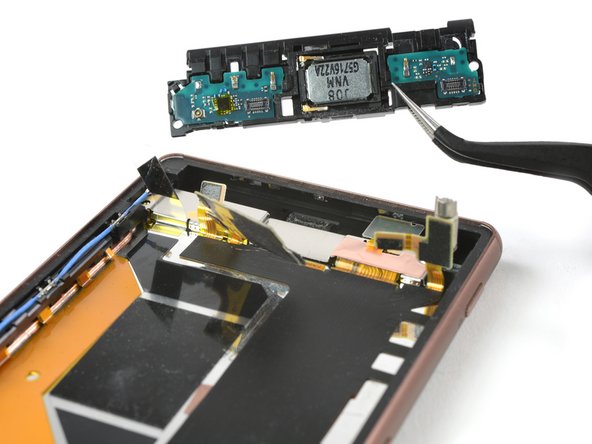
    • Lift up the main flex cable covering the loudspeaker assembly with a Spudger

    • Take care to not damage the loudspeaker. The flex cable is attached to the assembly with adhesive and is a little bit sticky.

    • Lift up the whole loudspeaker assembly with a spudger and remove it.

  12. Sony Xperia Z3 Display Prereq: 步骤 12 中的图像 1,2 Sony Xperia Z3 Display Prereq: 步骤 12 中的图像 2,2
    • Use a spudger to lift up the end of the main flex.

    • Remove the bronze foil covering the connector of the main flex with a tweezer.

  13. Sony Xperia Z3 Display Prereq: 步骤 13 中的图像 1,3 Sony Xperia Z3 Display Prereq: 步骤 13 中的图像 2,3 Sony Xperia Z3 Display Prereq: 步骤 13 中的图像 3,3
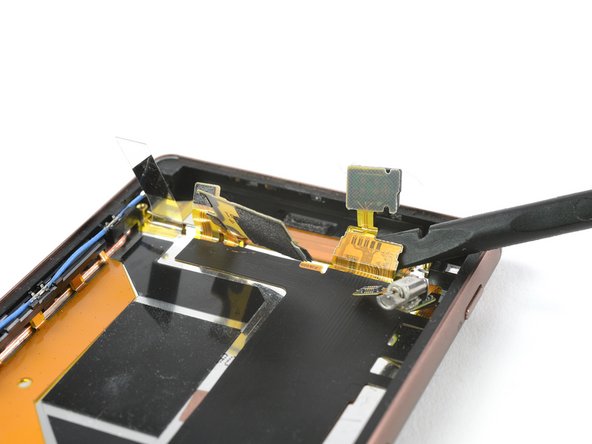
    • Lift up the metal plate which is placed beneath the loudspeaker assembly and remove it.

    • Unplug the main flex cable.

    • Use a tweezer to remove the yellow adhesive foil covering the display flex cable.

结论

To reassemble your device, follow these instructions in reverse order.

Dominik Schnabelrauch

于11/23/16注册

249,961 声望

创作了682篇指南

团队

iFixit iFixit 的会员

Staff

123 名成员

创作了23,992篇指南

0指南评论

添加评论

浏览统计数据:

过去 24 小时: 0

过去 7 天: 0

过去 30 天: 8

总计 104