跳转到主内容
加入维修社区 - 创建账户

Sony RM-LVR1 LCD Screen Replacement

你所需要的

  1. Sony RM-LVR1 LCD Screen Replacement, Battery: 步骤 1 中的图像 1,1
    • Use a Phillips #00 screwdriver to remove the four (4) screws on the back of the device.

    • If the screws strips or is previously stripped, refer to the stripped screw repair guide.

    询问修复机器人

    添加评论

  2. Sony RM-LVR1 LCD Screen Replacement: 步骤 2 中的图像 1,1
    • Battery is the rectangular and silver object in the center of device.

    • Remove battery with finger by prying at the rear.

    • If unable to remove battery, pry out using spudger.

    询问修复机器人

    添加评论

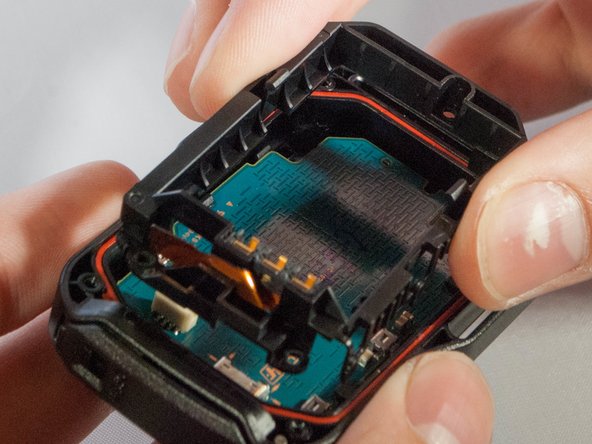
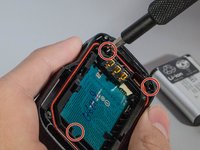
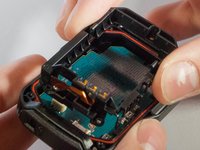
  3. Sony RM-LVR1 LCD Screen Replacement, LCD Screen: 步骤 3 中的图像 1,2 Sony RM-LVR1 LCD Screen Replacement, LCD Screen: 步骤 3 中的图像 2,2
    • Unscrew the 3 (three) screws holding the bracket in place.

    • Then remove the bracket by prying one end up.

    • Do not rip the ribbon cable connecting the bracket to the motherboard.

    询问修复机器人

    添加评论

  4. Sony RM-LVR1 LCD Screen Replacement: 步骤 4 中的图像 1,1
    在这个步骤中使用的工具:
    Tweezers
    $4.99
    • With tweezers, unplug the ribbon cable from the white connector.

    询问修复机器人

    添加评论

  5. Sony RM-LVR1 LCD Screen Replacement: 步骤 5 中的图像 1,1
    • Remove motherboard from the device by pulling upward gently, with fingers or tweezers.

    询问修复机器人

    添加评论

  6. Sony RM-LVR1 LCD Screen Replacement: 步骤 6 中的图像 1,1
    • Gently push out on these two clips holding the LCD to the motherboard

    • Once you have the first two off, ever so carefully, push the LCD towards the remaining two clips.

    • There is a ribbon cable underneath the LCD connecting it to the motherboard. Avoid sharp, sudden movements to prevent it from being damged

    添加评论

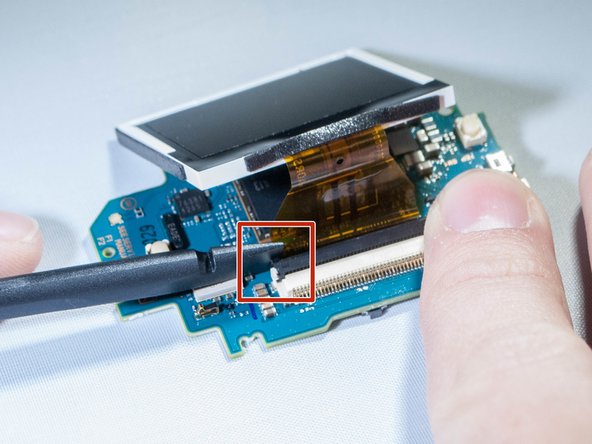
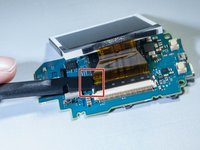
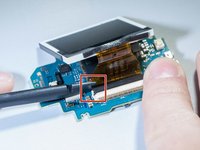
  7. Sony RM-LVR1 LCD Screen Replacement: 步骤 7 中的图像 1,2 Sony RM-LVR1 LCD Screen Replacement: 步骤 7 中的图像 2,2
    • Undo the ribbon cable attached between the motherboard and screen by prying up black tab which holds the cable, using spudger. (See pictures)

    询问修复机器人

    添加评论

  8. Sony RM-LVR1 LCD Screen Replacement: 步骤 8 中的图像 1,1
    • Remove the screen from the motherboard.

    询问修复机器人

    添加评论

结论

To reassemble your device, follow these instructions in reverse order.

取消:我没有完成这个指南。

另外一个人完成了本指南。

4指南评论

здорово!

подскажите где купить дисплей?, или его маркировку?. на дисплее ничего не написано, не могу найти.

Александр - 回复 分享

Hi

I cant find an replacement lcd.

Could anybody help me where to get one?

Cheers

Sven

Sven van Bellen - 回复 分享

any link to the replacement LCD please?

Bart Ptachowski - 回复 分享

Hi .

search : HD 170 LCD Drift aliexp****

i think it will do the job .

cheers

ruigyl - 回复 分享

添加评论

浏览统计数据:

过去 24 小时: 3

过去 7 天: 9

过去 30 天: 58

总计 989