跳转到主内容
加入维修社区 - 创建账户

Sony BDP BX350 Disc Tray Replacement

你所需要的

  1. Sony BDP BX350 Disc Tray Replacement, Disc Assembly: 步骤 1 中的图像 1,1
    • Remove the three 10mm Philips head screws on the back of the player.

    询问修复机器人
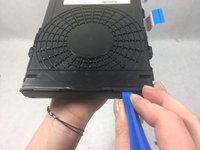
  2. Sony BDP BX350 Disc Tray Replacement: 步骤 2 中的图像 1,1
    • Using an opening tool lift up the tabs located on the bottom of the plastic front cover.

    询问修复机器人
  3. Sony BDP BX350 Disc Tray Replacement: 步骤 3 中的图像 1,1
    • Lift the tabs located on each side of the device to free the front cover. Begin to separate the front and metal back covers.

    询问修复机器人
  4. Sony BDP BX350 Disc Tray Replacement: 步骤 4 中的图像 1,1
    • Completely separate the front cover and the metal back cover from the grey casing.

    • The inner components should all be completely exposed after opening.

    询问修复机器人
  5. Sony BDP BX350 Disc Tray Replacement: 步骤 5 中的图像 1,1
    • Unscrew the two 8mm Philips head screws securing the disc assembly to the main casing.

    询问修复机器人
  6. Sony BDP BX350 Disc Tray Replacement: 步骤 6 中的图像 1,1
    • Pull the disc assembly out from under the metal tabs on the main casing.

    询问修复机器人
  7. Sony BDP BX350 Disc Tray Replacement: 步骤 7 中的图像 1,1
    • Remove disc assembly.

    询问修复机器人
  8. Sony BDP BX350 Disc Tray Replacement, Disc Tray: 步骤 8 中的图像 1,1
    • Take caution to not break plastic tabs.

    • Undo the four tabs on the disc tray assembly.

    询问修复机器人
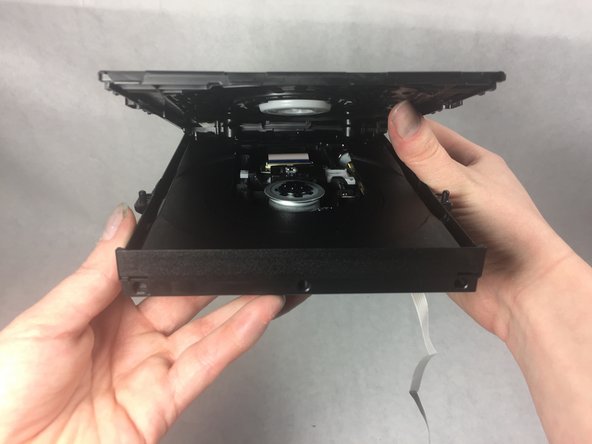
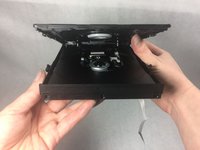
  9. Sony BDP BX350 Disc Tray Replacement: 步骤 9 中的图像 1,2 Sony BDP BX350 Disc Tray Replacement: 步骤 9 中的图像 2,2
    • Lift front until back separates.

    询问修复机器人
  10. Sony BDP BX350 Disc Tray Replacement: 步骤 10 中的图像 1,1
    • Remove disc from disc tray.

    询问修复机器人
结论

To reassemble your device, follow these instructions in reverse order however do not put the disc back in.

团队

0指南评论

添加评论

浏览统计数据:

过去 24 小时: 0

过去 7 天: 1

过去 30 天: 22

总计 676