跳转到主内容
加入维修社区 - 创建账户

Skullcandy Air Raid Buttons Replacement

你所需要的

    1. Skullcandy Air Raid Buttons Replacement, Rubber Cover: 步骤 1 中的图像 1,1
      • Starting with the corners, gently pull the rubber cover off of the device.

      询问修复机器人

      添加评论

    2. Skullcandy Air Raid Buttons Replacement, Handle: 步骤 2 中的图像 1,1
      • Using the T-6 hexagonal screwdriver, unscrew the four 10mm #6 hex screws on the right side of the device.

      • Remove the handle from the device.

      询问修复机器人

      添加评论

    3. Skullcandy Air Raid Buttons Replacement, Front Plate: 步骤 3 中的图像 1,1
      • Unscrew the two screws on the left side of the device using the phillips #00 screwdriver.

      • One 5mm Phillips screw.

      • One 8mm Phillips screw.

      询问修复机器人

      添加评论

    4. Skullcandy Air Raid Buttons Replacement: 步骤 4 中的图像 1,1
      • Gently pull the sides of the front plate outwards from the device.

      • Pull up on the front plate to remove it from the device.

      询问修复机器人

      添加评论

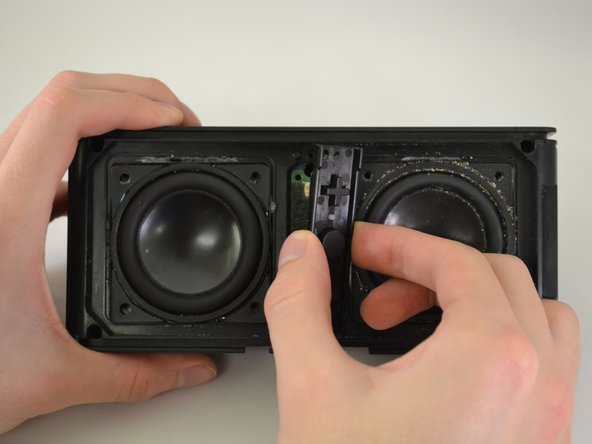
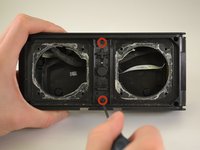
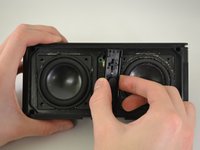
    1. Skullcandy Air Raid Buttons Replacement, Control Buttons: 步骤 5 中的图像 1,2 Skullcandy Air Raid Buttons Replacement, Control Buttons: 步骤 5 中的图像 2,2
      • Using a Phillips #00 Precision Screwdriver, unscrew two 6 mm screws from the middle of the panel, specifically above and below the volume buttons.

      • Lift the button panel.

      询问修复机器人

      添加评论

    2. Skullcandy Air Raid Buttons Replacement, Button Motherboard: 步骤 6 中的图像 1,1
      • Using a Phillips #00 Precision Screwdriver, unscrew two 6 mm screws from the button motherboard.

      询问修复机器人

      添加评论

    3. Skullcandy Air Raid Buttons Replacement: 步骤 7 中的图像 1,1
      • Using a plastic opening tool, pry up on the button motherboard to detach it from the device.

      • The button motherboard is connected to a ribbon cable inside the device.

      询问修复机器人

      添加评论

    4. Skullcandy Air Raid Buttons Replacement, Ribbon Cable: 步骤 8 中的图像 1,1
      • First, pull on the black attachment to disconnect it from the metal piece.

      • Release the cable from the back of the motherboard.

      • The black attachment is a part of the connector, not the blue ribbon cable. It will not disconnect from the motherboard.

      询问修复机器人

      添加评论

结论

To reassemble your device, follow these instructions in reverse order.

取消:我没有完成这个指南。

2等其他人完成本指南。

0指南评论

添加评论

浏览统计数据:

过去 24 小时: 1

过去 7 天: 8

过去 30 天: 32

总计 1,645