跳转到主内容
加入维修社区 - 创建账户

Shark ION Robot R75 Drive Wheel Assembly Replacement

你所需要的

    1. Shark ION Robot R75 Drive Wheel Assembly Replacement, Battery: 步骤 1 中的图像 1,3 Shark ION Robot R75 Drive Wheel Assembly Replacement, Battery: 步骤 1 中的图像 2,3 Shark ION Robot R75 Drive Wheel Assembly Replacement, Battery: 步骤 1 中的图像 3,3
      • Make sure the robot is shut off by pressing the power button on top.

      • Flip the R75 over so that the underside is facing up.

      • Using a Phillips #1 screwdriver, remove the 4mm screw in the battery cover.

      • Remove the battery cover.

      添加评论

    2. Shark ION Robot R75 Drive Wheel Assembly Replacement: 步骤 2 中的图像 1,3 Shark ION Robot R75 Drive Wheel Assembly Replacement: 步骤 2 中的图像 2,3 Shark ION Robot R75 Drive Wheel Assembly Replacement: 步骤 2 中的图像 3,3
      • Be careful when removing the battery, as it will still be connected to a wire.

      • Slowly pull the white tabs outward to remove the battery.

      添加评论

    3. Shark ION Robot R75 Drive Wheel Assembly Replacement: 步骤 3 中的图像 1,2 Shark ION Robot R75 Drive Wheel Assembly Replacement: 步骤 3 中的图像 2,2
      在这个步骤中使用的工具:
      Tweezers
      $4.99
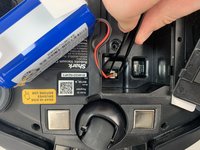
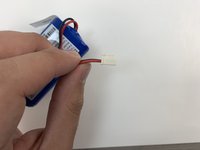
      • Be careful when removing the connector, as the part can break if too much force is used.

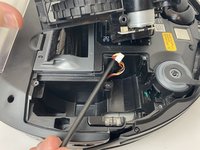
      • Push down on the tab of the battery connector using a set of tweezers and pull the connector away from the robot to free the wire.

      • Remove the battery from the device.

      添加评论

    1. Shark ION Robot R75 Drive Wheel Assembly Replacement, Drive Wheel Assembly: 步骤 4 中的图像 1,1
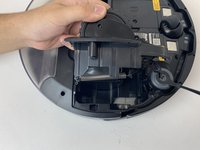
      • Flip the R75 to its underside.

      • Make sure the R75 is shut off.

      • For extra security, disconnect the battery by following the prerequisite guide.

      添加评论

    2. Shark ION Robot R75 Drive Wheel Assembly Replacement: 步骤 5 中的图像 1,3 Shark ION Robot R75 Drive Wheel Assembly Replacement: 步骤 5 中的图像 2,3 Shark ION Robot R75 Drive Wheel Assembly Replacement: 步骤 5 中的图像 3,3
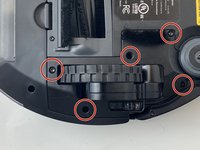
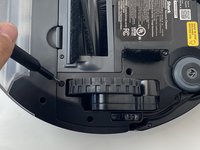
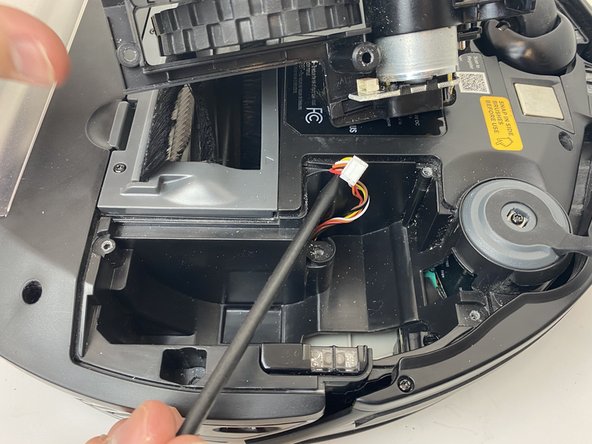
      • Using a Torx T15 screwdriver, remove the five screws from the drive wheel assembly.

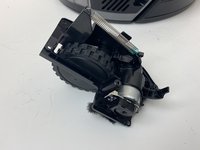
      • Carefully lift the drive wheel assembly from the wheel well by gently pulling up on the wheel.

      • The assembly will still be connected to the motherboard via a cable, so be sure not to pull so hard that the cable rips.

      添加评论

    3. Shark ION Robot R75 Drive Wheel Assembly Replacement: 步骤 6 中的图像 1,3 Shark ION Robot R75 Drive Wheel Assembly Replacement: 步骤 6 中的图像 2,3 Shark ION Robot R75 Drive Wheel Assembly Replacement: 步骤 6 中的图像 3,3
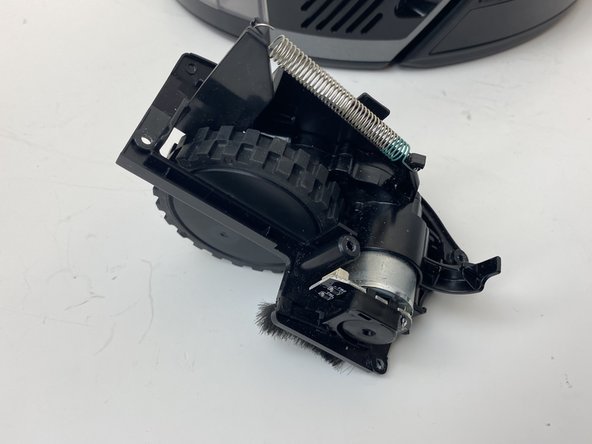
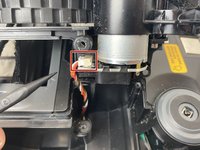
      • Flip the wheel assembly over and disconnect the cable connector on its underside.

      • Remove the drive wheel assembly.

      • Repeat this process for the other side if necessary.

      添加评论

结论

To reassemble your device, follow these instructions in reverse order.

取消:我没有完成这个指南。

3等其他人完成本指南。

6指南评论

Where I can buy the Shark ION Robot R75 Drive Wheel Assembly Replacement?

Thanks for your help!

xoxolo - 回复 分享

Do you know what the drive wheel motor cable is (see Step 6)? It's a 6 pin to 5 pin and the grooves are on the thin side and pitch of ~1.4mm. Possible a JST ZH?

Seth T - 回复 分享

I appreciate the step-by-step instructions with pictures... this was very helpful. However, my rv750 doesn't have the screws by the wheel assembly.

I've removed the screws, but it appears that I will need to separate the bottom from the top to access the wheel assemblies. Do you have a step=by step for the rv750 that has the wheel assembly enclosed?

RandiB - 回复 分享

The right wheel ass has a small gear striped inside, can you buy the small gears to repair the wheel drive?

Jerry Rotenberry - 回复 分享

I'm going to try these from Walmart

https://www.walmart.com/ip/5Pcs-set-Inte...

Miles Morgan - 回复 分享

添加评论

浏览统计数据:

过去 24 小时: 4

过去 7 天: 18

过去 30 天: 49

总计 10,872