跳转到主内容
加入维修社区 - 创建账户

Sansa e260R Memory Board Replacement

你所需要的

  1. Sansa e260R Memory Board Replacement, Rear Case: 步骤 1 中的图像 1,1
    • Before disassembling the device, make sure it is powered off.

    • Remove the four 1.5mm screws on the back of the device.

    询问修复机器人

    添加评论

  2. Sansa e260R Memory Board Replacement: 步骤 2 中的图像 1,1
    • Using a plastic opening tool, lift the metal backing from the front of the device.

    询问修复机器人

    添加评论

  3. Sansa e260R Memory Board Replacement: 步骤 3 中的图像 1,1
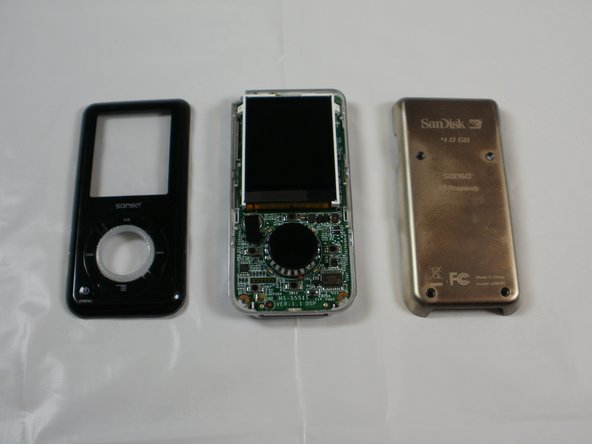
    • Pull the rear panel off of the Sansa e260R.

    询问修复机器人

    添加评论

  4. Sansa e260R Memory Board Replacement, Battery: 步骤 4 中的图像 1,1
    • Grip the bottom of the battery with your thumb and forefinger and pull it away from the device.

    询问修复机器人

    添加评论

  5. Sansa e260R Memory Board Replacement, Front Panel: 步骤 5 中的图像 1,1
    • Remove the four 1.5mm screws on the inner casing of the device.

    • These screws are very small and hard to extract from the casing. It may be helpful to use a magnetic screwdriver.

    询问修复机器人

    添加评论

  6. Sansa e260R Memory Board Replacement: 步骤 6 中的图像 1,1
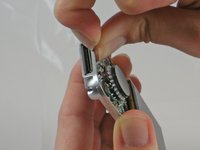
    • Flip the device so that the front is facing you.

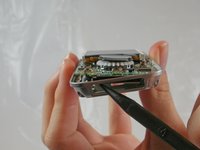
    • Slide a plastic opening tool between the plastic front cover and the metal back cover of the device.

    询问修复机器人

    添加评论

  7. Sansa e260R Memory Board Replacement: 步骤 7 中的图像 1,2 Sansa e260R Memory Board Replacement: 步骤 7 中的图像 2,2
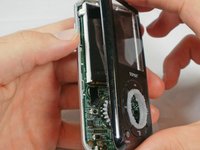
    • Pull the front cover away from the rest of the device.

    询问修复机器人

    添加评论

  8. Sansa e260R Memory Board Replacement, Memory Board: 步骤 8 中的图像 1,2 Sansa e260R Memory Board Replacement, Memory Board: 步骤 8 中的图像 2,2
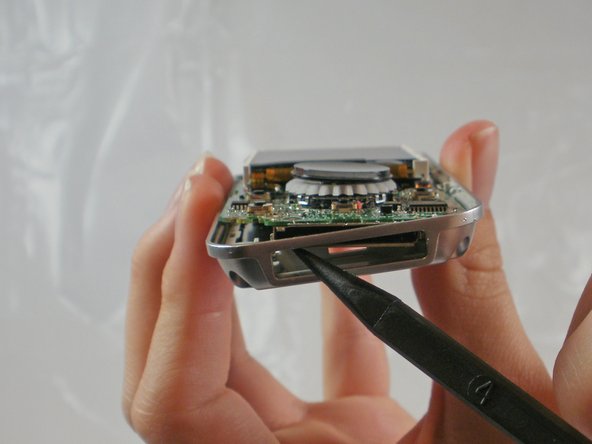
    • Near the charging port, pull the case away from the motherboard to create clearance to remove the motherboard.

    • Use the spudger to push the motherboard in and pop the metal edge of the charging port up and inside the plastic case.

    询问修复机器人

    添加评论

  9. Sansa e260R Memory Board Replacement: 步骤 9 中的图像 1,1
    • Pull the bottom of the motherboard up and then out.

    询问修复机器人

    添加评论

  10. Sansa e260R Memory Board Replacement: 步骤 10 中的图像 1,1
    • On the back of the motherboard, there is a rectangle of rubber.

    • Peel the rectangle off slowly.

    询问修复机器人

    添加评论

  11. Sansa e260R Memory Board Replacement: 步骤 11 中的图像 1,1
    • Under the rubber rectangle, there is a strip of black tape.

    • Peel the tape off about halfway so that it is no longer attached to the memory board.

    询问修复机器人

    添加评论

  12. Sansa e260R Memory Board Replacement: 步骤 12 中的图像 1,1
    • Carefully peel the memory board away from the rest of the motherboard

    询问修复机器人

    添加评论

结论

To reassemble your device, follow these instructions in reverse order.

取消:我没有完成这个指南。

6等其他人完成本指南。

JenniferW

于01/31/12注册

194 声望

创作了2篇指南

团队

Cal Poly, Team 8-15, Maness Winter 2012 Cal Poly, Team 8-15, Maness Winter 2012 的会员

CPSU-MANESS-W12S8G15

5 名成员

创作了5篇指南

1指南评论

thanks a million for this. i accidentally erased the boot partition, bought another one on eBay with a defective audio channel and switched the memory board: eureka! i’m happy listening to my tunes again!

Admin User - 回复 分享

添加评论

浏览统计数据:

过去 24 小时: 2

过去 7 天: 12

过去 30 天: 56

总计 3,041