跳转到主内容
加入维修社区 - 创建账户

Samsung Watch Active Battery Replacement

你所需要的

    1. Samsung Watch Active Battery Replacement, Tools: 步骤 1 中的图像 1,1
      • Assemble all your tools

      询问修复机器人

      添加评论

    2. Samsung Watch Active Battery Replacement: 步骤 2 中的图像 1,1
      • Turn watch faced down to reveal the screws. Remove the straps by pulling on pin switches to release.

      询问修复机器人

      添加评论

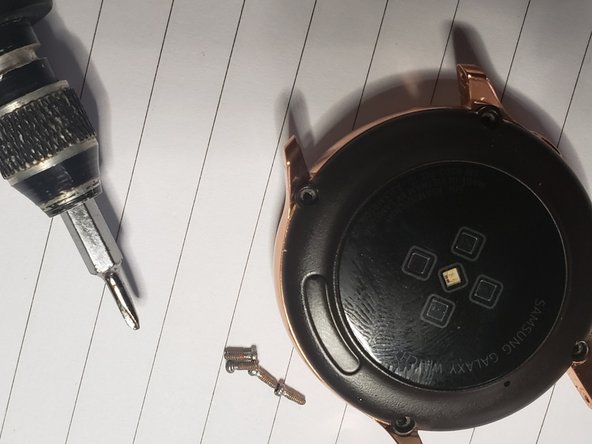
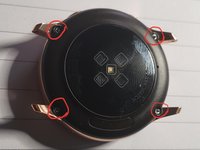
    3. Samsung Watch Active Battery Replacement: 步骤 3 中的图像 1,2 Samsung Watch Active Battery Replacement: 步骤 3 中的图像 2,2
      • remove the 4 screws

      询问修复机器人

      添加评论

    4. Samsung Watch Active Battery Replacement: 步骤 4 中的图像 1,1
      • Use the tin metal pry tool to gently penetrate the back.

      询问修复机器人

      添加评论

    5. Samsung Watch Active Battery Replacement: 步骤 5 中的图像 1,1
      • Use the metal pry tool as support for the opening blue pick

      询问修复机器人

      添加评论

    6. Samsung Watch Active Battery Replacement: 步骤 6 中的图像 1,1
      • Gently Lift the back to reveal a connector, use a tweezer to remove it then you will have access to the back

      询问修复机器人

      添加评论

    7. Samsung Watch Active Battery Replacement: 步骤 7 中的图像 1,1
      • Separate back fully from rest of the body

      询问修复机器人

      添加评论

    8. Samsung Watch Active Battery Replacement: 步骤 8 中的图像 1,1
      • use tweezer to remove all 3 connectors and remove the screw

      添加评论

    9. Samsung Watch Active Battery Replacement: 步骤 9 中的图像 1,1
      • Use Spudger to lift panel housing from body

      询问修复机器人

      添加评论

    10. Samsung Watch Active Battery Replacement: 步骤 10 中的图像 1,1
      • Remove housing from watch body

      询问修复机器人

      添加评论

    11. Samsung Watch Active Battery Replacement: 步骤 11 中的图像 1,1
      • Lift off motherboard and use tweezer to lift up bettery connector from the plastic housing

      询问修复机器人

      添加评论

    12. Samsung Watch Active Battery Replacement: 步骤 12 中的图像 1,1
      • use spudger to lift battey out of plastic housing

      询问修复机器人

      添加评论

    13. Samsung Watch Active Battery Replacement: 步骤 13 中的图像 1,1
      • Separate battery from the plastic body, then install replacement battery

      询问修复机器人

      添加评论

结论

To reassemble your device, follow these instructions in reverse order.

取消:我没有完成这个指南。

5等其他人完成本指南。

Jimi Aloba

于10/18/19注册

377 声望

撰写一个指南

2指南评论

I have so benefited from this portal , I have now made my own contribution. Hope it helps someone.

Jimi Aloba - 回复 分享

Excellent guide Haven't done it yet. Where can I find the battery for this watch, also what type of screwdriver are you using for the 1st 4 screws? None of mine fit it.

mnmacd - 回复 分享

添加评论

浏览统计数据:

过去 24 小时: 2

过去 7 天: 11

过去 30 天: 48

总计 2,013