跳转到主内容
加入维修社区 - 创建账户

Samsung SmartThings Hub Motherboard Replacement

你所需要的

  1. Samsung SmartThings Hub Motherboard Replacement, Motherboard: 步骤 1 中的图像 1,1
    • To open your device, gently slide the grey bottom cover in the direction of the arrow as shown.

    询问修复机器人

    添加评论

  2. Samsung SmartThings Hub Motherboard Replacement: 步骤 2 中的图像 1,3 Samsung SmartThings Hub Motherboard Replacement: 步骤 2 中的图像 2,3 Samsung SmartThings Hub Motherboard Replacement: 步骤 2 中的图像 3,3
    • Make sure the batteries are removed before attempting disassembly.

    • Using your Phillips #1 screwdriver, remove the four visible 12.5mm screws.

    • Next, either peel up the longer of the two stickers or punch a hole with the tip of your screwdriver to access the fifth 12.5mm screw.

    询问修复机器人

    添加评论

  3. Samsung SmartThings Hub Motherboard Replacement: 步骤 3 中的图像 1,3 Samsung SmartThings Hub Motherboard Replacement: 步骤 3 中的图像 2,3 Samsung SmartThings Hub Motherboard Replacement: 步骤 3 中的图像 3,3
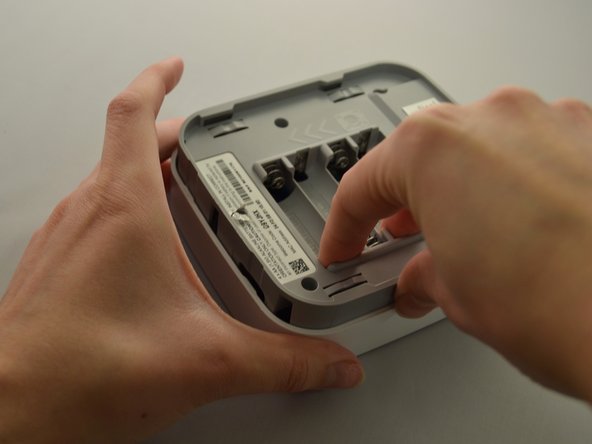
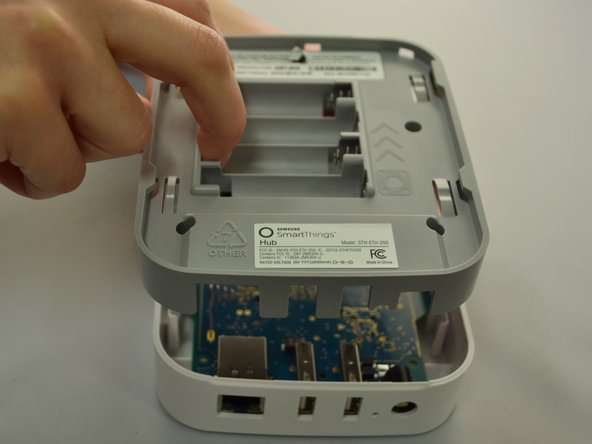
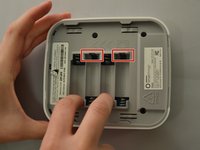
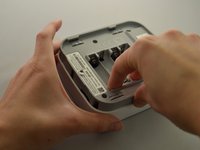
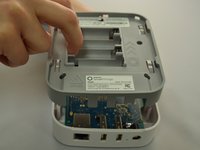
    • Once all five screws are removed, split the casing apart by applying gentle upwards pressure against the positive terminals in the battery compartment.

    询问修复机器人

    添加评论

  4. Samsung SmartThings Hub Motherboard Replacement: 步骤 4 中的图像 1,2 Samsung SmartThings Hub Motherboard Replacement: 步骤 4 中的图像 2,2
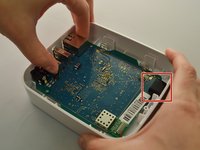
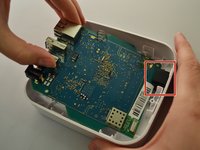
    • To remove the motherboard, grip the USB port and the Ethernet port. Lift up, then slide towards the front of the device to release the motherboard from the black retaining clip shown on the right.

    询问修复机器人

    添加评论

  5. Samsung SmartThings Hub Motherboard Replacement: 步骤 5 中的图像 1,1
    • Replace with new, known-good motherboard.

    询问修复机器人

    添加评论

结论

To reassemble your device, follow these instructions in reverse order.

取消:我没有完成这个指南。

4等其他人完成本指南。

0指南评论

添加评论

浏览统计数据:

过去 24 小时: 1

过去 7 天: 6

过去 30 天: 28

总计 1,952