跳转到主内容
加入维修社区 - 创建账户

Samsung NP-QX411L Battery Replacement

你所需要的

    1. Samsung NP-QX411L Battery Replacement, Optical Drive: 步骤 1 中的图像 1,2 Samsung NP-QX411L Battery Replacement, Optical Drive: 步骤 1 中的图像 2,2
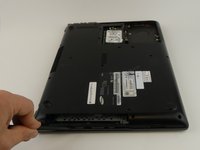
      • Flip the laptop over.

      • Remove the 6 mm screw with the Phillips #000 screwdriver.

      询问修复机器人

      添加评论

    2. Samsung NP-QX411L Battery Replacement: 步骤 2 中的图像 1,1
      • Slide out the optical drive to remove it.

      询问修复机器人

      添加评论

    1. Samsung NP-QX411L Battery Replacement, Hard Drive: 步骤 3 中的图像 1,2 Samsung NP-QX411L Battery Replacement, Hard Drive: 步骤 3 中的图像 2,2
      • Put on the anti-static wristband and connect the attached alligator clip to a metal object. This will prevent you from shocking the motherboard.

      • Flip the laptop.

      • Use the Phillips #000 screwdriver to unscrew the 6 mm screw from the square panel.

      询问修复机器人

      添加评论

    2. Samsung NP-QX411L Battery Replacement: 步骤 4 中的图像 1,2 Samsung NP-QX411L Battery Replacement: 步骤 4 中的图像 2,2
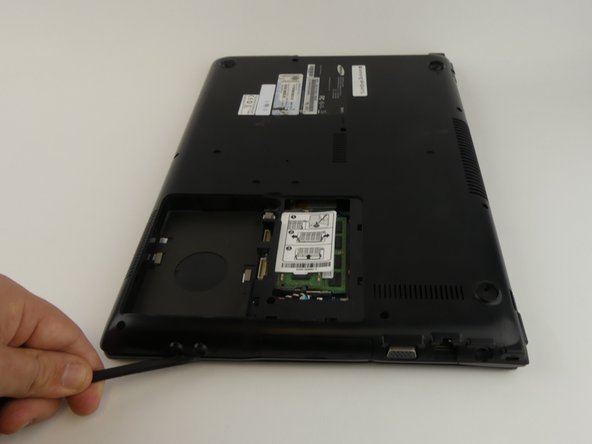
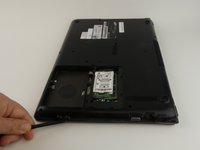
      • Gently wedge the spudger under the square panel.

      • Run the spudger under the edges of the square panel to loosen it.

      • Remove the panel.

      询问修复机器人

      添加评论

    3. Samsung NP-QX411L Battery Replacement: 步骤 5 中的图像 1,1
      • Remove the hard drive slowly because it is still connected to a wire.

      • Pull up on the rubber flap or use the spudger to lift the hard drive.

      询问修复机器人

      添加评论

    4. Samsung NP-QX411L Battery Replacement: 步骤 6 中的图像 1,1
      • Remove the hard drive by gently pulling the power connector at the base of the wire off. You can do this by pulling the connector away from the hard drive.

      询问修复机器人

      添加评论

    1. Samsung NP-QX411L Battery Replacement, Battery: 步骤 7 中的图像 1,1
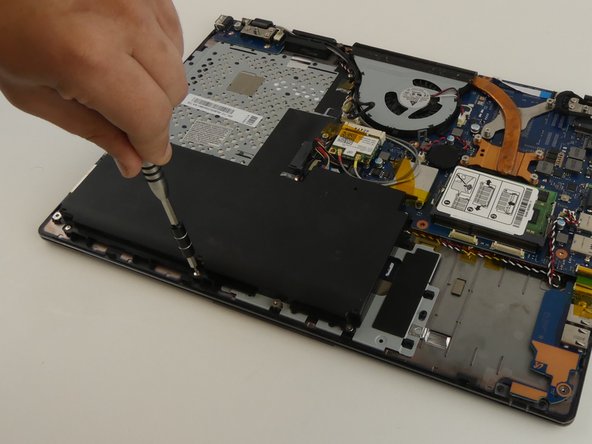
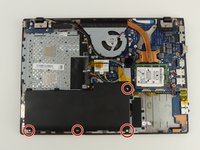
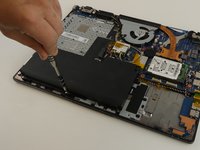
      • Use the Phillips #000 screwdriver to remove the 6 mm screw.

      询问修复机器人

      添加评论

    2. Samsung NP-QX411L Battery Replacement: 步骤 8 中的图像 1,2 Samsung NP-QX411L Battery Replacement: 步骤 8 中的图像 2,2
      在这个步骤中使用的工具:
      Tweezers
      $4.99
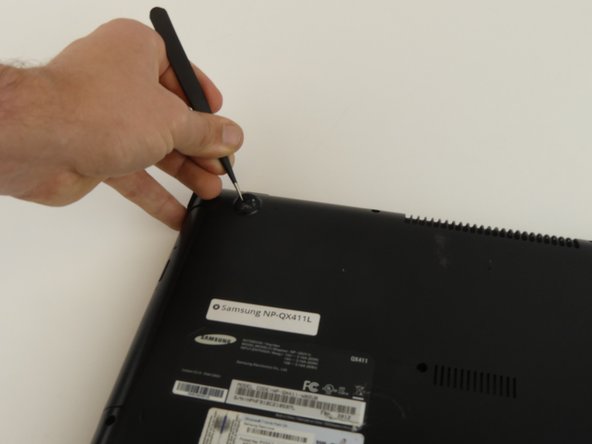
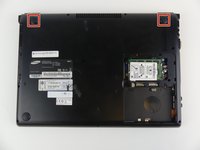
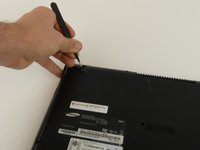
      • Remove the top two rubber stoppers by grasping them with the precision tweezers and pulling up.

      询问修复机器人

      添加评论

    3. Samsung NP-QX411L Battery Replacement: 步骤 9 中的图像 1,1
      • Remove nine 6mm cover screws using the Phillips #000 screwdriver.

      询问修复机器人

      添加评论

    4. Samsung NP-QX411L Battery Replacement: 步骤 10 中的图像 1,3 Samsung NP-QX411L Battery Replacement: 步骤 10 中的图像 2,3 Samsung NP-QX411L Battery Replacement: 步骤 10 中的图像 3,3
      • Wedge the spudger under the cover and run it along the edges.

      • Pry the cover up with the spudger to remove it.

      询问修复机器人

      添加评论

    5. Samsung NP-QX411L Battery Replacement: 步骤 11 中的图像 1,2 Samsung NP-QX411L Battery Replacement: 步骤 11 中的图像 2,2
      • Remove the four 3 mm screws using the Phillips #000 screwdriver.

      询问修复机器人

      添加评论

    6. Samsung NP-QX411L Battery Replacement: 步骤 12 中的图像 1,1
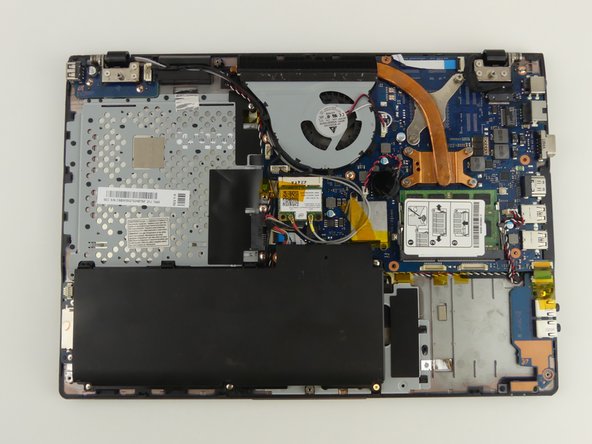
      • A wire is still connecting the battery to the motherboard.

      • Lift and slide the battery out from under the three plastic prongs.

      询问修复机器人

      添加评论

    7. Samsung NP-QX411L Battery Replacement: 步骤 13 中的图像 1,1
      • Grab the wires and gently pull them away from the motherboard.

      询问修复机器人

      添加评论

结论

To reassemble your device, follow these instructions in reverse order.

取消:我没有完成这个指南。

3等其他人完成本指南。

团队

USF Tampa, Team S19-G3, Hoffman Spring 2017 USF Tampa, Team S19-G3, Hoffman Spring 2017 的会员

USFT-HOFFMAN-S17S19G3

4 名成员

创作了45篇指南

1指南评论

Pardon the interruption, but do you potentially have a tutorial on how to replace the keyboard on this laptop? I am having problems finding an acceptable-enough tutorial on how to do it, yet I need such a tutorial as the process seems quite daunting.

Thanks,

Random Person on the Internet

Anonymous Schmuck - 回复 分享

添加评论

浏览统计数据:

过去 24 小时: 1

过去 7 天: 9

过去 30 天: 38

总计 4,563