跳转到主内容
加入维修社区 - 创建账户

Samsung HMX-W300 Lens Replacement

你所需要的

    1. Samsung HMX-W300 Lens  Replacement, Disassembling Samsung HMX-W300: 步骤 1 中的图像 1,3 Samsung HMX-W300 Lens  Replacement, Disassembling Samsung HMX-W300: 步骤 1 中的图像 2,3 Samsung HMX-W300 Lens  Replacement, Disassembling Samsung HMX-W300: 步骤 1 中的图像 3,3
      • To remove the wristband of the device, grab the middle loop and pull the band through.

      询问修复机器人

      添加评论

    2. Samsung HMX-W300 Lens  Replacement: 步骤 2 中的图像 1,2 Samsung HMX-W300 Lens  Replacement: 步骤 2 中的图像 2,2
      • Remove four screws with a Hex 1.5 mm screwdriver.

      询问修复机器人

      添加评论

    3. Samsung HMX-W300 Lens  Replacement: 步骤 3 中的图像 1,3 Samsung HMX-W300 Lens  Replacement: 步骤 3 中的图像 2,3 Samsung HMX-W300 Lens  Replacement: 步骤 3 中的图像 3,3
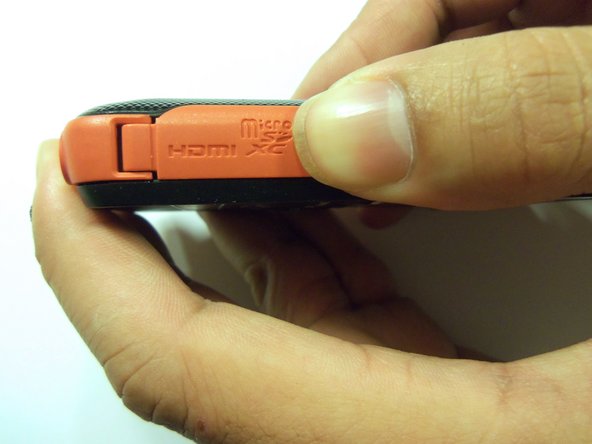
      • Open the HDMI door on the side of the camera.

      • Remove the single screw using a Phillips #00 screwdriver.

      询问修复机器人

      添加评论

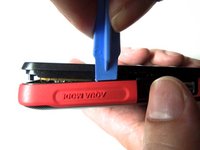
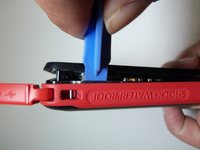
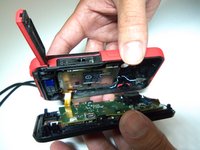
    4. Samsung HMX-W300 Lens  Replacement: 步骤 4 中的图像 1,3 Samsung HMX-W300 Lens  Replacement: 步骤 4 中的图像 2,3 Samsung HMX-W300 Lens  Replacement: 步骤 4 中的图像 3,3
      • Use the iFixit opening tool on both sides on the device. Pry apart both sections with light force.

      • Do not apply too much force. There is a wire that attaches the front case with the rear case that can be damaged.

      询问修复机器人

      添加评论

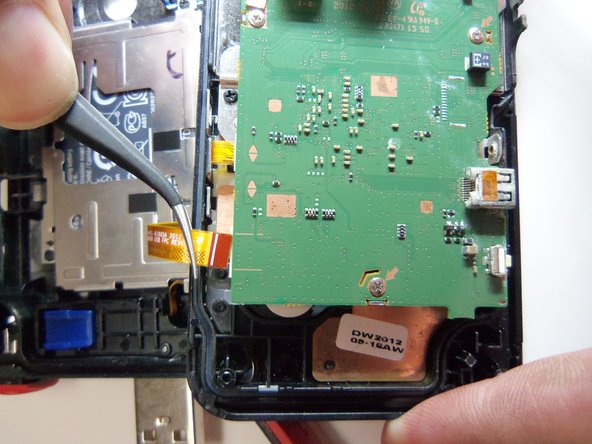
    5. Samsung HMX-W300 Lens  Replacement: 步骤 5 中的图像 1,3 Samsung HMX-W300 Lens  Replacement: 步骤 5 中的图像 2,3 Samsung HMX-W300 Lens  Replacement: 步骤 5 中的图像 3,3
      在这个步骤中使用的工具:
      Tweezers
      $4.99
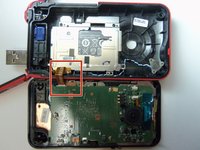
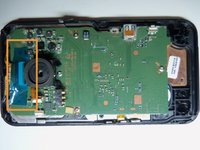
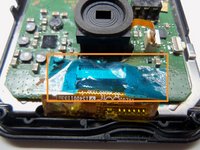
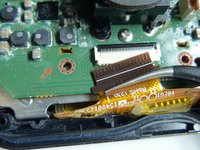
      • Pull the wire ribbon out with a pair of tweezers.

      询问修复机器人

      添加评论

    1. Samsung HMX-W300 Lens  Replacement, Remove tape.: 步骤 6 中的图像 1,3 Samsung HMX-W300 Lens  Replacement, Remove tape.: 步骤 6 中的图像 2,3 Samsung HMX-W300 Lens  Replacement, Remove tape.: 步骤 6 中的图像 3,3
      在这个步骤中使用的工具:
      Tweezers
      $4.99
      询问修复机器人

      添加评论

    2. Samsung HMX-W300 Lens  Replacement, Unplug wire ribbon.: 步骤 7 中的图像 1,2 Samsung HMX-W300 Lens  Replacement, Unplug wire ribbon.: 步骤 7 中的图像 2,2
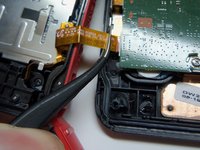
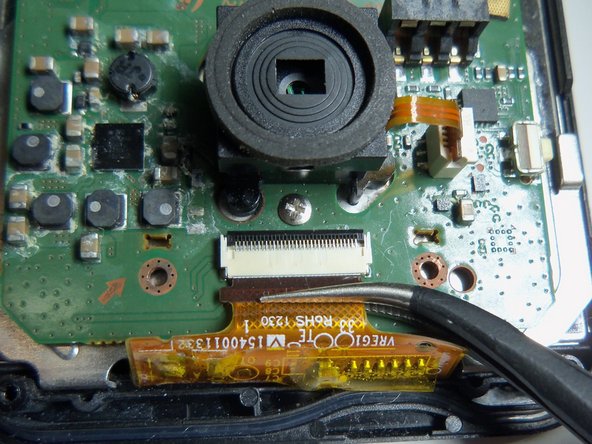
      • Use tweezers to grab the wire ribbon, then pull the wire out of connection.

      询问修复机器人

      添加评论

    3. Samsung HMX-W300 Lens  Replacement, Remove scerws.: 步骤 8 中的图像 1,2 Samsung HMX-W300 Lens  Replacement, Remove scerws.: 步骤 8 中的图像 2,2
      • There are 5 Phillips size 00 screws. Remove all 5 screws.

      • Wire ribbon is attached to the motherboard.

      询问修复机器人

      添加评论

    4. Samsung HMX-W300 Lens  Replacement: 步骤 9 中的图像 1,1
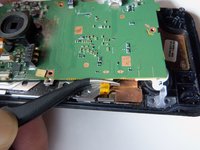
      • Pry the motherboard up using the plastic opening tool.

      • Be careful there is a wire ribbon holding the motherboard.

      询问修复机器人

      添加评论

    5. Samsung HMX-W300 Lens  Replacement, Disconnect wire ribbon.: 步骤 10 中的图像 1,2 Samsung HMX-W300 Lens  Replacement, Disconnect wire ribbon.: 步骤 10 中的图像 2,2
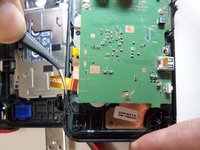
      • Use tweezers to disconnect the wire as shown. This will loosen the motherboard from the rear case.

      询问修复机器人

      添加评论

    1. Samsung HMX-W300 Lens  Replacement, Lens screws: 步骤 11 中的图像 1,2 Samsung HMX-W300 Lens  Replacement, Lens screws: 步骤 11 中的图像 2,2
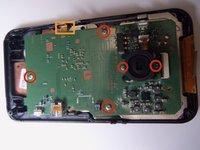
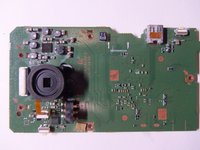
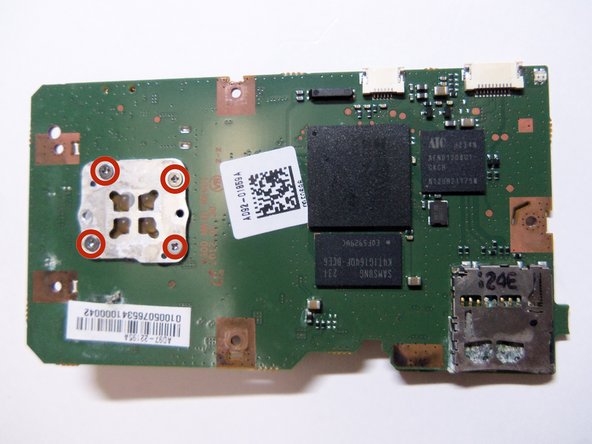
      • Shows front of motherboard and rear of motherboard.

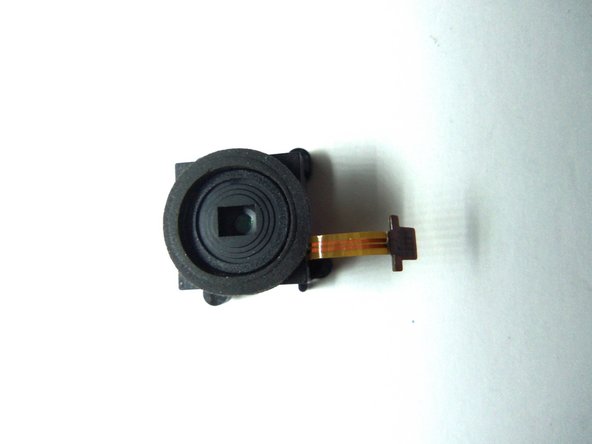
      • Lens has 4 Phillips size 00 screws.

      询问修复机器人

      添加评论

    2. Samsung HMX-W300 Lens  Replacement, Remove wire ribbon: 步骤 12 中的图像 1,1
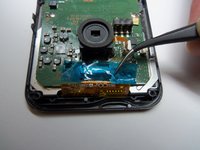
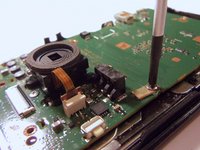
      • Unplug the wire ribbon from the motherboard.

      询问修复机器人

      添加评论

    3. Samsung HMX-W300 Lens  Replacement, Remove lens screws: 步骤 13 中的图像 1,2 Samsung HMX-W300 Lens  Replacement, Remove lens screws: 步骤 13 中的图像 2,2
      • Remove all 4 PH(00) screws, this will loosen the lens from the motherboard.

      询问修复机器人

      添加评论

结论

To reassemble your device, follow these instructions in reverse order.

取消:我没有完成这个指南。

另外一个人完成了本指南。

Robert

于01/21/15注册

966 声望

创作了8篇指南

团队

USF Tampa, Team 9-2, Blackwell Winter 2015 USF Tampa, Team 9-2, Blackwell Winter 2015 的会员

USFT-BLACKWELL-W15S9G2

4 名成员

创作了16篇指南

0指南评论

添加评论

浏览统计数据:

过去 24 小时: 3

过去 7 天: 8

过去 30 天: 33

总计 704