跳转到主内容
加入维修社区 - 创建账户

Samsung Gravity TXT microSD Card Replacement

你所需要的

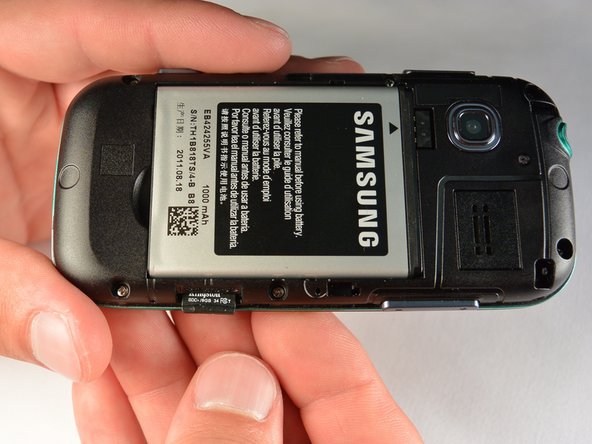
  1. Samsung Gravity TXT microSD Card  Replacement, Battery: 步骤 1 中的图像 1,2 Samsung Gravity TXT microSD Card  Replacement, Battery: 步骤 1 中的图像 2,2
    • Pry the back cover off with a plastic opening tool, or your fingernail, in the indentation on the bottom of the device.

    询问修复机器人

    添加评论

  2. Samsung Gravity TXT microSD Card  Replacement: 步骤 2 中的图像 1,1
    • Lift the back cover away from the main body of the phone.

    添加评论

  3. Samsung Gravity TXT microSD Card  Replacement: 步骤 3 中的图像 1,1
    • Insert your finger in the groove below the battery.

    • Press the battery toward the audio jack while lifting upward and away from the phone.

    • Remember to place the battery back with the copper contacts on the battery lined up with those on the phone.

    询问修复机器人

    添加评论

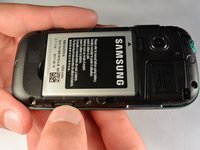
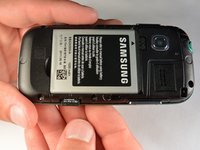
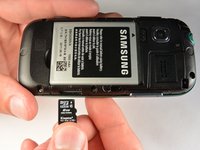
  4. Samsung Gravity TXT microSD Card  Replacement, microSD Card: 步骤 4 中的图像 1,3 Samsung Gravity TXT microSD Card  Replacement, microSD Card: 步骤 4 中的图像 2,3 Samsung Gravity TXT microSD Card  Replacement, microSD Card: 步骤 4 中的图像 3,3
    • Using your fingernail, push the microSD card slightly deeper into the slot, until you hear a click.

    • The removal of the battery is not required for this operation; therefore, step 3 can be skipped if just replacing the microSD card.

    • After the click, release the microSD card to allow it to pop out.

    • Remove the microSD card from its slot

    • When placing the microSD card back in the phone, make sure the card clicks in place.

    询问修复机器人

    添加评论

结论

To reassemble your device, follow these instructions in reverse order.

取消:我没有完成这个指南。

团队

IUPUI, Team 1-1, Renguette SU 2015 IUPUI, Team 1-1, Renguette SU 2015 的会员

IUPUI-RENGUETTE-SU15S1G1

5 名成员

创作了16篇指南

0指南评论

添加评论

浏览统计数据:

过去 24 小时: 0

过去 7 天: 5

过去 30 天: 16

总计 446