跳转到主内容
加入维修社区 - 创建账户

Samsung Gear Live Heart Rate Monitor Replacement

你所需要的

    1. Samsung Gear Live Heart Rate Monitor Replacement, Lay the watch face-down: 步骤 1 中的图像 1,1
      • Lay the watch face-down on a flat, stable surface.

      添加评论

    2. Samsung Gear Live Heart Rate Monitor Replacement, Remove the holding pin: 步骤 2 中的图像 1,1
      • Press the watchband down against the work surface.

      • Press the tip of a flathead screwdriver against the edge of the spring-loaded holding pin.

      询问修复机器人

      添加评论

    3. Samsung Gear Live Heart Rate Monitor Replacement, Remove the watchband: 步骤 3 中的图像 1,1
      • With the spring-loaded pin pressed in, the watch band should release easily.

      • Gently pull the band away from the body of the watch.

      • Repeat steps 2 and 3 for the opposite side.

      询问修复机器人

      添加评论

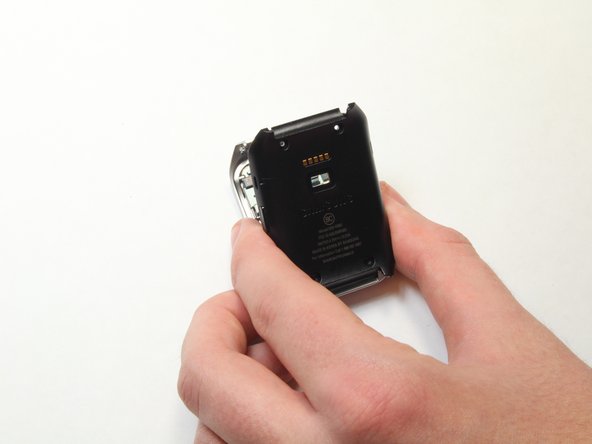
    1. Samsung Gear Live Heart Rate Monitor Replacement, Locate the four screws: 步骤 4 中的图像 1,1
      • With the watch laying face-down, locate the four screws. They are located on the back of the watch, at the four corners.

      询问修复机器人

      添加评论

    2. Samsung Gear Live Heart Rate Monitor Replacement, Remove the 4 screws: 步骤 5 中的图像 1,1
      • Using a Torx-T5 screwdriver, remove each of the four 4mm screws and set them aside.

      询问修复机器人

      添加评论

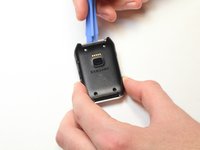
    3. Samsung Gear Live Heart Rate Monitor Replacement, Pry off the back of the watch.: 步骤 6 中的图像 1,1
      • Gently work the plastic opening tool under the top edge of the watch’s back cover.

      询问修复机器人

      添加评论

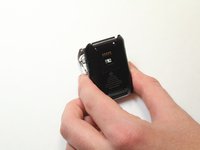
    4. Samsung Gear Live Heart Rate Monitor Replacement, Lift off the back cover: 步骤 7 中的图像 1,2 Samsung Gear Live Heart Rate Monitor Replacement, Lift off the back cover: 步骤 7 中的图像 2,2
      • With the watch’s back cover pried loose, gently lift it away from the front half of the watch.

      添加评论

    5. Samsung Gear Live Heart Rate Monitor Replacement, Set both halves of the watch aside: 步骤 8 中的图像 1,1
      • Lay both halves of the watch body assembly face down (with internal components facing up).

      询问修复机器人

      添加评论

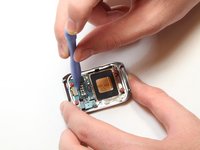
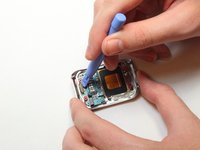
    1. Samsung Gear Live Heart Rate Monitor Replacement, Pry away the ribbon cable: 步骤 9 中的图像 1,2 Samsung Gear Live Heart Rate Monitor Replacement, Pry away the ribbon cable: 步骤 9 中的图像 2,2
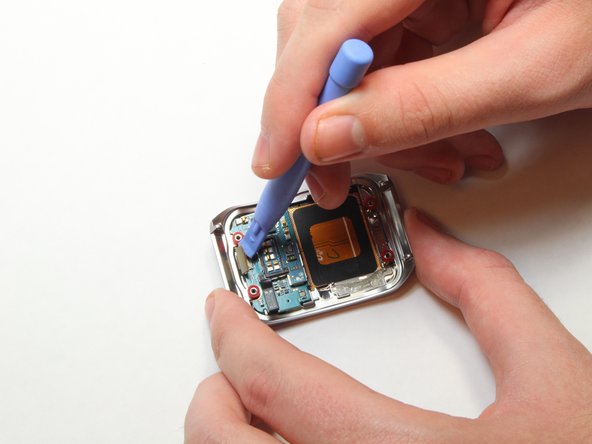
      • Locate the ribbon cable connector near the edge of the watch's case.

      • Using the plastic opening tool, gently pry the connector from the motherboard

      添加评论

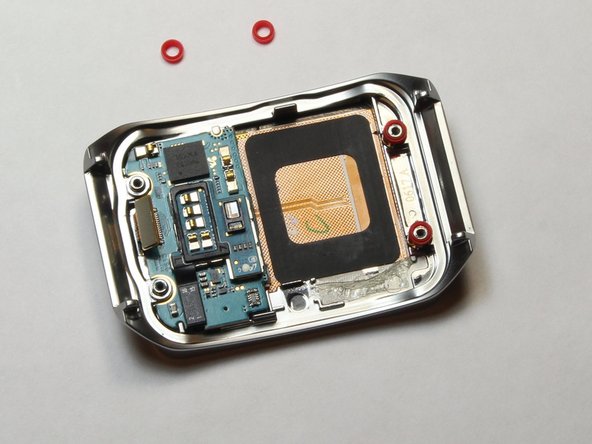
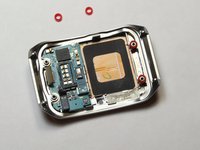
    2. Samsung Gear Live Heart Rate Monitor Replacement, Remove the red spacers: 步骤 10 中的图像 1,2 Samsung Gear Live Heart Rate Monitor Replacement, Remove the red spacers: 步骤 10 中的图像 2,2
      • Using the plastic opening tool, gently pry away the red spacers.

      • Set the spacers aside.

      询问修复机器人

      添加评论

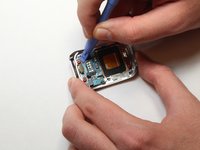
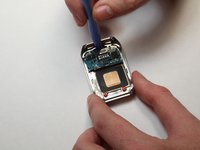
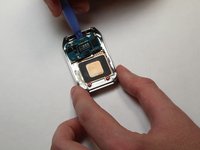
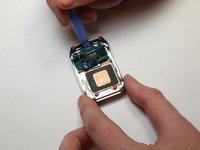
    3. Samsung Gear Live Heart Rate Monitor Replacement, Pry up the motherboard: 步骤 11 中的图像 1,3 Samsung Gear Live Heart Rate Monitor Replacement, Pry up the motherboard: 步骤 11 中的图像 2,3 Samsung Gear Live Heart Rate Monitor Replacement, Pry up the motherboard: 步骤 11 中的图像 3,3
      • Insert the end of the plastic opening tool under the motherboard.

      • Gently pry up the motherboard.

      询问修复机器人

      添加评论

    1. Samsung Gear Live Heart Rate Monitor Replacement, Remove the heart rate sensor cable: 步骤 12 中的图像 1,2 Samsung Gear Live Heart Rate Monitor Replacement, Remove the heart rate sensor cable: 步骤 12 中的图像 2,2
      • Set the motherboard on a flat, stable surface.

      • Using the plastic opening tool, gently pry the heart rate sensor cable from the motherboard.

      询问修复机器人

      添加评论

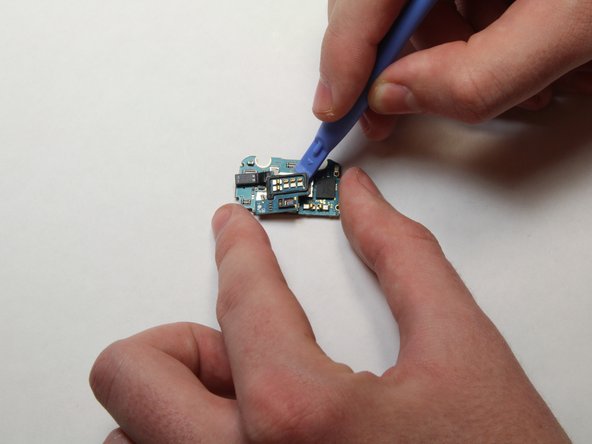
    2. Samsung Gear Live Heart Rate Monitor Replacement, Pry up the heart rate sensor: 步骤 13 中的图像 1,3 Samsung Gear Live Heart Rate Monitor Replacement, Pry up the heart rate sensor: 步骤 13 中的图像 2,3 Samsung Gear Live Heart Rate Monitor Replacement, Pry up the heart rate sensor: 步骤 13 中的图像 3,3
      • Once the cable is disconnected, run the plastic opening tool under the heart rate sensor from all sides, gently prying up as you go along.

      询问修复机器人

      添加评论

结论

To reassemble your device, follow these instructions in reverse order.

取消:我没有完成这个指南。

3等其他人完成本指南。

Keith Cooper

于09/25/14注册

1,265 声望

创作了6篇指南

团队

USF Tampa, Team 1-7, Brown Fall 2014 USF Tampa, Team 1-7, Brown Fall 2014 的会员

USFT-BROWN-F14S1G7

3 名成员

创作了7篇指南

1指南评论

Check all of your guides to make sure you've indicate the needed tools.

Dan Brown - 回复 分享

添加评论

浏览统计数据:

过去 24 小时: 0

过去 7 天: 11

过去 30 天: 38

总计 2,104