跳转到主内容
加入维修社区 - 创建账户

Samsung Galaxy Note Midframe Replacement

你所需要的

  1. Samsung Galaxy Note Midframe Replacement, Rear Case: 步骤 1 中的图像 1,2 Samsung Galaxy Note Midframe Replacement, Rear Case: 步骤 1 中的图像 2,2
    • Pry with a plastic opening tool, or your fingernail, in the divot to the right of the rear-facing camera, near the volume rocker.

    询问修复机器人
  2. Samsung Galaxy Note Midframe Replacement: 步骤 2 中的图像 1,2 Samsung Galaxy Note Midframe Replacement: 步骤 2 中的图像 2,2
    • Lift and remove the rear case from the phone.

    询问修复机器人
  3. Samsung Galaxy Note Midframe Replacement, Battery: 步骤 3 中的图像 1,2 Samsung Galaxy Note Midframe Replacement, Battery: 步骤 3 中的图像 2,2
    • Insert your finger in the notch of the battery compartment.

    • Press the battery toward the rear facing camera while pulling outward.

  4. Samsung Galaxy Note Midframe Replacement, MicroSD Card: 步骤 4 中的图像 1,3 Samsung Galaxy Note Midframe Replacement, MicroSD Card: 步骤 4 中的图像 2,3 Samsung Galaxy Note Midframe Replacement, MicroSD Card: 步骤 4 中的图像 3,3
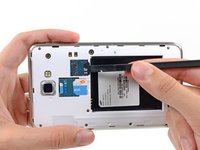
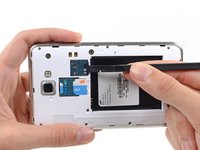
    • Use the flat end of a spudger, or your fingernail, to press the microSD card slightly deeper into its slot until you hear a click.

    • After the click, release the card and it will pop out of its slot.

    • For reassembly, push the microSD card into the slot until it clicks in place.

    询问修复机器人
  5. Samsung Galaxy Note Midframe Replacement: 步骤 5 中的图像 1,1
    • Remove the microSD card from its slot in the midframe.

    询问修复机器人
  6. Samsung Galaxy Note Midframe Replacement, SIM Card: 步骤 6 中的图像 1,2 Samsung Galaxy Note Midframe Replacement, SIM Card: 步骤 6 中的图像 2,2
    • Use a plastic opening tool, or your fingernail, to push the SIM card out of its compartment.

    询问修复机器人
  7. Samsung Galaxy Note Midframe Replacement: 步骤 7 中的图像 1,2 Samsung Galaxy Note Midframe Replacement: 步骤 7 中的图像 2,2
    • Slide the SIM card out the rest of the way with your thumb and remove it from the device.

    询问修复机器人
  8. Samsung Galaxy Note Midframe Replacement, Midframe: 步骤 8 中的图像 1,1
    • Remove the nine 3.4 mm Phillips #00 screws securing the midframe to the display assembly.

    询问修复机器人
  9. Samsung Galaxy Note Midframe Replacement: 步骤 9 中的图像 1,2 Samsung Galaxy Note Midframe Replacement: 步骤 9 中的图像 2,2
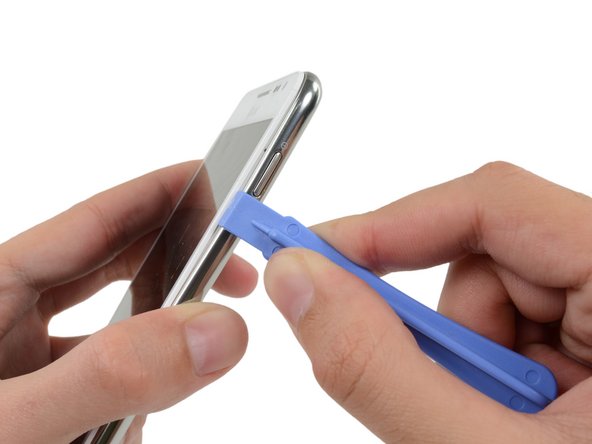
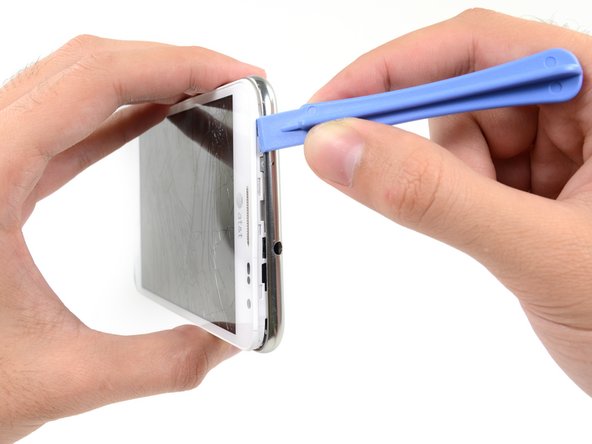
    • Insert your plastic opening tool to the left of the power button between the midframe and the front panel assembly and pry.

    询问修复机器人
  10. Samsung Galaxy Note Midframe Replacement: 步骤 10 中的图像 1,3 Samsung Galaxy Note Midframe Replacement: 步骤 10 中的图像 2,3 Samsung Galaxy Note Midframe Replacement: 步骤 10 中的图像 3,3
    • Slide the plastic opening tool down the seam.

    询问修复机器人
  11. Samsung Galaxy Note Midframe Replacement: 步骤 11 中的图像 1,3 Samsung Galaxy Note Midframe Replacement: 步骤 11 中的图像 2,3 Samsung Galaxy Note Midframe Replacement: 步骤 11 中的图像 3,3
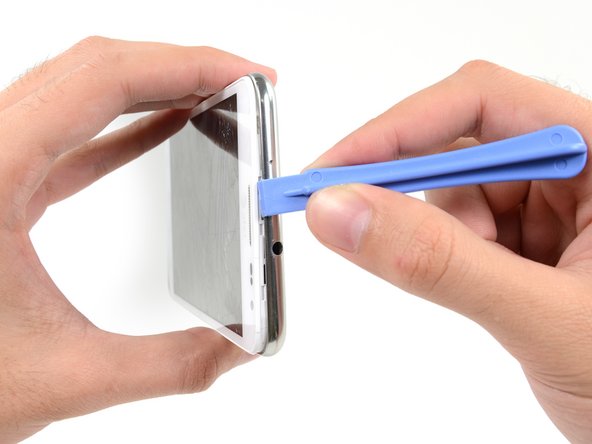
    • Insert your plastic opening tool to the left of the headphone jack between the midframe and the display assembly.

    • Slide the opening tool along the top edge of the phone.

    • Continue to run the plastic opening tool around the perimeter of the phone until the midframe is separated.

    询问修复机器人
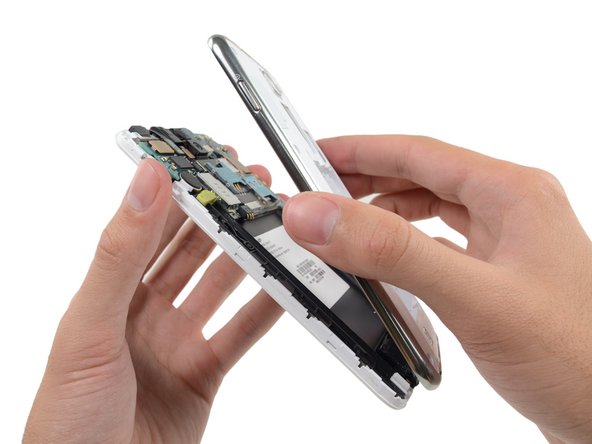
  12. Samsung Galaxy Note Midframe Replacement: 步骤 12 中的图像 1,2 Samsung Galaxy Note Midframe Replacement: 步骤 12 中的图像 2,2
    • Remove the midframe from the display assembly.

    询问修复机器人
结论

To reassemble your device, follow these instructions in reverse order.

16等其他人完成本指南。

Sam Goldheart

于10/18/12注册

477,311 声望

创作了538篇指南

团队

iFixit iFixit 的会员

Staff

123 名成员

创作了25,805篇指南

0指南评论

添加评论

浏览统计数据:

过去 24 小时: 0

过去 7 天: 8

过去 30 天: 80

总计 11,314