跳转到主内容
加入维修社区 - 创建账户

Samsung Galaxy Core Prime Battery Replacement

    1. Samsung Galaxy Core Prime Battery  Replacement, Battery: 步骤 1 中的图像 1,1
      • Turn the smartphone off by using the power button on the right-hand side.

      询问修复机器人

      添加评论

    2. Samsung Galaxy Core Prime Battery  Replacement: 步骤 2 中的图像 1,1
      • Turn the smartphone over so that the rear camera is face up.

      询问修复机器人

      添加评论

    3. Samsung Galaxy Core Prime Battery  Replacement: 步骤 3 中的图像 1,1
      • Use your fingernail or a flat tool to lift the back cover.

      询问修复机器人

      添加评论

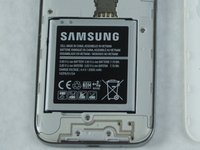
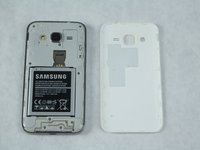
    4. Samsung Galaxy Core Prime Battery  Replacement: 步骤 4 中的图像 1,2 Samsung Galaxy Core Prime Battery  Replacement: 步骤 4 中的图像 2,2
      • Locate the battery near the bottom of the phone. The battery is square, flat, and is labeled 'SAMSUNG'.

      询问修复机器人

      添加评论

    5. Samsung Galaxy Core Prime Battery  Replacement: 步骤 5 中的图像 1,1
      • Use your fingernail or a flat tool to lift the battery out.

      询问修复机器人

      添加评论

结论

To reassemble your device, follow these instructions in reverse order.

取消:我没有完成这个指南。

7等其他人完成本指南。

团队

0指南评论

添加评论

浏览统计数据:

过去 24 小时: 0

过去 7 天: 4

过去 30 天: 55

总计 3,591