跳转到主内容
加入维修社区 - 创建账户

Samsung CLP-300 Fuser Unit Replacement

你所需要的

  1. Samsung CLP-300 Fuser Unit Replacement, Fuser Unit: 步骤 1 中的图像 1,2 Samsung CLP-300 Fuser Unit Replacement, Fuser Unit: 步骤 1 中的图像 2,2
    • Turn the printer off and wait a few minutes for it to cool.

    • Turn printer around so that you are looking at the rear panel.

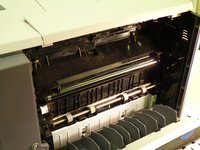
  2. Samsung CLP-300 Fuser Unit Replacement: 步骤 2 中的图像 1,1
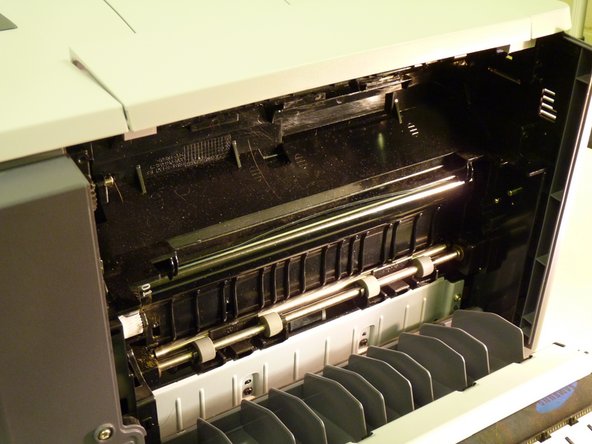
    • Open back of printer by pushing down handle.

  3. Samsung CLP-300 Fuser Unit Replacement: 步骤 3 中的图像 1,2 Samsung CLP-300 Fuser Unit Replacement: 步骤 3 中的图像 2,2
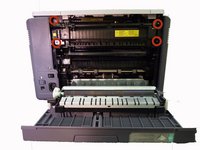
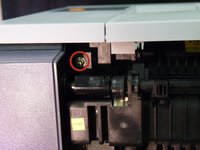
    • Remove the four screws that attach the fuser unit to the printer.

  4. Samsung CLP-300 Fuser Unit Replacement: 步骤 4 中的图像 1,2 Samsung CLP-300 Fuser Unit Replacement: 步骤 4 中的图像 2,2
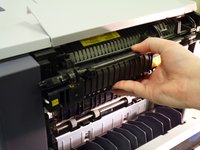
    • Slide fuser unit out of the printer.

    • Remove packaging from new fuser unit.

    • Insert new fuser unit.

结论

To reassemble your device, follow these instructions in reverse order.

2等其他人完成本指南。

团队

University of Maine, Team 1-1, Diaz Fall 2014 University of Maine, Team 1-1, Diaz Fall 2014 的会员

UMAINE-DIAZ-F14S1G1

3 名成员

创作了8篇指南

2指南评论

how do you unplug the old fuser unit and plug in the new fuser unit - you don’t show how to do that.

Dianne Martin - 回复 分享

The plug in on the left side, no need to unplug it because it is part of the fuser unit.

Michael R. Glatfelter, Jr. - 回复 分享

添加评论

浏览统计数据:

过去 24 小时: 1

过去 7 天: 17

过去 30 天: 67

总计 10,579