跳转到主内容
加入维修社区 - 创建账户

Samsung Blackjack SIM Card Replacement

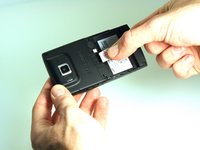
  1. Samsung Blackjack SIM Card Replacement, Battery Cover: 步骤 1 中的图像 1,3 Samsung Blackjack SIM Card Replacement, Battery Cover: 步骤 1 中的图像 2,3 Samsung Blackjack SIM Card Replacement, Battery Cover: 步骤 1 中的图像 3,3
    • Hold the device with the screen facing away from you and the camera towards you.

    • Place your thumb on the bottom half of the phone and slide the cover off while gently pushing down on the cover.

    询问修复机器人

    添加评论

  2. Samsung Blackjack SIM Card Replacement, Battery: 步骤 2 中的图像 1,2 Samsung Blackjack SIM Card Replacement, Battery: 步骤 2 中的图像 2,2
    • Place your fingers on both sides of the bottom of the battery and lift upwards.

    • Pull the battery away from the phone.

    询问修复机器人

    添加评论

  3. Samsung Blackjack SIM Card Replacement, SIM Card: 步骤 3 中的图像 1,3 Samsung Blackjack SIM Card Replacement, SIM Card: 步骤 3 中的图像 2,3 Samsung Blackjack SIM Card Replacement, SIM Card: 步骤 3 中的图像 3,3
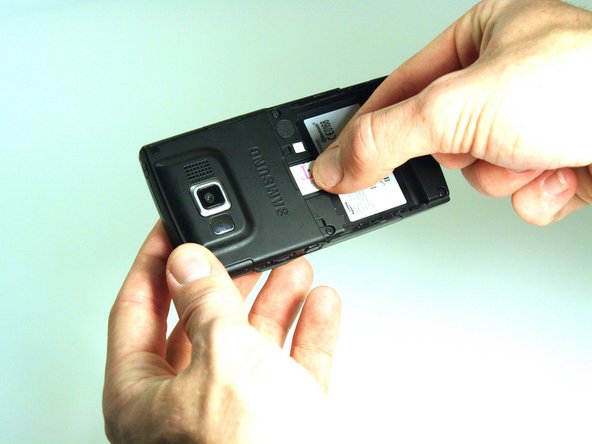
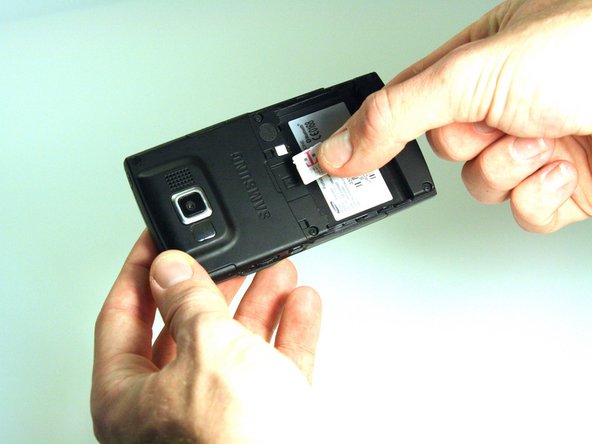
    • Place your thumb on the SIM card.

    • Slide the card out of the slot.

    询问修复机器人

    添加评论

结论

To reassemble your device, follow these instructions in reverse order.

取消:我没有完成这个指南。

Kristin Manna

于10/22/12注册

29 声望

创作了10篇指南

团队

Clemson, Team 14-4, Benson Fall 2012 Clemson, Team 14-4, Benson Fall 2012 的会员

CLEM-BENSON-F12S14G4

3 名成员

创作了14篇指南

0指南评论

添加评论

浏览统计数据:

过去 24 小时: 1

过去 7 天: 5

过去 30 天: 32

总计 887