跳转到主内容
加入维修社区 - 创建账户

Roku Streaming Stick Macro Button Contacts Replacement

你所需要的

  1. Roku Streaming Stick Macro Button Contacts Replacement, Macro Button Contacts: 步骤 1 中的图像 1,1
    • Place the remote so that the battery cover is facing upwards.

    询问修复机器人

    添加评论

  2. Roku Streaming Stick Macro Button Contacts Replacement: 步骤 2 中的图像 1,1
    • Remove the battery cover to expose the battery compartment.

    询问修复机器人

    添加评论

  3. Roku Streaming Stick Macro Button Contacts Replacement: 步骤 3 中的图像 1,1
    • Remove batteries.

    询问修复机器人

    添加评论

  4. Roku Streaming Stick Macro Button Contacts Replacement: 步骤 4 中的图像 1,1
    • Use a Phillips #00 screwdriver to remove the 1.5 mm wide screw.

    询问修复机器人

    添加评论

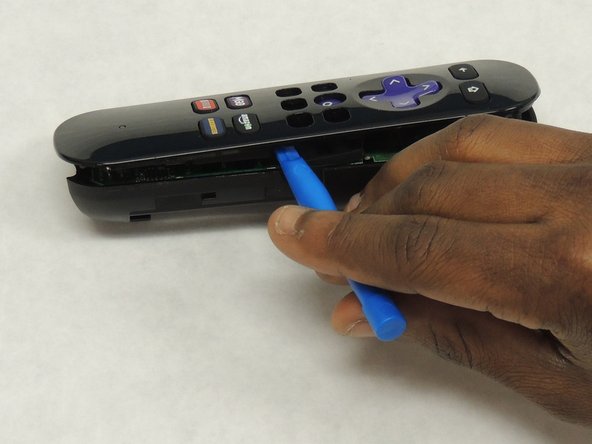
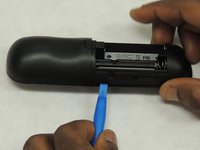
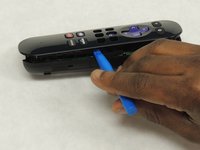
  5. Roku Streaming Stick Macro Button Contacts Replacement: 步骤 5 中的图像 1,2 Roku Streaming Stick Macro Button Contacts Replacement: 步骤 5 中的图像 2,2
    • Use a plastic opening tool to gently pry apart the plastic enclosure. Make sure you create a large enough gap before you attempt to separate the two pieces.

    询问修复机器人

    添加评论

  6. Roku Streaming Stick Macro Button Contacts Replacement: 步骤 6 中的图像 1,1
    • Gently remove the circuit board or motherboard.

    询问修复机器人

    添加评论

  7. Roku Streaming Stick Macro Button Contacts Replacement: 步骤 7 中的图像 1,1
    • First, gently remove the three plastic sheets. Then, remove the button panels from the remote control.

    • Repair the contact sheet as noted on the Button Contact Repair Kit listed above. Otherwise replace with new conductive button contacts.

    询问修复机器人

    添加评论

结论

To reassemble your device, follow these instructions in reverse order.

取消:我没有完成这个指南。

Feliciano Bandazi

于04/07/18注册

145 声望

撰写一个指南

团队

IUPUI, Team S2-G2, Wilson Spring 2018 IUPUI, Team S2-G2, Wilson Spring 2018 的会员

IUPUI-WILSON-S18S2G2

4 名成员

创作了3篇指南

0指南评论

添加评论

浏览统计数据:

过去 24 小时: 0

过去 7 天: 3

过去 30 天: 27

总计 4,025