跳转到主内容
加入维修社区 - 创建账户

Ring Outdoor Security Cam Microphone Replacement

你所需要的

    1. Ring Outdoor Security Cam Microphone Replacement, Microphone: 步骤 1 中的图像 1,1
      • Remove the six 6 mm Phillips #00 screws from the back on the device.

      添加评论

    2. Ring Outdoor Security Cam Microphone Replacement: 步骤 2 中的图像 1,1
      • Pry off the aluminum plate using a plastic opening tool.

      询问修复机器人

      添加评论

    3. Ring Outdoor Security Cam Microphone Replacement: 步骤 3 中的图像 1,1
      • Use an opening tool to pry the back plate off of the device.

      询问修复机器人

      添加评论

    4. Ring Outdoor Security Cam Microphone Replacement: 步骤 4 中的图像 1,1
      • Disconnect the battery power leads using a plastic opening tool.

      询问修复机器人

      添加评论

    5. Ring Outdoor Security Cam Microphone Replacement: 步骤 5 中的图像 1,1
      • Use a plastic opening tool to loosen the adhesive holding the battery in place and remove the battery by hand.

      询问修复机器人

      添加评论

    6. Ring Outdoor Security Cam Microphone Replacement: 步骤 6 中的图像 1,1
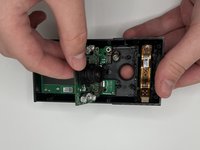
      • Disconnect the ribbon cable carefully at the bottom of the device.

      • Remove the 3 silver 6 mm Phillips #00 screws from the motherboard.

      询问修复机器人

      添加评论

    7. Ring Outdoor Security Cam Microphone Replacement: 步骤 7 中的图像 1,1
      • Pull the top of the motherboard up and out of the device.

      询问修复机器人

      添加评论

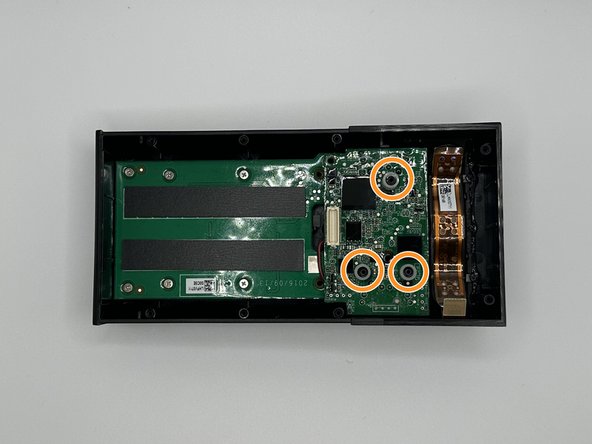
    8. Ring Outdoor Security Cam Microphone Replacement: 步骤 8 中的图像 1,2 Ring Outdoor Security Cam Microphone Replacement: 步骤 8 中的图像 2,2
      • Remove the silver 5 mm Phillips #00 screw, and the two 10 mm Phillips #00 from the next motherboard.

      • Remove the 3 plastic spacers on the device.

      询问修复机器人

      添加评论

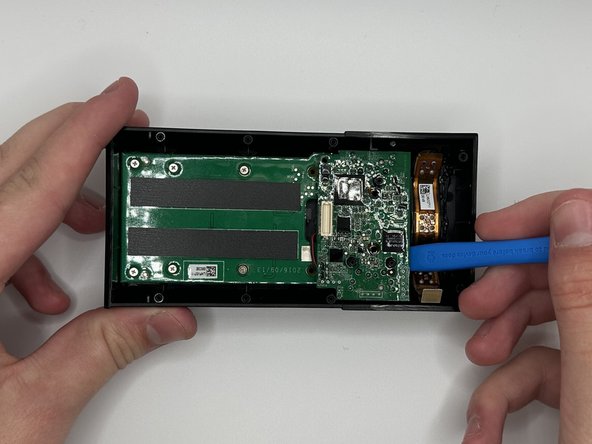
    9. Ring Outdoor Security Cam Microphone Replacement: 步骤 9 中的图像 1,3 Ring Outdoor Security Cam Microphone Replacement: 步骤 9 中的图像 2,3 Ring Outdoor Security Cam Microphone Replacement: 步骤 9 中的图像 3,3
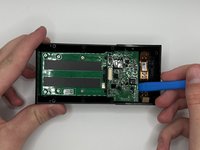
      • Pry the motherboard out with a plastic opening tool

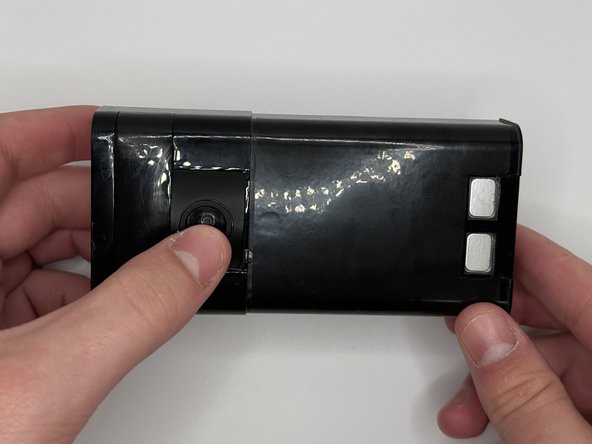
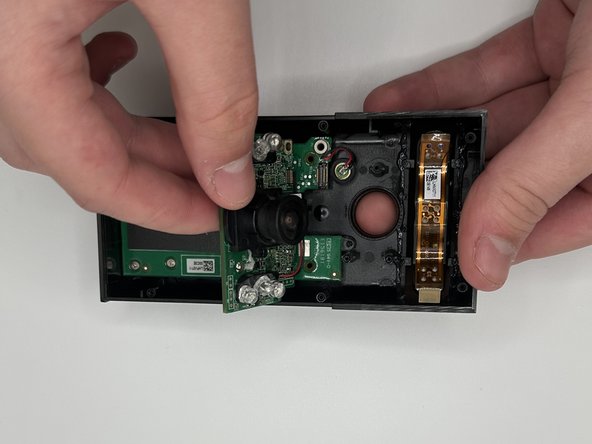
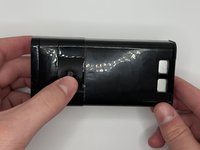
      • Flip the device over and then carefully press on the camera lens to remove the camera and the attached mother board from the device.

      询问修复机器人

      添加评论

    10. Ring Outdoor Security Cam Microphone Replacement: 步骤 10 中的图像 1,1
      • Remove the microphone.

      询问修复机器人

      添加评论

结论

To reassemble your device, follow these instructions in reverse order.

取消:我没有完成这个指南。

1指南评论

Where can i get the replacement?

Sam - 回复 分享

添加评论

浏览统计数据:

过去 24 小时: 1

过去 7 天: 9

过去 30 天: 35

总计 802