跳转到主内容
加入维修社区 - 创建账户

Ring Outdoor Security Cam Infrared Sensor Replacement

你所需要的

  1. Ring Outdoor Security Cam Infrared Sensor Replacement, Infrared Sensor: 步骤 1 中的图像 1,1
    • Remove the six 6 mm Phillips #00 screws from the back on the device.

  2. Ring Outdoor Security Cam Infrared Sensor Replacement: 步骤 2 中的图像 1,1
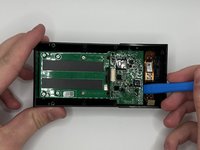
    • Pry off the aluminum plate using a plastic opening tool.

  3. Ring Outdoor Security Cam Infrared Sensor Replacement: 步骤 3 中的图像 1,1
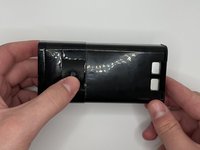
    • Using the same tool pry the back plate off of the device.

  4. Ring Outdoor Security Cam Infrared Sensor Replacement: 步骤 4 中的图像 1,1
    • Disconnect the battery power leads using a plastic opening tool.

  5. Ring Outdoor Security Cam Infrared Sensor Replacement: 步骤 5 中的图像 1,1
    • Use a plastic opening tool to loosen the adhesive holding the battery in place and remove the battery by hand.

  6. Ring Outdoor Security Cam Infrared Sensor Replacement: 步骤 6 中的图像 1,1
    • Disconnect the ribbon cable carefully at the bottom of the device.

    • Remove the three silver 6 mm Phillips #00 screws from the motherboard.

  7. Ring Outdoor Security Cam Infrared Sensor Replacement: 步骤 7 中的图像 1,1
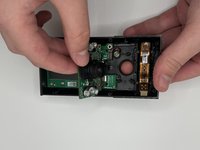
    • Pull the top of the motherboard up and out of the device.

  8. Ring Outdoor Security Cam Infrared Sensor Replacement: 步骤 8 中的图像 1,2 Ring Outdoor Security Cam Infrared Sensor Replacement: 步骤 8 中的图像 2,2
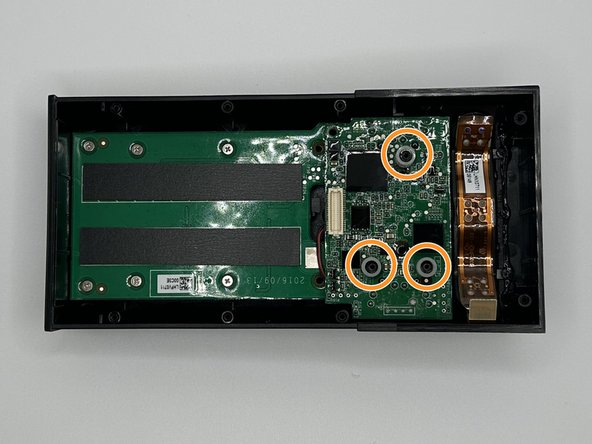
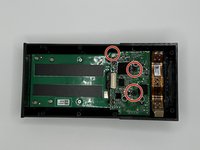
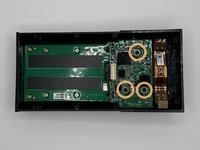
    • Remove the silver 5 mm Phillips #00 screw, and the two 10 mm Phillips #00 from the next motherboard.

    • Remove the 3 plastic spacers on the device.

  9. Ring Outdoor Security Cam Infrared Sensor Replacement: 步骤 9 中的图像 1,3 Ring Outdoor Security Cam Infrared Sensor Replacement: 步骤 9 中的图像 2,3 Ring Outdoor Security Cam Infrared Sensor Replacement: 步骤 9 中的图像 3,3
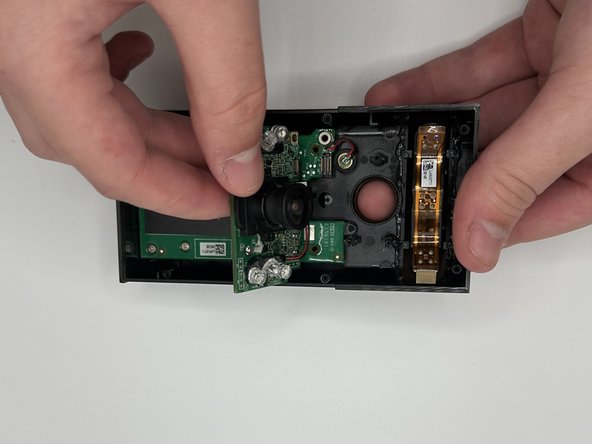
    • Pry the motherboard out with a plastic opening tool.

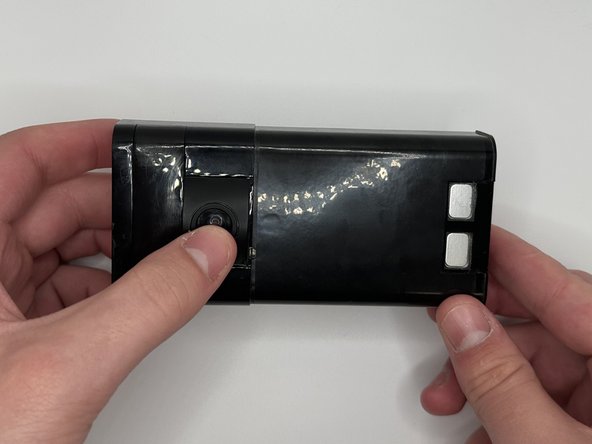
    • Flip the device over and then carefully press on the camera lens to remove the camera and the attached mother board from the device.

  10. Ring Outdoor Security Cam Infrared Sensor Replacement: 步骤 10 中的图像 1,1
    • Using a soldering iron to disconnect the connections.

    • Remove the infrared sensor and replace as needed.

结论

To reassemble your device, follow these instructions in reverse order.

0指南评论

添加评论

浏览统计数据:

过去 24 小时: 0

过去 7 天: 3

过去 30 天: 23

总计 442