跳转到主内容
加入维修社区 - 创建账户

Retroid Pocket 3 Trigger Button Replacement

你所需要的

    1. Retroid Pocket 3 Trigger Button Replacement, Battery: 步骤 1 中的图像 1,1
      • Unplug any cables connected to the Retroid Pocket 3+.

      • Ensure your device has a charge of 5% or less as a charged battery can be dangerous if punctured.

      询问修复机器人

      添加评论

    2. Retroid Pocket 3 Trigger Button Replacement: 步骤 2 中的图像 1,3 Retroid Pocket 3 Trigger Button Replacement: 步骤 2 中的图像 2,3 Retroid Pocket 3 Trigger Button Replacement: 步骤 2 中的图像 3,3
      • Remove the four 6 mm screws from the backplate of the device with a T5 Torx screwdriver.

      • Use a plastic opening tool or spudger to gently pry apart the backplate from the device.

      询问修复机器人

      添加评论

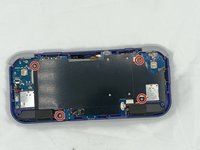
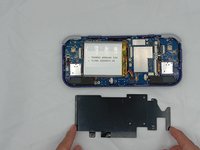
    3. Retroid Pocket 3 Trigger Button Replacement: 步骤 3 中的图像 1,2 Retroid Pocket 3 Trigger Button Replacement: 步骤 3 中的图像 2,2
      • Remove the four 4.5 mm screws with a Phillips #00 screwdriver.

      • Lift off the metal plate.

      询问修复机器人

      添加评论

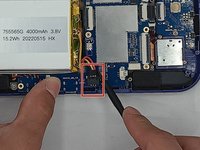
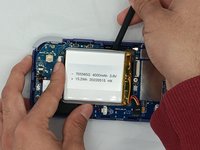
    4. Retroid Pocket 3 Trigger Button Replacement: 步骤 4 中的图像 1,3 Retroid Pocket 3 Trigger Button Replacement: 步骤 4 中的图像 2,3 Retroid Pocket 3 Trigger Button Replacement: 步骤 4 中的图像 3,3
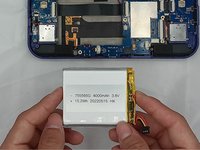
      • Use a plastic opening tool or spudger to unclip the battery connector.

      • Carefully lift the battery from the case.

      • The battery has double-sided tape at the bottom. Gently push a spudger or opening tool underneath the battery to help free it from the adhesive. Do not bend or puncture the battery.

      • Lift and remove the battery.

      询问修复机器人

      添加评论

    1. Retroid Pocket 3 Trigger Button Replacement, Trigger Button: 步骤 5 中的图像 1,3 Retroid Pocket 3 Trigger Button Replacement, Trigger Button: 步骤 5 中的图像 2,3 Retroid Pocket 3 Trigger Button Replacement, Trigger Button: 步骤 5 中的图像 3,3
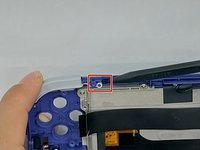
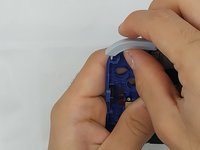
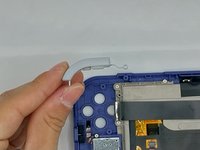
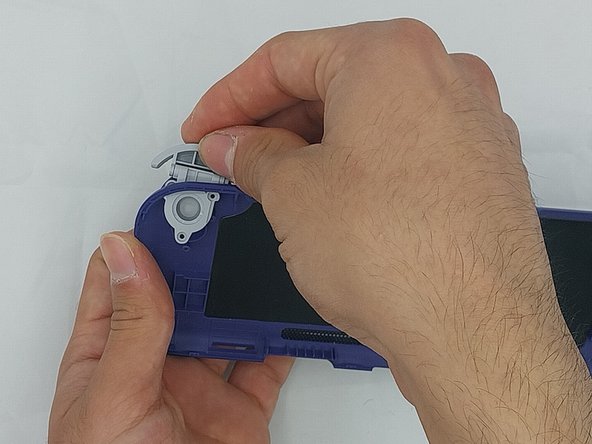
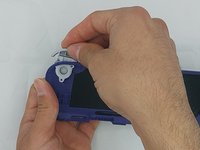
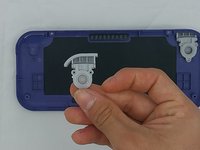
      • Using the spudger, put the tip under the top round clip at the top.

      • Carefully start lifting the clip to slide it off the plastic pin on the case, tilting the trigger button as you lift it to remove.

      询问修复机器人

      添加评论

    2. Retroid Pocket 3 Trigger Button Replacement: 步骤 6 中的图像 1,3 Retroid Pocket 3 Trigger Button Replacement: 步骤 6 中的图像 2,3 Retroid Pocket 3 Trigger Button Replacement: 步骤 6 中的图像 3,3
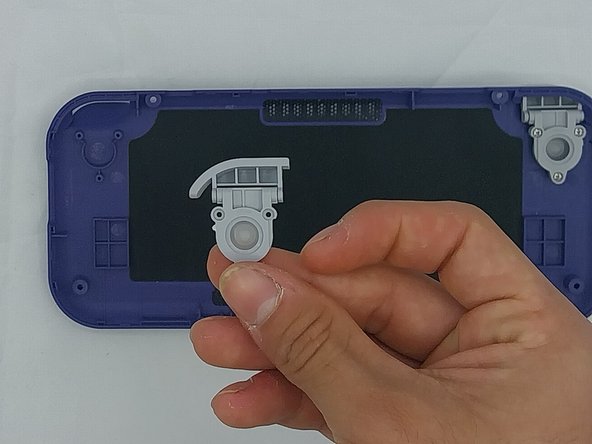
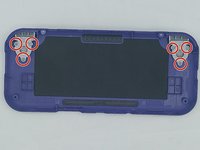
      • Remove the six 4.4 mm screws on the trigger buttons with a Phillips #00 screwdriver.

      • Gently pull the trigger button through until it has come undone.

      询问修复机器人

      添加评论

结论

To reassemble your device, follow these instructions in reverse order.

取消:我没有完成这个指南。

0指南评论

添加评论

浏览统计数据:

过去 24 小时: 6

过去 7 天: 27

过去 30 天: 101

总计 1,668