跳转到主内容
加入维修社区 - 创建账户

Removing Minolta X-370 Bottom Cover

你所需要的

  1. Removing Minolta X-370 Bottom Cover, Battery: 步骤 1 中的图像 1,2 Removing Minolta X-370 Bottom Cover, Battery: 步骤 1 中的图像 2,2
    • Flip the camera so that the bottom is facing you.

    • Take a spare coin and unscrew the battery cover off.

  2. Removing Minolta X-370 Bottom Cover: 步骤 2 中的图像 1,1
    • Remove the batteries, making sure to note their proper alignment.

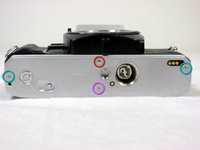
  3. Removing Minolta X-370 Bottom Cover, Bottom Cover: 步骤 3 中的图像 1,2 Removing Minolta X-370 Bottom Cover, Bottom Cover: 步骤 3 中的图像 2,2
    • Remove two 4.8mm screws.

    • Remove one 3.4mm screw.

    • Remove one 2.65mm screw.

    • Lift off the back cover.

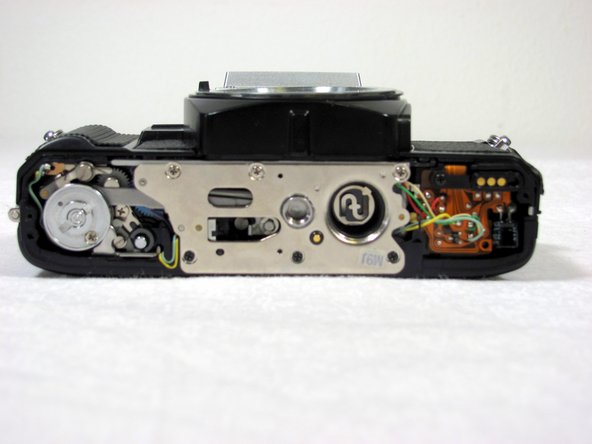
  4. Removing Minolta X-370 Bottom Cover: 步骤 4 中的图像 1,1
    • Remove three 3.5mm screws.

    • Remove two 3.8mm screws.

    • Remove one 6.35mm screw.

    • Remove one 4mm screw. Lift off the disk.

    • Remove one 5.11mm screw.

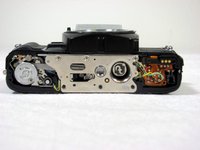
  5. Removing Minolta X-370 Bottom Cover: 步骤 5 中的图像 1,1
    • Lift up the silver, metal piece

    • Please note that some internal pieces may come loose during this process.

结论

To reassemble your device, follow these instructions in reverse order.

3等其他人完成本指南。

Nick

于04/19/11注册

525 声望

创作了4篇指南

团队

Cal Poly, Team 8-7, Regan Spring 2011 Cal Poly, Team 8-7, Regan Spring 2011 的会员

CPSU-REGAN-S11S8G7

4 名成员

创作了9篇指南

1指南评论

good advice, will use, have multiple Minolta cameras to work with.

gabriel johnson - 回复 分享

添加评论

浏览统计数据:

过去 24 小时: 3

过去 7 天: 13

过去 30 天: 42

总计 11,546