跳转到主内容
加入维修社区 - 创建账户

Razer Phone Motherboard Replacement

你所需要的

  1. Razer Phone Motherboard Replacement, Display Assembly: 步骤 1 中的图像 1,3 Razer Phone Motherboard Replacement, Display Assembly: 步骤 1 中的图像 2,3 Razer Phone Motherboard Replacement, Display Assembly: 步骤 1 中的图像 3,3
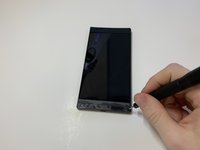
    • Remove the plastic speaker grills by using the metal spudger to pry underneath the strips.

    • Peel off the plastic speaker grill to reveal the screws.

    • Heating up the plastic grills make them easier to remove.

    • Peeling off the plastic speaker grill will ruin the adhesive used to keep it in place. A new adhesive must be used to put the grill back on the device.

    添加评论

  2. Razer Phone Motherboard Replacement: 步骤 2 中的图像 1,2 Razer Phone Motherboard Replacement: 步骤 2 中的图像 2,2
    • Pry the top plastic grill off with the metal spudger and reveal the screws.

    询问修复机器人

    添加评论

  3. Razer Phone Motherboard Replacement: 步骤 3 中的图像 1,3 Razer Phone Motherboard Replacement: 步骤 3 中的图像 2,3 Razer Phone Motherboard Replacement: 步骤 3 中的图像 3,3
    • Remove five (two bottom, three top) 2.5 mm screws with the Phillips #000 screwdriver.

    • Remove five (four bottom, one top) 5.5 mm screws with the Torx Head T5 screwdriver.

    询问修复机器人

    添加评论

  4. Razer Phone Motherboard Replacement: 步骤 4 中的图像 1,2 Razer Phone Motherboard Replacement: 步骤 4 中的图像 2,2
    • Remove the display assembly by using the Jimmy to separate the assembly from the phone's frame.

    • Lift the display assembly away from the other half of the phone.

    询问修复机器人

    添加评论

  5. Razer Phone Motherboard Replacement: 步骤 5 中的图像 1,3 Razer Phone Motherboard Replacement: 步骤 5 中的图像 2,3 Razer Phone Motherboard Replacement: 步骤 5 中的图像 3,3
    在这个步骤中使用的工具:
    Tweezers
    $4.99
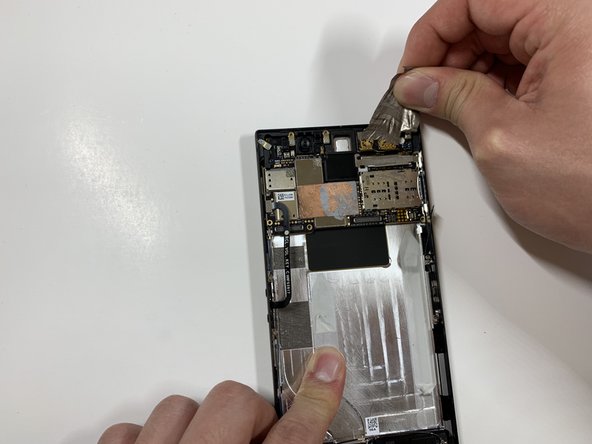
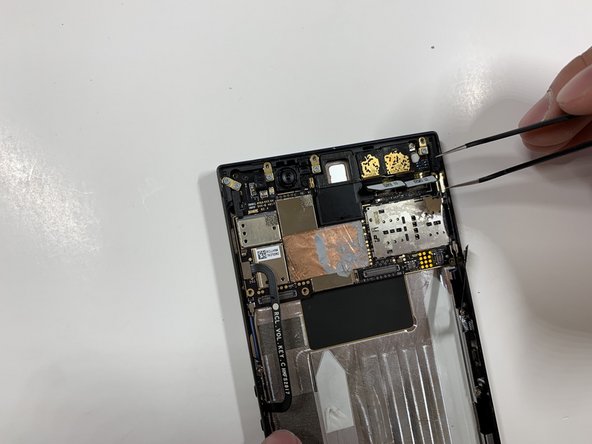
    • Remove one 2.5 mm screw holding down the metal bracket connector using the Phillips #000 screwdriver.

    • Peel back the metallic shielding over the connector using tweezers.

    • Remove the metal bracket connector.

    添加评论

  6. Razer Phone Motherboard Replacement: 步骤 6 中的图像 1,2 Razer Phone Motherboard Replacement: 步骤 6 中的图像 2,2
    • Grab hold of the the screen ribbon with the tweezers and remove it from the rest of the phone to free the assembly display.

    添加评论

  7. Razer Phone Motherboard Replacement, Battery: 步骤 7 中的图像 1,3 Razer Phone Motherboard Replacement, Battery: 步骤 7 中的图像 2,3 Razer Phone Motherboard Replacement, Battery: 步骤 7 中的图像 3,3
    在这个步骤中使用的工具:
    Tweezers
    $4.99
    • Grab hold of the connector on the right side of the phone (just above the battery) using the tweezers.

    • Remove the connector.

    询问修复机器人

    添加评论

  8. Razer Phone Motherboard Replacement: 步骤 8 中的图像 1,2 Razer Phone Motherboard Replacement: 步骤 8 中的图像 2,2
    • Remove the 2.5 mm screw holding down the bracket with a Phillips #000 screwdriver.

    • Grab the bracket with the tweezers and remove it.

    添加评论

  9. Razer Phone Motherboard Replacement: 步骤 9 中的图像 1,3 Razer Phone Motherboard Replacement: 步骤 9 中的图像 2,3 Razer Phone Motherboard Replacement: 步骤 9 中的图像 3,3
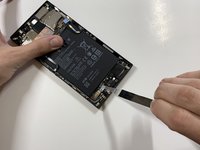
    • Peel off and pull out the elastic tabs at the bottom of the battery.

    添加评论

  10. Razer Phone Motherboard Replacement: 步骤 10 中的图像 1,2 Razer Phone Motherboard Replacement: 步骤 10 中的图像 2,2
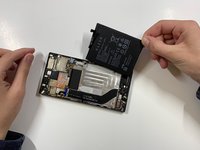
    • Carefully use the Jimmy to wedge the battery out of the phone.

    添加评论

  11. Razer Phone Motherboard Replacement, Rear Camera: 步骤 11 中的图像 1,2 Razer Phone Motherboard Replacement, Rear Camera: 步骤 11 中的图像 2,2
    • Remove the one 2.5 mm screw with the Phillips #000 screwdriver.

    询问修复机器人

    添加评论

  12. Razer Phone Motherboard Replacement: 步骤 12 中的图像 1,3 Razer Phone Motherboard Replacement: 步骤 12 中的图像 2,3 Razer Phone Motherboard Replacement: 步骤 12 中的图像 3,3
    • Remove the protective peel covering the rear cameras using your hands.

    询问修复机器人

    添加评论

  13. Razer Phone Motherboard Replacement: 步骤 13 中的图像 1,1
    在这个步骤中使用的工具:
    Tweezers
    $4.99
    • Use the tweezers to remove the white tab connector.

    询问修复机器人

    添加评论

  14. Razer Phone Motherboard Replacement: 步骤 14 中的图像 1,1
    • Grab and remove the metal tab with the tweezers.

    询问修复机器人

    添加评论

  15. Razer Phone Motherboard Replacement: 步骤 15 中的图像 1,3 Razer Phone Motherboard Replacement: 步骤 15 中的图像 2,3 Razer Phone Motherboard Replacement: 步骤 15 中的图像 3,3
    • Grab the connectors with the tweezers and gently lift the connectors loose.

    添加评论

  16. Razer Phone Motherboard Replacement: 步骤 16 中的图像 1,2 Razer Phone Motherboard Replacement: 步骤 16 中的图像 2,2
    • Remove the one 2.5 mm screw with the Phillips #000 screwdriver.

    询问修复机器人

    添加评论

  17. Razer Phone Motherboard Replacement: 步骤 17 中的图像 1,1
    • Remove the one 2.5 mm screw underneath the connectors with the Phillips #000 screwdriver.

    询问修复机器人

    添加评论

  18. Razer Phone Motherboard Replacement: 步骤 18 中的图像 1,3 Razer Phone Motherboard Replacement: 步骤 18 中的图像 2,3 Razer Phone Motherboard Replacement: 步骤 18 中的图像 3,3
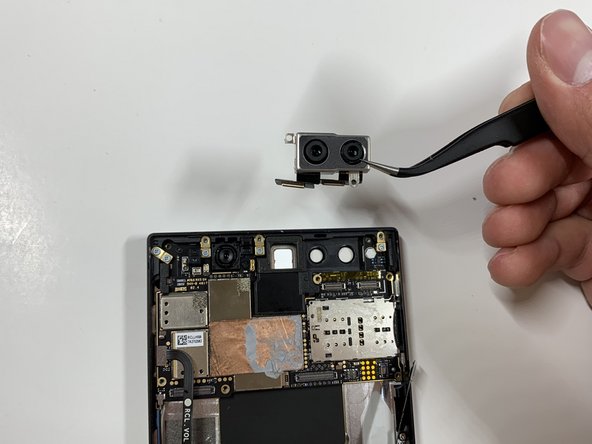
    • Grab the loose connectors with a tweezer and gently remove the rear camera unit from the phone.

    添加评论

  19. Razer Phone Motherboard Replacement, Motherboard: 步骤 19 中的图像 1,1
    在这个步骤中使用的工具:
    Tweezers
    $4.99
    • Grab and remove the blue connector with the tweezers.

    添加评论

  20. Razer Phone Motherboard Replacement: 步骤 20 中的图像 1,2 Razer Phone Motherboard Replacement: 步骤 20 中的图像 2,2
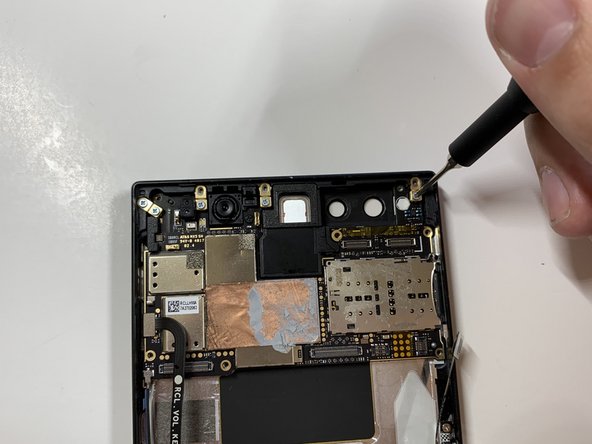
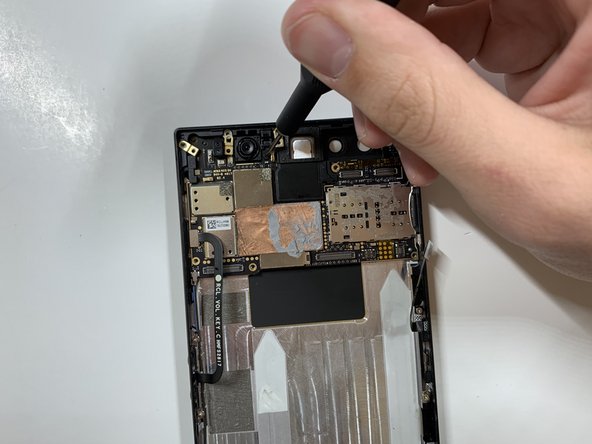
    • Remove the five 1 mm screws holding down the gold antenna line brackets to the motherboard using the Phillips #000 screwdriver.

    询问修复机器人

    添加评论

  21. Razer Phone Motherboard Replacement: 步骤 21 中的图像 1,2 Razer Phone Motherboard Replacement: 步骤 21 中的图像 2,2
    • Remove the 2.5 mm screw next to the front-facing camera with the Phillips #000 screwdriver.

    询问修复机器人

    添加评论

  22. Razer Phone Motherboard Replacement: 步骤 22 中的图像 1,2 Razer Phone Motherboard Replacement: 步骤 22 中的图像 2,2
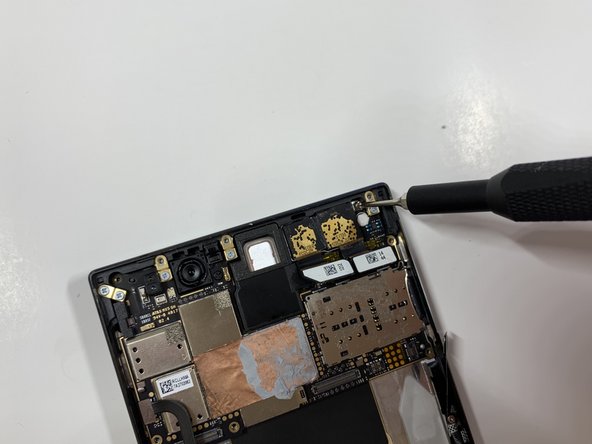
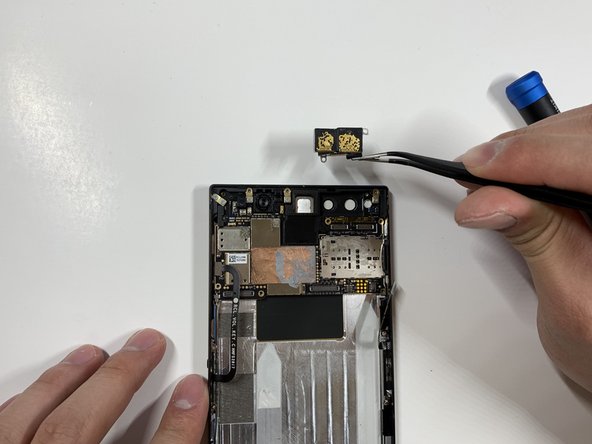
    • Remove the four gold antenna line brackets with the tweezers.

    询问修复机器人

    添加评论

  23. Razer Phone Motherboard Replacement: 步骤 23 中的图像 1,1
    • Using the tweezers remove the SIM card tray from the body of the phone.

    询问修复机器人

    添加评论

  24. Razer Phone Motherboard Replacement: 步骤 24 中的图像 1,1
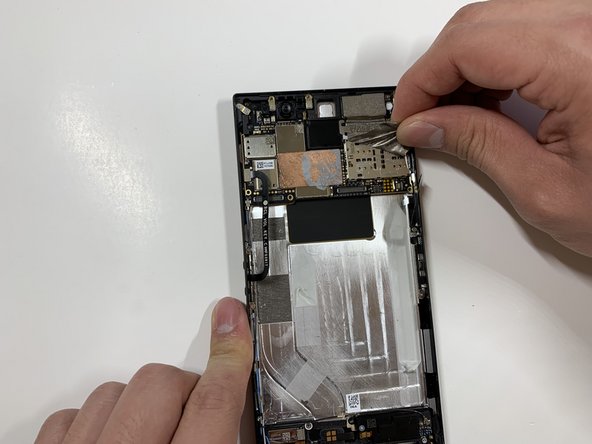
    • Carefully lift up the motherboard away from the device.

    询问修复机器人

    添加评论

结论

To reassemble your device, follow these instructions in reverse order.

取消:我没有完成这个指南。

另外一个人完成了本指南。

David Todd

于01/25/19注册

188 声望

撰写一个指南

团队

Cal Poly, Team S19-G6, White Winter 2019 Cal Poly, Team S19-G6, White Winter 2019 的会员

CPSU-WHITE-W19S19G6

4 名成员

创作了15篇指南

0指南评论

添加评论

浏览统计数据:

过去 24 小时: 1

过去 7 天: 4

过去 30 天: 43

总计 2,091