跳转到主内容
加入维修社区 - 创建账户

PowerMac G4 M5183 RAM

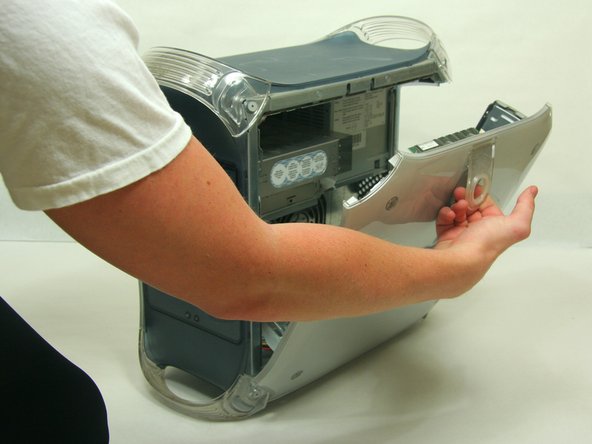
    1. PowerMac G4 M5183 RAM, Opening PowerMac G4 M5183 Case: 步骤 1 中的图像 1,2 PowerMac G4 M5183 RAM, Opening PowerMac G4 M5183 Case: 步骤 1 中的图像 2,2
      • Pull on outer latch.

      • Lower door until it is level with your work surface.

      • Before working on the computer make sure it is not plugged into a power supply, then touch a metal object. This discharges static electricity, which could damage the computer.

      添加评论

    1. PowerMac G4 M5183 RAM, RAM: 步骤 2 中的图像 1,2 PowerMac G4 M5183 RAM, RAM: 步骤 2 中的图像 2,2
      • Locate the RAM modules.

      • Pull side tabs outward. The RAM will pop out of the housing.

      询问修复机器人

      添加评论

终点

取消:我没有完成这个指南。

13等其他人完成本指南。

Justin Petrilli

于01/21/10注册

3,204 声望

创作了11篇指南

团队

Cal Poly, Team 13-24, Maness Winter 2010 Cal Poly, Team 13-24, Maness Winter 2010 的会员

CPSU-MANESS-W10S13G24

4 名成员

创作了55篇指南

0指南评论

添加评论

浏览统计数据:

过去 24 小时: 3

过去 7 天: 11

过去 30 天: 36

总计 7,447