跳转到主内容
加入维修社区 - 创建账户

Polaroid One-Step 600 Lens Replacement

你所需要的

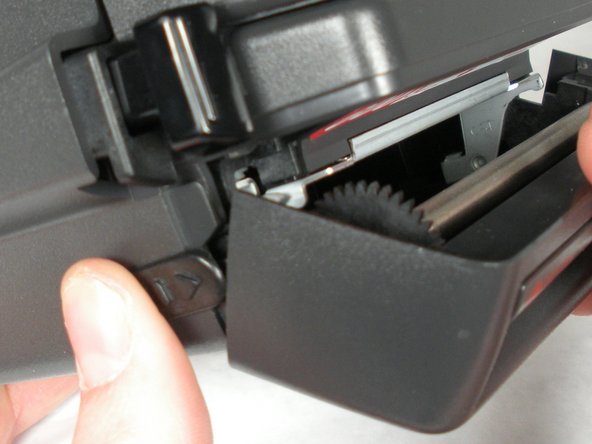
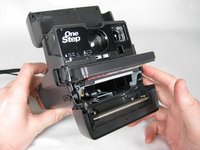
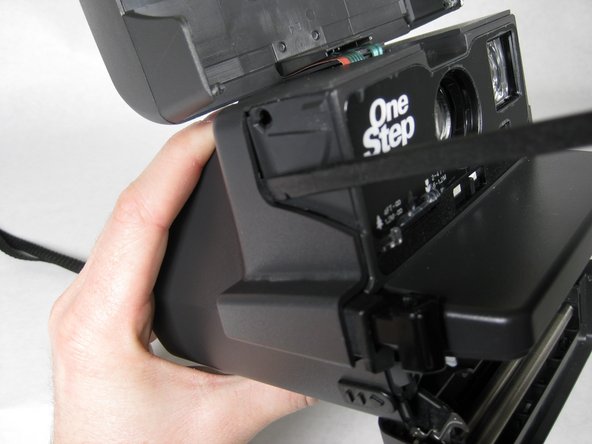
    1. Polaroid One-Step 600 Lens Replacement, Lens: 步骤 1 中的图像 1,3 Polaroid One-Step 600 Lens Replacement, Lens: 步骤 1 中的图像 2,3 Polaroid One-Step 600 Lens Replacement, Lens: 步骤 1 中的图像 3,3
      • Open the flash compartment of the camera so it makes a 30 degree angle with the horizontal.

      询问修复机器人

      添加评论

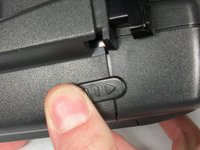
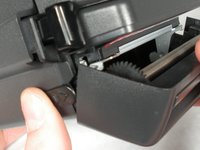
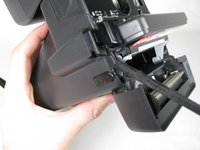
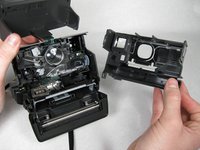
    2. Polaroid One-Step 600 Lens Replacement: 步骤 2 中的图像 1,3 Polaroid One-Step 600 Lens Replacement: 步骤 2 中的图像 2,3 Polaroid One-Step 600 Lens Replacement: 步骤 2 中的图像 3,3
      • Separate the flash section of the camera from the main body by unhooking the sides with the spudger.

      • BE CAREFUL NOT TO YANK THE TWO SECTIONS APART BECAUSE THE BAND WIRE STILL ATTACHES THEM!

      询问修复机器人

      添加评论

    3. Polaroid One-Step 600 Lens Replacement: 步骤 3 中的图像 1,3 Polaroid One-Step 600 Lens Replacement: 步骤 3 中的图像 2,3 Polaroid One-Step 600 Lens Replacement: 步骤 3 中的图像 3,3
      • Fully open the battery/ cartridge compartment by sliding the side tab toward you.

      询问修复机器人

      添加评论

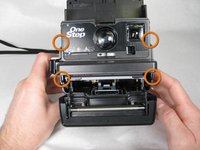
    4. Polaroid One-Step 600 Lens Replacement: 步骤 4 中的图像 1,3 Polaroid One-Step 600 Lens Replacement: 步骤 4 中的图像 2,3 Polaroid One-Step 600 Lens Replacement: 步骤 4 中的图像 3,3
      • Insert spudger in between face of camera and sides where the four tabs are located.

      • BE CAREFUL! The button that is pressed to take a picture may pop out of the camera at this step.

      询问修复机器人

      添加评论

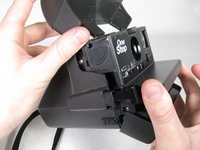
    5. Polaroid One-Step 600 Lens Replacement: 步骤 5 中的图像 1,2 Polaroid One-Step 600 Lens Replacement: 步骤 5 中的图像 2,2
      • Once tabs are released, pull face of camera straight out.

      询问修复机器人

      添加评论

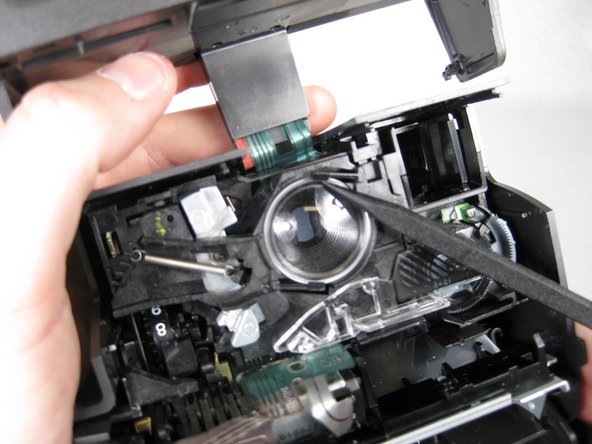
    6. Polaroid One-Step 600 Lens Replacement: 步骤 6 中的图像 1,1
      • Use spudger to twist the notch on the lens into the opening to remove it.

      询问修复机器人

      添加评论

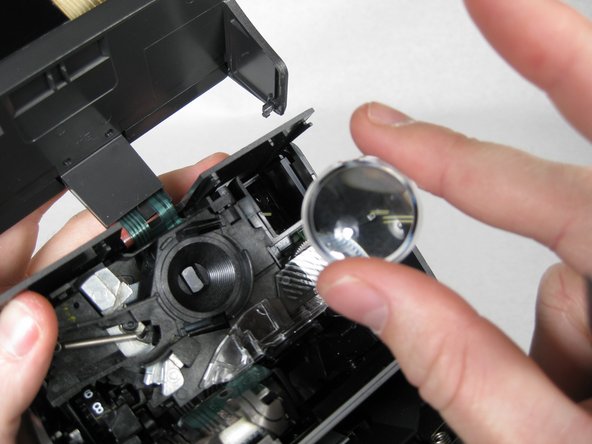
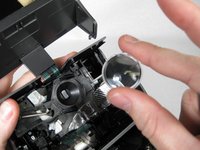
    7. Polaroid One-Step 600 Lens Replacement: 步骤 7 中的图像 1,2 Polaroid One-Step 600 Lens Replacement: 步骤 7 中的图像 2,2
      • Carefully use spudger to release lens, then lift lens out of camera with fingers.

      • CAUTION: LENS MAY POP OUT OF CAMERA; REMOVE CAREFULLY.

      询问修复机器人

      添加评论

    8. Polaroid One-Step 600 Lens Replacement: 步骤 8 中的图像 1,1
      在这个步骤中使用的工具:
      Microfiber Cleaning Cloths
      $3.99
      • Clean old lens with a microfiber cloth or get a new lens to put back into the camera.

      询问修复机器人

      添加评论

结论

To reassemble your device, follow these instructions in reverse order.

取消:我没有完成这个指南。

8等其他人完成本指南。

Doug Jimenez

于01/21/10注册

556 声望

创作了2篇指南

团队

Cal Poly, Team 16-31, Maness Winter 2010 Cal Poly, Team 16-31, Maness Winter 2010 的会员

CPSU-MANESS-W10S16G31

4 名成员

创作了13篇指南

2指南评论

Hi, since you seem to know stuff about Polaroid cameras, I was wondering if you could help me figure out what is wrong with mine. I have a Polaroid Instant One-Step and whenever I take pictures, they never fully develop. They are a blue-ish hue and are never clear. Is this because of the lens do you think? Or something completely different?

Thanks

H.Rose - 回复 分享

Hello, I know this is sort of an old post, but it was updated fairly recently, so I thought I'd try.
Two questions: What is the function of the small striped part shown in picture 2 of step 5 and picture 1 of step 6? It appears to move with the brightness (exposure?) slider below the lens. Moving it towards the lighter side (right) moves the thicker stripes to cover that area more, and moving it to the darker side (left) moves the thinner stripes over the area, eventually leaving no stripes. Is it used for the camera's circuitry to adjust how long the shutter stays open when a photo is taken?

For a second question, what is the hole under the viewfinder for? It looks like it's a very basic "brightness indicator" you can look through to gauge whether the brightness of your photo will be bright enough; then again, that poses more questions, like, how bright is "bright enough." Thought I'd come ask you guys if anyone here knew. From what I've found, there aren't many people inquiring about its function.

Riley A - 回复 分享

添加评论

浏览统计数据:

过去 24 小时: 1

过去 7 天: 8

过去 30 天: 68

总计 17,433