跳转到主内容
加入维修社区 - 创建账户

Pentax PZ-10 Back Cover Locking Switch Spring Replacement

你所需要的

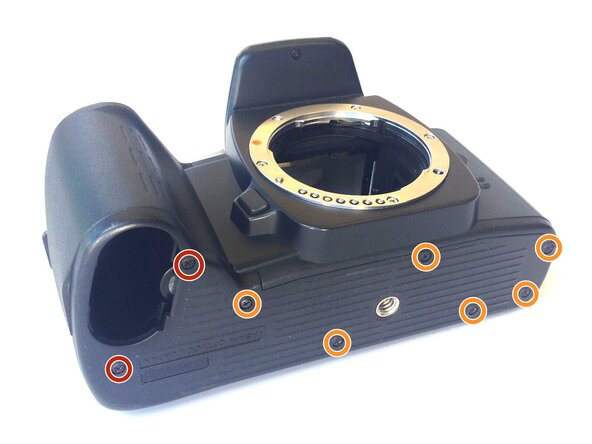
    1. Pentax PZ-10 Back Cover Locking Switch Spring Replacement, Removing the Bottom Cover: 步骤 1 中的图像 1,1
      • With the lens face up and the bottom panel of the camera facing you, remove the two 7mm screws on the left using the J0 screwdriver.

      • Remove the six 4.3mm screws in the middle and right of the panel using the J0 screwdriver.

      • Pull off the bottom casing to remove.

      询问修复机器人

      添加评论

    2. Pentax PZ-10 Back Cover Locking Switch Spring Replacement, Removing Bottom Casing: 步骤 2 中的图像 1,1
      • With the screws removed, the bottom casing should come off very easily by pulling on the casing.

      询问修复机器人

      添加评论

    3. Pentax PZ-10 Back Cover Locking Switch Spring Replacement, Removing the Back Cover: 步骤 3 中的图像 1,1
      • Place the camera on its side so the lens is facing left.

      • Press down on the locking switch on the side panel facing you.

      询问修复机器人

      添加评论

    4. Pentax PZ-10 Back Cover Locking Switch Spring Replacement: 步骤 4 中的图像 1,1
      • With the door unlocked, rotate the device to access the bottom.

      询问修复机器人

      添加评论

    5. Pentax PZ-10 Back Cover Locking Switch Spring Replacement: 步骤 5 中的图像 1,1
      在这个步骤中使用的工具:
      Tweezers
      $4.99
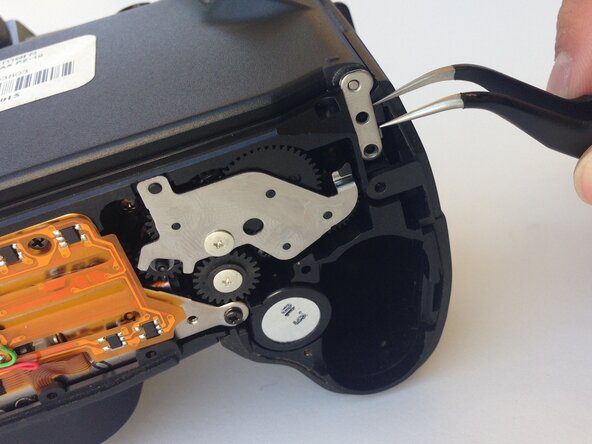
      • Using a pair of tweezers, gently remove the metal tab securing the back door axle.

      • The door will come loose at this point, watch for any loose parts that may also come out.

      询问修复机器人

      添加评论

    6. Pentax PZ-10 Back Cover Locking Switch Spring Replacement, Removing the Side Panel: 步骤 6 中的图像 1,1
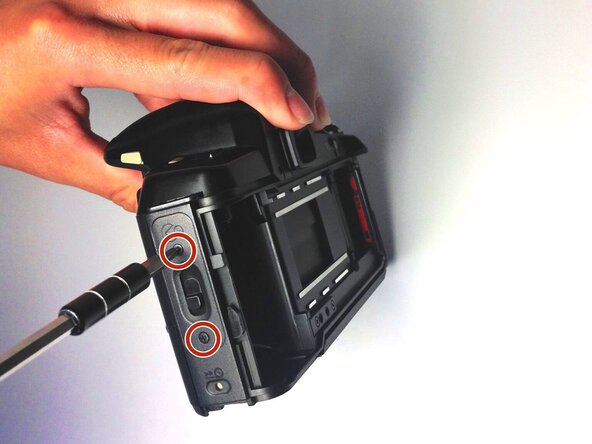
      • Once the back cover is fully removed, remove the two 4.35mm screws attaching the cover of the unlocking switch, and remove the plate.

      询问修复机器人

      添加评论

    7. Pentax PZ-10 Back Cover Locking Switch Spring Replacement, Removing the Spring: 步骤 7 中的图像 1,1
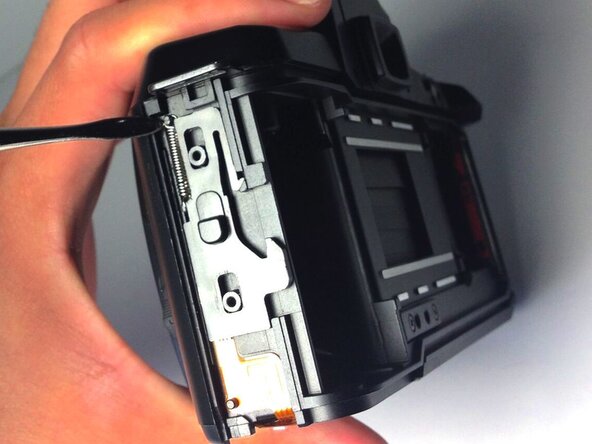
      • Locate the spring at the upper left corner of the face, and pull the rings of the spring off of the pins to remove it using plastic opening tools.

      • You are now ready to replace the spring.

      询问修复机器人

      添加评论

结论

To reassemble your device, follow these instructions in reverse order.

取消:我没有完成这个指南。

另外一个人完成了本指南。

Ryan Su

于04/20/15注册

107 声望

撰写一个指南

0指南评论

添加评论

浏览统计数据:

过去 24 小时: 0

过去 7 天: 0

过去 30 天: 17

总计 738