简介
If your PDP Afterglow Fener ear pads are damaged, ripped, or worn down, use this guide for replacement instructions. This guide teaches you how to first remove the ear pads so that they can later be replaced. If you want to complete some inner repairs and simply need access to the ear pieces, you too should use this guide: rather than placing on new pads after completion of this guide, begin repairs on exposed ear pieces instead.
-
-
-
Start by removing the right ear pad. Be careful not to pull too hard as it may rip.
-
Gently tug on the pad until it comes free from the slot, which is marked by the red square.
 询问修复机器人
-
-
-


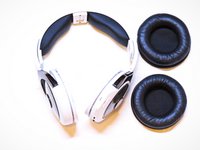
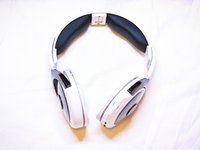
To reassemble your device, follow these instructions in reverse order.
另外一个人完成了本指南。

团队

UMass Dartmouth, Team 5-3, Gulbrandsen Fall 2015 UMass Dartmouth, Team 5-3, Gulbrandsen Fall 2015 的会员
UMASSD-GULBRANDSEN-F15S5G3
3 名成员
创作了20篇指南
