跳转到主内容

Opening Procedure

你所需要的

  1. Opening Procedure, Power down the watch: 步骤 1 中的图像 1,2 Opening Procedure, Power down the watch: 步骤 1 中的图像 2,2
  2. Opening Procedure, Safety Requirements: 步骤 2 中的图像 1,3 Opening Procedure, Safety Requirements: 步骤 2 中的图像 2,3 Opening Procedure, Safety Requirements: 步骤 2 中的图像 3,3
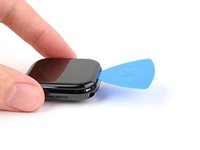
    • Because the gap between the screen and watch body is so thin, an iFlex is needed to separate the two.

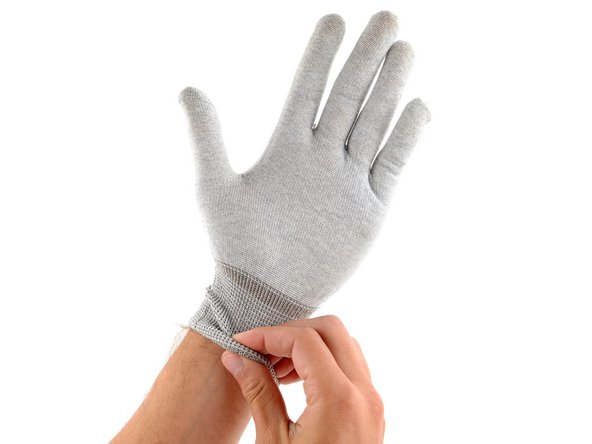
    • Protect your fingers by keeping them completely clear of the iFlex edge. If in doubt, protect your free hand with a heavy glove, such as a leather shop glove or gardening glove.

    • Be careful not to apply too much pressure, as this might cause the iFlex to slip and cut you, or damage the watch.

    • Wear eye protection. If the opening procedure is performed incorrectly or with too much pressure, the glass could crack, sending small glass shards flying.

    • Attach or remove the watch band as needed to provide more control as you make repairs.

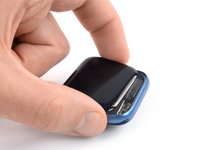
  3. Opening Procedure, Soften the display adhesive: 步骤 3 中的图像 1,1
    • Prepare an iOpener and apply it to the screen for at least two minutes to loosen the adhesive underneath.

    • A hair dryer, heat gun, or hot plate may also be used, but be careful not to overheat the watch—the display and internal battery are both susceptible to heat damage.

    • You may need to reheat the iOpener and repeat this procedure several times until the display adhesive softens.

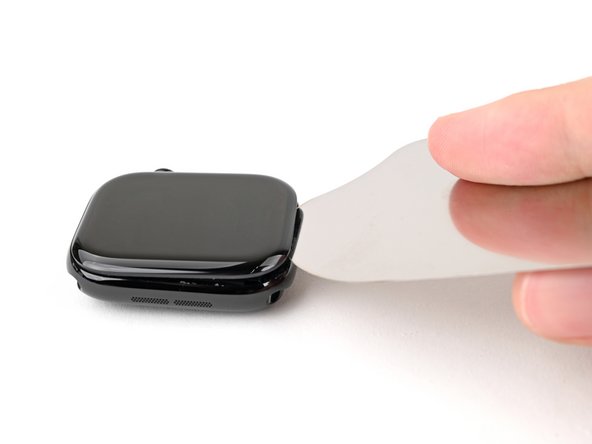
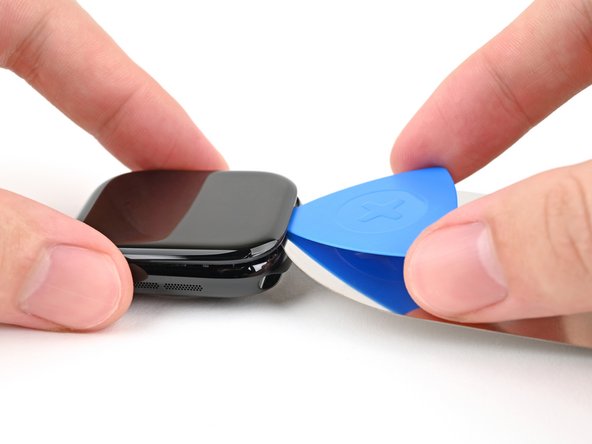
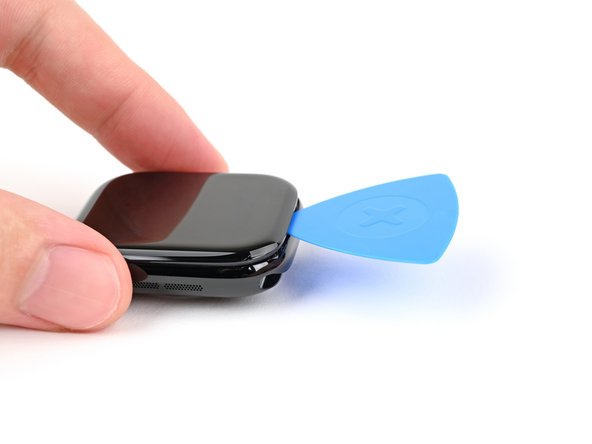
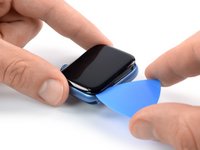
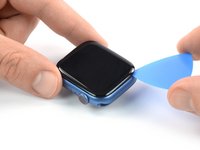
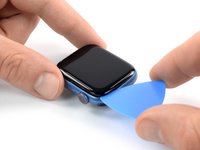
  4. Opening Procedure, Create a gap: 步骤 4 中的图像 1,3 Opening Procedure, Create a gap: 步骤 4 中的图像 2,3 Opening Procedure, Create a gap: 步骤 4 中的图像 3,3
    在这个步骤中使用的工具:
    Cut-Resistant ESD Gloves
    $19.99
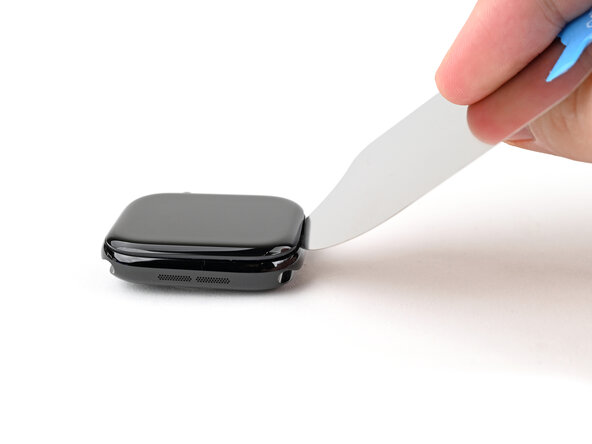
    • Don't grip the iFlex or similar metal tools by the edges—they're very sharp. Consider wearing gloves to protect your hands.

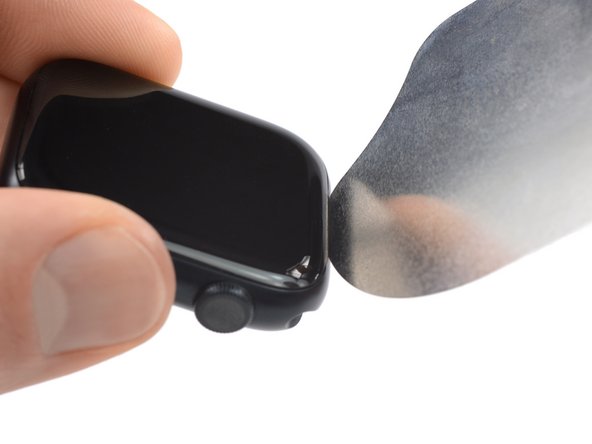
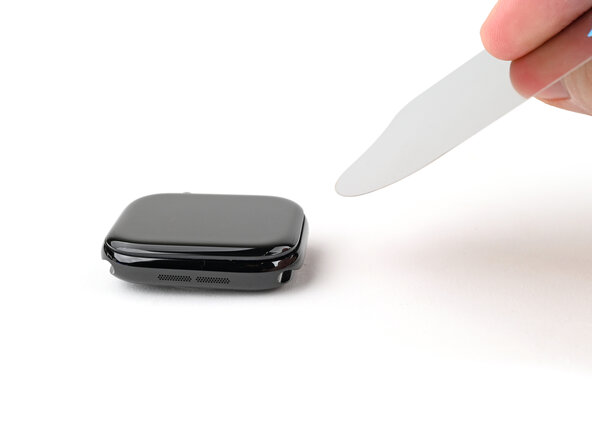
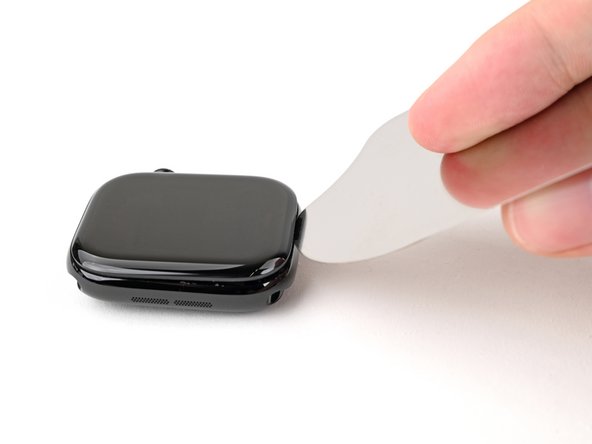
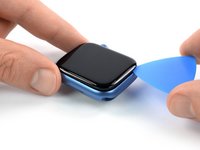
    • Insert the iFlex at a downward angle between the bottom edge of the screen and frame.

    • The Apple Watch Series 7 display is equipped with a plastic bezel on its rear side. If you want to reuse your display, avoid using too much pressure with the iFlex or you may separate the bezel from the screen.

  5. Opening Procedure, Pry up the screen: 步骤 5 中的图像 1,2 Opening Procedure, Pry up the screen: 步骤 5 中的图像 2,2
    • Prying up the screen may take multiple attempts. If you're having trouble, apply more heat and try again.

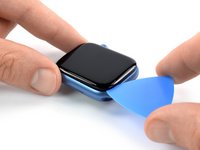
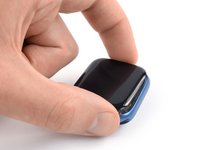
    • With one hand, push down firmly on the watch's frame to secure it in place.

    • With your free hand, hold the iFlex and push the edges up to make it more rigid.

    • The iFlex should be slightly "U" shaped.

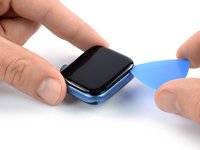
    • Pry up the screen enough for the iFlex to lay flat on its own.

    • The iFlex doesn't need to be inserted far, as it can easily damage the screen cables near the bottom right corner of the watch.

    • Leave the iFlex inserted under the screen.

  6. Opening Procedure, Insert an opening pick: 步骤 6 中的图像 1,3 Opening Procedure, Insert an opening pick: 步骤 6 中的图像 2,3 Opening Procedure, Insert an opening pick: 步骤 6 中的图像 3,3
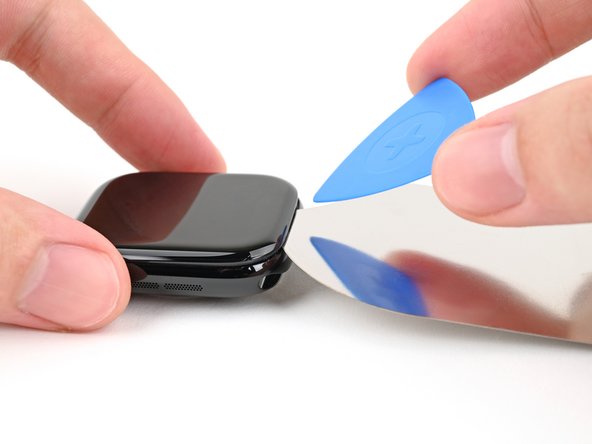
    • Do not insert your opening pick more than 3 mm under the screen when separating the adhesive, as you risk damaging your watches internals.

    • Keep the iFlex flat to maintain a gap between the screen and frame while inserting an opening pick.

    • Insert an opening pick between the screen and iFlex.

    • Remove the iFlex.

  7. Opening Procedure, Slice the adhesive: 步骤 7 中的图像 1,2 Opening Procedure, Slice the adhesive: 步骤 7 中的图像 2,2
    • Slide the opening pick around the bottom left corner and up the left edge.

  8. Opening Procedure: 步骤 8 中的图像 1,2 Opening Procedure: 步骤 8 中的图像 2,2
    • Slide the opening pick around the corner and along the long edge on the opposite side of the watch crown to slice the display adhesive.

  9. Opening Procedure: 步骤 9 中的图像 1,2 Opening Procedure: 步骤 9 中的图像 2,2
    • Slide the opening pick around the corner to slice the remaining adhesive on the short edge of the watch next to the watch crown.

    • Don't try to remove the display. It is still connected to the watch assembly.

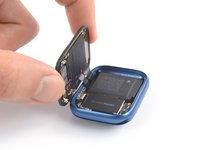
  10. Opening Procedure, Swing open the display: 步骤 10 中的图像 1,3 Opening Procedure, Swing open the display: 步骤 10 中的图像 2,3 Opening Procedure, Swing open the display: 步骤 10 中的图像 3,3
    • Be careful not to strain the display cables when you fold the display to the side.

    • Lift the display and carefully pull it towards the watch crown.

    • Swing the display open to an upward position.

结论

If possible, turn on your device and test your repair before installing new adhesive and resealing.

To reassemble your device, follow these instructions in reverse order.

During reassembly apply new adhesive where necessary after cleaning the relevant areas with isopropyl alcohol (>90%).

Take your e-waste to an R2 or e-Stewards certified recycler.

Opening didn’t go as planned? Check out our Answers community for troubleshooting help.

另外一个人完成了本指南。

Dominik Schnabelrauch

于11/23/16注册

247,370 声望

创作了682篇指南

团队

iFixit iFixit 的会员

Staff

123 名成员

创作了23,758篇指南

0指南评论

添加评论

浏览统计数据:

过去 24 小时: 5

过去 7 天: 40

过去 30 天: 193

总计 6,692