跳转到主内容
加入维修社区 - 创建账户

One Education Infinity Battery Replacement

你所需要的

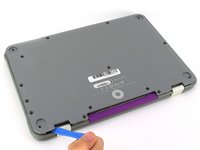
    1. One Education Infinity Battery Replacement, Back Case: 步骤 1 中的图像 1,3 One Education Infinity Battery Replacement, Back Case: 步骤 1 中的图像 2,3 One Education Infinity Battery Replacement, Back Case: 步骤 1 中的图像 3,3
      • Always power off your device before beginning disassembly.

      • Remove the screw covers and rubber feet from the bottom of the laptop with a metal spudger.

      询问修复机器人

      添加评论

    2. One Education Infinity Battery Replacement: 步骤 2 中的图像 1,2 One Education Infinity Battery Replacement: 步骤 2 中的图像 2,2
      • Using a Phillips #00 screwdriver, remove the sixteen 5.0 mm black screws from the back panel.

      询问修复机器人

      添加评论

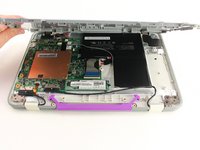
    3. One Education Infinity Battery Replacement: 步骤 3 中的图像 1,3 One Education Infinity Battery Replacement: 步骤 3 中的图像 2,3 One Education Infinity Battery Replacement: 步骤 3 中的图像 3,3
      • Using the iFixit plastic opening tool or spudger, start near the white hinge of the device and lift along the outer edges of the device until all clips are released.

      • Lift the back case off of the device.

      • Removing the back may create a loud snapping noise.

      询问修复机器人

      添加评论

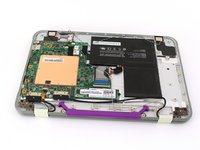
    1. One Education Infinity Battery Replacement, Battery: 步骤 4 中的图像 1,3 One Education Infinity Battery Replacement, Battery: 步骤 4 中的图像 2,3 One Education Infinity Battery Replacement, Battery: 步骤 4 中的图像 3,3
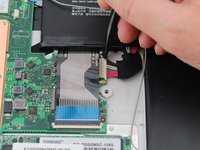
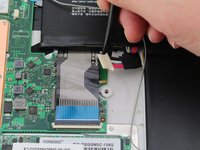
      • There may be black tape inside your device covering components or holding down wires. This tape is unimportant for the function of the device, and can be removed.

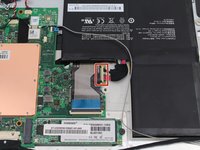
      • Carefully wiggle the battery cable to the right and out of the port with a plastic spudger.

      询问修复机器人

      添加评论

    2. One Education Infinity Battery Replacement: 步骤 5 中的图像 1,3 One Education Infinity Battery Replacement: 步骤 5 中的图像 2,3 One Education Infinity Battery Replacement: 步骤 5 中的图像 3,3
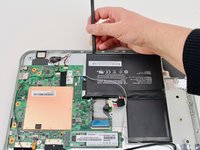
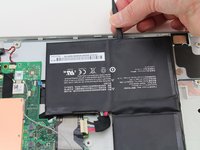
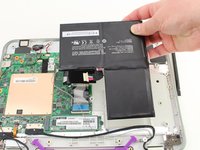
      • Wedge a plastic spudger underneath the battery from the upper edge and slide it carefully along the length of the battery to separate it from the case.

      • There is a mild adhesive holding down the battery. Take care not to puncture or excessively bend the battery while freeing it from the adhesive.

      • Lift the battery out from the internal case.

      询问修复机器人

      添加评论

结论

To reassemble your device, follow these instructions in reverse order.

取消:我没有完成这个指南。

Jacob Barnes

于10/10/19注册

193 声望

创作了2篇指南

团队

Cal Poly, Team S11-G4, Regan Fall 2019 Cal Poly, Team S11-G4, Regan Fall 2019 的会员

CPSU-REGAN-F19S11G4

3 名成员

创作了28篇指南

0指南评论

添加评论

浏览统计数据:

过去 24 小时: 2

过去 7 天: 4

过去 30 天: 21

总计 671