跳转到主内容
加入维修社区 - 创建账户

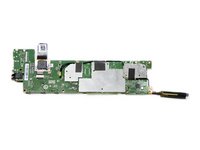
Nvidia Shield Tablet Motherboard Replacement

你所需要的

  1. Nvidia Shield Tablet Motherboard Replacement, Rear Case: 步骤 1 中的图像 1,2 Nvidia Shield Tablet Motherboard Replacement, Rear Case: 步骤 1 中的图像 2,2
    • First, remove the stylus from your tablet.

    添加评论

  2. Nvidia Shield Tablet Motherboard Replacement: 步骤 2 中的图像 1,3 Nvidia Shield Tablet Motherboard Replacement: 步骤 2 中的图像 2,3 Nvidia Shield Tablet Motherboard Replacement: 步骤 2 中的图像 3,3
    在这个步骤中使用的工具:
    Anti-Static Wrist Strap
    $7.95
    • Set the tablet so the buttons, microSD, and stylus port are facing you.

    • Open the microSD slot.

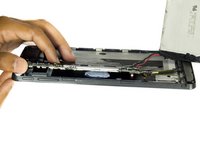
    • Using the flat end of the spudger tool, carefully pry open the case starting from the microSD slot, slowly sliding the spudger along the inside edge of the case.

    • You may want to put on your anti-static wrist strap at this point as the motherboard will be vulnerable to physical touch and electrostatic shock after the casing is removed.

    询问修复机器人

    添加评论

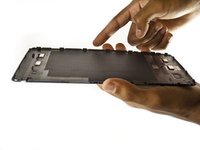
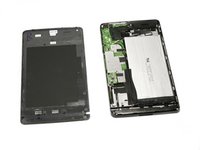
  3. Nvidia Shield Tablet Motherboard Replacement: 步骤 3 中的图像 1,2 Nvidia Shield Tablet Motherboard Replacement: 步骤 3 中的图像 2,2
    • As you remove your case, be aware of small clips along the edges.

    • Finally, set the old casing aside.

    询问修复机器人

    添加评论

  4. Nvidia Shield Tablet Motherboard Replacement, Motherboard: 步骤 4 中的图像 1,1
    在这个步骤中使用的工具:
    Anti-Static Wrist Strap
    $7.95
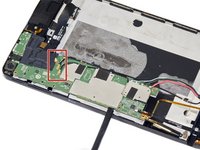
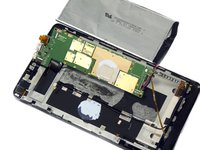
    • Carefully use the precision tweezers to unplug the ribbon cable.

    • Be sure to have your anti-static wrist strap on for this procedure.

    添加评论

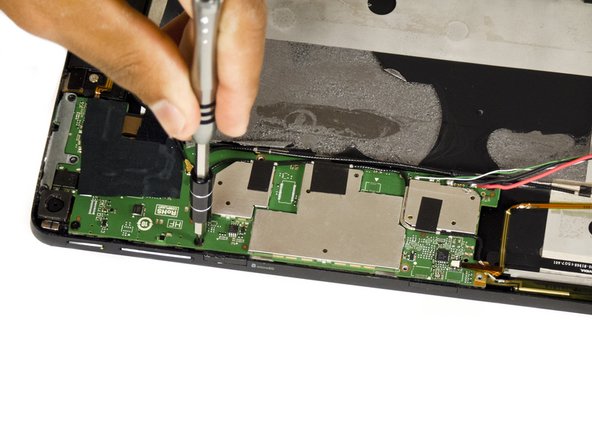
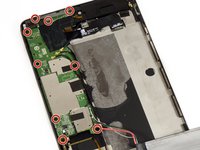
  5. Nvidia Shield Tablet Motherboard Replacement: 步骤 5 中的图像 1,3 Nvidia Shield Tablet Motherboard Replacement: 步骤 5 中的图像 2,3 Nvidia Shield Tablet Motherboard Replacement: 步骤 5 中的图像 3,3
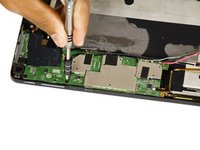
    • Remove the two 6.5 mm Phillips #00 screws and seven 3.0 mm Phillips #00 screws.

    询问修复机器人

    添加评论

  6. Nvidia Shield Tablet Motherboard Replacement: 步骤 6 中的图像 1,3 Nvidia Shield Tablet Motherboard Replacement: 步骤 6 中的图像 2,3 Nvidia Shield Tablet Motherboard Replacement: 步骤 6 中的图像 3,3
    • Use a pair of tweezers to disconnect the three black antenna cables from the motherboard.

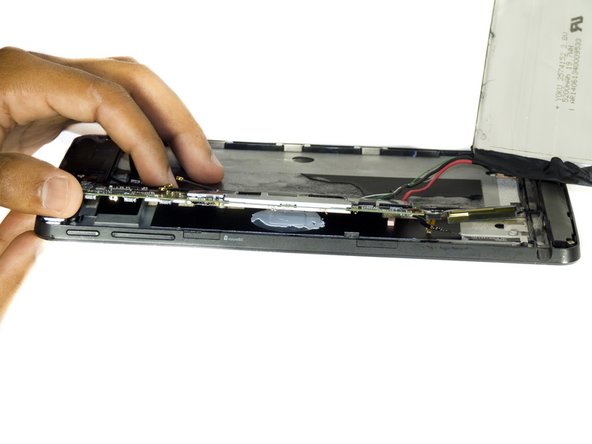
    • Use the flat end of the spudger tool to carefully pry up the motherboard.

    • In the first Shield, the stylus ribbon cable is located under the right side of board. While there are 2 additional cables for the cameras underneath the left end of the board. Be sure to loosen the cameras before lifting the board.

    询问修复机器人

    添加评论

  7. Nvidia Shield Tablet Motherboard Replacement: 步骤 7 中的图像 1,2 Nvidia Shield Tablet Motherboard Replacement: 步骤 7 中的图像 2,2
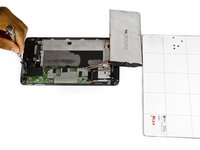
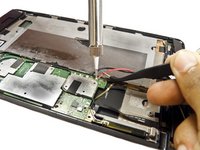
    • Desolder the positive and negative battery cables from the motherboard.

    • Make sure to note which wire goes where, you don't want to re-solder the wires backwards!

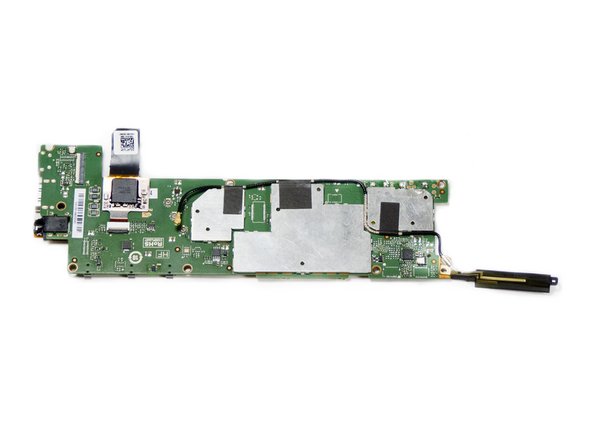
    • The motherboard should now come free.

    询问修复机器人

    添加评论

结论

To reassemble your device, follow these instructions in reverse order.

取消:我没有完成这个指南。

6等其他人完成本指南。

Molly Bauer

于08/27/15注册

1,478 声望

创作了6篇指南

团队

USF Tampa, Team 2-2, Blackwell Fall 2015 USF Tampa, Team 2-2, Blackwell Fall 2015 的会员

USFT-BLACKWELL-F15S2G2

3 名成员

创作了11篇指南

9指南评论

Where do you obtain a new motherboard?

imprintcave - 回复 分享

The real question is more about how to find a new shield tablet motherboard ??

willixlive - 回复 分享

where can i buy the motherboard

Gurjot Dhaliwal - 回复 分享

waar kan ik een nieuw shield moederbord kopen?

tom1vangestel - 回复 分享

Hello, I'm looking for a description of the various ribbon connectors on the motherboard.

I'm also looking for a hint to solve a problem I have after replacing the screen+digitizer: the right side (half) of the touch screen does'n work.

Laurent Zanoni - 回复 分享

添加评论

浏览统计数据:

过去 24 小时: 1

过去 7 天: 7

过去 30 天: 62

总计 10,268