跳转到主内容
加入维修社区 - 创建账户

Nostalgia Electrics PCM805 Power Switch Replacement

你所需要的

    1. Nostalgia Electrics PCM805 Power Switch Replacement, Unscrewing the base: 步骤 1 中的图像 1,2 Nostalgia Electrics PCM805 Power Switch Replacement, Unscrewing the base: 步骤 1 中的图像 2,2
      • Unplug the device before following this guide.

      • First, place the device on its side, making sure the switch is not facing down.

      • Remove the eight 12mm Phillips #02 screws from the base.

      询问修复机器人

      添加评论

    2. Nostalgia Electrics PCM805 Power Switch Replacement: 步骤 2 中的图像 1,1
      • Gently separate the panel from the device.

      • Be sure not to tug at the wires that are still connected.

      询问修复机器人

      添加评论

    1. Nostalgia Electrics PCM805 Power Switch Replacement, Power Switch: 步骤 3 中的图像 1,1
      • Locate the switch/wire assembly inside the device.

      询问修复机器人

      添加评论

    2. Nostalgia Electrics PCM805 Power Switch Replacement: 步骤 4 中的图像 1,1
      • Pull back the insulation sleeves to expose the connector heads.

      询问修复机器人

      添加评论

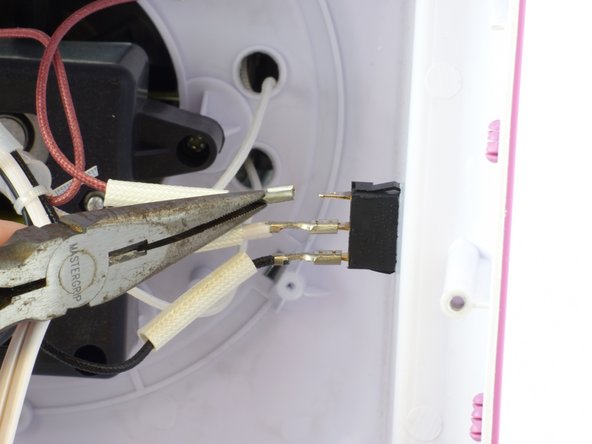
    3. Nostalgia Electrics PCM805 Power Switch Replacement: 步骤 5 中的图像 1,2 Nostalgia Electrics PCM805 Power Switch Replacement: 步骤 5 中的图像 2,2
      • Note the color of each wire and the order you remove them.

      • Using a pair of pliers, firmly grip the base of the wire.

      • Be sure to grip where the connector meets the wire and not where the connector covers the switch prong.

      • Pull the wire straight out of the switch.

      • Repeat this step for each wire.

      询问修复机器人

      添加评论

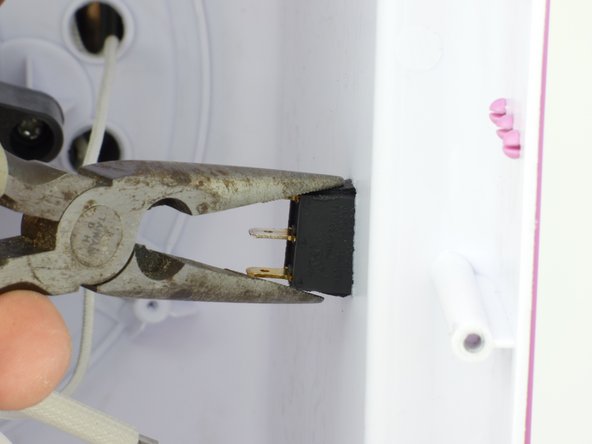
    4. Nostalgia Electrics PCM805 Power Switch Replacement: 步骤 6 中的图像 1,2 Nostalgia Electrics PCM805 Power Switch Replacement: 步骤 6 中的图像 2,2
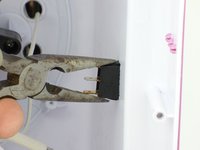
      • Using pliers, pinch tabs at the top and bottom of switch.

      • While pinching the tabs, push the switch until the tabs are on the outside of the device.

      询问修复机器人

      添加评论

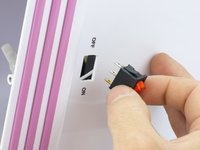
    5. Nostalgia Electrics PCM805 Power Switch Replacement: 步骤 7 中的图像 1,2 Nostalgia Electrics PCM805 Power Switch Replacement: 步骤 7 中的图像 2,2
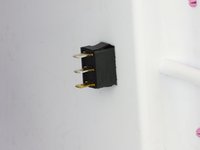
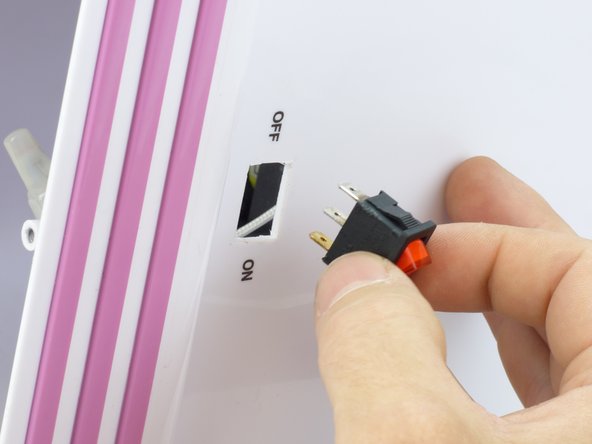
      • Remove the switch from the device.

      询问修复机器人

      添加评论

结论

To reassemble your device, follow these instructions in reverse order.

取消:我没有完成这个指南。

Carlton

于01/13/15注册

672 声望

创作了5篇指南

团队

USF Tampa, Team 3-5, Hickman Winter 2015 USF Tampa, Team 3-5, Hickman Winter 2015 的会员

USFT-HICKMAN-W15S3G5

5 名成员

创作了16篇指南

1指南评论

The red light turns on but the disk isnt spinning or heating up and when the out let has power

Manuela Velez - 回复 分享

添加评论

浏览统计数据:

过去 24 小时: 0

过去 7 天: 4

过去 30 天: 23

总计 2,317