跳转到主内容
加入维修社区 - 创建账户

Nokia XL Dual Sim Front Camera Replacement

你所需要的

  1. Nokia XL Dual Sim Front Camera Replacement, Back Cover Removal: 步骤 1 中的图像 1,1
    • You will first need to separate the back cover from the device.

    • Gently pry open each side of the device at the indicated locations. It is best to use a plastic opening tool or similar tool.

    询问修复机器人

    添加评论

  2. Nokia XL Dual Sim Front Camera Replacement, Battery Removal: 步骤 2 中的图像 1,2 Nokia XL Dual Sim Front Camera Replacement, Battery Removal: 步骤 2 中的图像 2,2
    • Remove the back cover.

    • Use a plastic opening tool to lift the battery. Then, remove it.

    询问修复机器人

    添加评论

  3. Nokia XL Dual Sim Front Camera Replacement, Screen Separation part 1: 步骤 3 中的图像 1,2 Nokia XL Dual Sim Front Camera Replacement, Screen Separation part 1: 步骤 3 中的图像 2,2
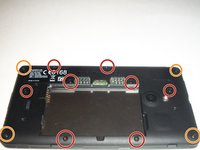
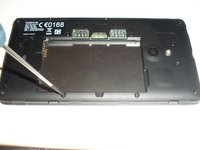
    • To access the inner components of the device, remove the various screws. Keep them separate, and organize them by size.

    • You will need a T5 Precision Torx screw driver to remove the screws.

    • The locations of the T5x3.4mm screws are indicated in the picture.

    • The locations of the T5x4.1mm screws are indicated in the picture.

    询问修复机器人

    添加评论

  4. Nokia XL Dual Sim Front Camera Replacement, Screen Separation part 2: 步骤 4 中的图像 1,3 Nokia XL Dual Sim Front Camera Replacement, Screen Separation part 2: 步骤 4 中的图像 2,3 Nokia XL Dual Sim Front Camera Replacement, Screen Separation part 2: 步骤 4 中的图像 3,3
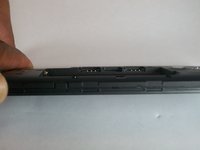
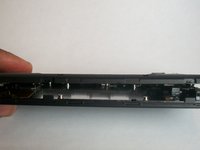
    • Use the plastic opening tool to gently pry the device apart.

    • There are flaps on both sides of the phone as indicated in the picture. This is what you will need to pry apart.

    • Please be cautious when opening the device. There are various connectors inside the device that must be handled with care.

    询问修复机器人

    添加评论

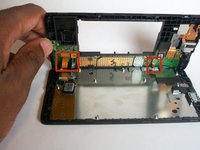
  5. Nokia XL Dual Sim Front Camera Replacement, System components: 步骤 5 中的图像 1,1
    • Once the device is open, take note of all the components.

    询问修复机器人

    添加评论

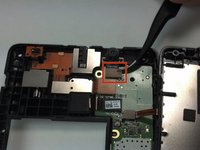
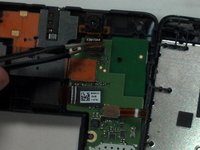
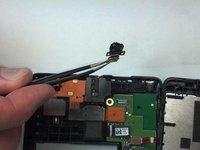
  6. Nokia XL Dual Sim Front Camera Replacement, Camera Removal: 步骤 6 中的图像 1,3 Nokia XL Dual Sim Front Camera Replacement, Camera Removal: 步骤 6 中的图像 2,3 Nokia XL Dual Sim Front Camera Replacement, Camera Removal: 步骤 6 中的图像 3,3
    在这个步骤中使用的工具:
    Tweezers
    $4.99
    • With Tweezers, gently unsnap the front camera motherboard connector.

    • The front camera component can now be gently removed.

    询问修复机器人

    添加评论

结论

To reassemble your device, follow these instructions in reverse order.

取消:我没有完成这个指南。

6等其他人完成本指南。

Shadeed Bilal

于09/25/14注册

231 声望

创作了4篇指南

团队

USF Tampa, Team 1-4, Brown Fall 2014 USF Tampa, Team 1-4, Brown Fall 2014 的会员

USFT-BROWN-F14S1G4

3 名成员

创作了7篇指南

1指南评论

merci 1000 fois pour ce cite

zmohye - 回复 分享

添加评论

浏览统计数据:

过去 24 小时: 1

过去 7 天: 6

过去 30 天: 38

总计 1,406