跳转到主内容

Nintendo 3DS Microphone Replacement

你所需要的

  1. Nintendo 3DS Microphone Replacement, Loosen the rear screws: 步骤 1 中的图像 1,1
    在这个步骤中使用的工具:
    Phillips #00 Screwdriver
    $5.49
    • Use a Phillips PH00 screwdriver to loosen the four screws along the top of the back cover.

    • All screws in this device are JIS screws. Official iFixit PH000-PH1 Phillips screwdrivers are designed to be compatible with JIS screws, so they are safe to use. Using a screwdriver other than an official iFixit screwdriver or a JIS screwdriver may result in stripped screws.

    • The screws are held in place by locking washers, and will not come out of the back cover.

  2. Nintendo 3DS Microphone Replacement, Remove the rear cover: 步骤 2 中的图像 1,2 Nintendo 3DS Microphone Replacement, Remove the rear cover: 步骤 2 中的图像 2,2
    • Hold the device in one hand and turn it over.

    • Grab the top edge of the back cover with your opposite hand so that the cover does not fall back into place.

    • Flip the 3DS over again so that the back cover is facing up.

    • Pull the back cover up and away from the rest of the device to remove it.

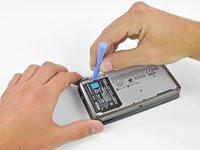
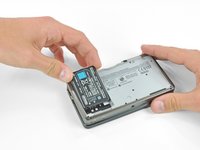
  3. Nintendo 3DS Microphone Replacement, Battery: 步骤 3 中的图像 1,3 Nintendo 3DS Microphone Replacement, Battery: 步骤 3 中的图像 2,3 Nintendo 3DS Microphone Replacement, Battery: 步骤 3 中的图像 3,3
    • Insert a plastic opening tool into the notch in the lower case above the battery.

    • Pry the battery up with the plastic opening tool.

    • Grab the top edge of the battery and lift it out of the lower case.

  4. Nintendo 3DS Microphone Replacement, Lower Case: 步骤 4 中的图像 1,1
    • Use a JIS #00 screwdriver to remove the nine 6.3 mm black screws from the lower case.

    • JIS (Japanese Industrial Standards) screws are not the same as Phillips. To avoid stripping these screws, make sure you are using a JIS #00 screwdriver and not a PHILLIPS #00 screwdriver. You can use a PHILLIPS #00 with a lot of downwards force but be warned this will deform the screw head and you risk stripping it.

    • iFixit's Phillips head screwdriver is desinged to reduce damage on JIS head screws so it should be fine to use, still apply more force. Make sure it's iFixit's official Phillips screwdriver as we are unaware of any other manufacturer who does this.

    • Use a JIS #00 screwdriver to remove the 2.4 mm silver screw above the game cartridge slot.

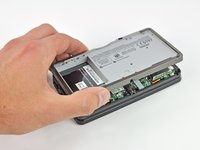
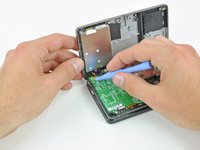
  5. Nintendo 3DS Microphone Replacement: 步骤 5 中的图像 1,3 Nintendo 3DS Microphone Replacement: 步骤 5 中的图像 2,3 Nintendo 3DS Microphone Replacement: 步骤 5 中的图像 3,3
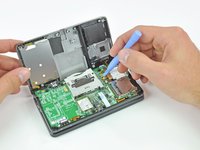
    • Lift the bottom edge of the lower case off the rest of the 3DS.

    • There are still two ribbon cables connecting the mother board to the case, so be sure not to pull the lower case all the way off.

    • Use a plastic opening tool to pry the shoulder button ribbon cables off their sockets on the motherboard.

    • Remove the lower case from the device.

  6. Nintendo 3DS Microphone Replacement, Microphone: 步骤 6 中的图像 1,2 Nintendo 3DS Microphone Replacement, Microphone: 步骤 6 中的图像 2,2
    在这个步骤中使用的工具:
    Tweezers
    $4.99
    • Grasp the microphone ribbon cable near the microphone with a pair of tweezers.

    • Pull the microphone straight up out of the upper case.

  7. Nintendo 3DS Microphone Replacement: 步骤 7 中的图像 1,2 Nintendo 3DS Microphone Replacement: 步骤 7 中的图像 2,2
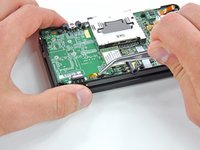
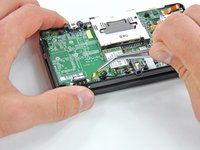
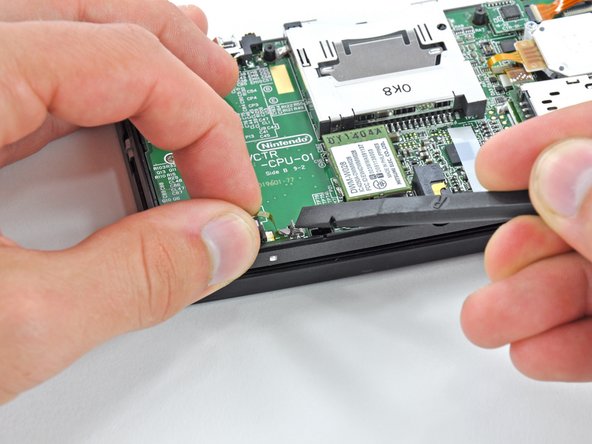
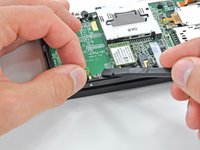
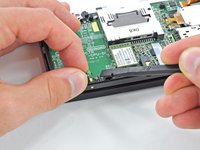
    • Use the flat end of a spudger or your fingernail to flip up the retaining flap on the Microphone ribbon cable ZIF socket.

    • Be sure you are prying up on the hinged retaining flap, not the socket itself.

  8. Nintendo 3DS Microphone Replacement: 步骤 8 中的图像 1,2 Nintendo 3DS Microphone Replacement: 步骤 8 中的图像 2,2
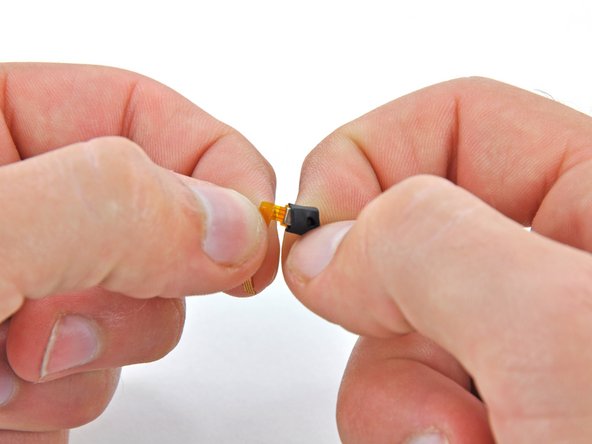
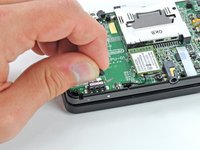
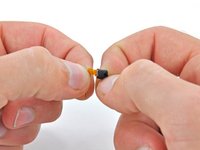
    • Lift the microphone and its attached ribbon cable off the motherboard.

    • If your replacement microphone doesn't come with a silicone cover, peel the cover off the original one and reuse it.

结论

To reassemble your device, follow these instructions in reverse order.

5等其他人完成本指南。

David Hodson

于04/13/10注册

154,625 声望

创作了127篇指南

3指南评论

Can someone please tell me how to acquire a new microphone chip?

Grimmy Animates - 回复

You are able to purchase replacement microphones on amazon for less than $10 USD

Julianne McBride -

Bad news, it's almost impossible to get a replacement for the original 3DS microphone.

Good news, I made one for the newer 3DSXL work and they are plentiful on Ebay.
What you need to do to make it work is trim the end of the cable on the edges to match the width of the original so it will fit in the socket. This requires very steady hands and a very sharp small diagonal cutter. Maybe get 2 mics in case you make a mistake. They are very cheap from China.
Note that the contacts face down on the cable and it slides in the hinge side of the clip. Again, very steady hands, a bright light and a tweezers are useful.
Finally you will need to make a gentle twist in the cable when inserting the mic into where it came from because mic is on the other side of the cable as from the original. Be very gentle with the latch on the connector. If you break it you are hosed.

Robert Brose - 回复

添加评论

浏览统计数据:

过去 24 小时: 11

过去 7 天: 77

过去 30 天: 390

总计 12,715