跳转到主内容
加入维修社区 - 创建账户

Nintendo 2DS Trigger Button Replacement

你所需要的

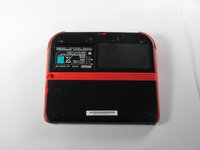
  1. Nintendo 2DS Trigger Button Replacement, Battery: 步骤 1 中的图像 1,1
    • Remove the two Phillips captive screws securing the upper rear panel.

    • The captive screws will not completely detach from the back panel.

    添加评论

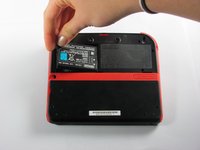
  2. Nintendo 2DS Trigger Button Replacement: 步骤 2 中的图像 1,2 Nintendo 2DS Trigger Button Replacement: 步骤 2 中的图像 2,2
    • Hinge the upper rear panel upwards and outwards to remove it.

    添加评论

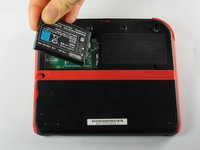
  3. Nintendo 2DS Trigger Button Replacement: 步骤 3 中的图像 1,3 Nintendo 2DS Trigger Button Replacement: 步骤 3 中的图像 2,3 Nintendo 2DS Trigger Button Replacement: 步骤 3 中的图像 3,3
    • Remove the battery from its housing by lifting it up from the side closest to the outside edge.

    询问修复机器人

    添加评论

  4. Nintendo 2DS Trigger Button Replacement, Rear Panel: 步骤 4 中的图像 1,1
    • Remove the ten Phillips screws attaching the rear panel.

    添加评论

  5. Nintendo 2DS Trigger Button Replacement: 步骤 5 中的图像 1,1
    • The rear panel is attached to the motherboard by a ribbon cable, so be careful not to lift the rear panel too far from the device.

    • Carefully pull the rear panel straight up from the device.

    添加评论

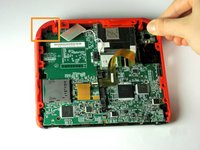
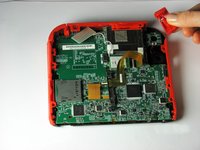
  6. Nintendo 2DS Trigger Button Replacement: 步骤 6 中的图像 1,1
    • Use your fingernail or the flat end of a spudger to flip up the connector securing the ribbon cable to the motherboard

    • Remove the cable from the connector

    • Take the opportunity to remove the Left and Right triggers, they have hinges that may break and springs that may jump away.

    添加评论

  7. Nintendo 2DS Trigger Button Replacement, Remove trigger button: 步骤 7 中的图像 1,2 Nintendo 2DS Trigger Button Replacement, Remove trigger button: 步骤 7 中的图像 2,2
    • The trigger buttons have small springs attached to them, so be careful when removing the buttons from the device.

    • Pull the trigger button away from the device to remove it.

    添加评论

结论

To reassemble your device, follow these instructions in reverse order.

取消:我没有完成这个指南。

23等其他人完成本指南。

Fina Beauchamp

于01/12/15注册

3,362 声望

创作了6篇指南

团队

Cal Poly, Team 70-1, Forte Winter 2015 Cal Poly, Team 70-1, Forte Winter 2015 的会员

CPSU-FORTE-W15S70G1

4 名成员

创作了36篇指南

3指南评论

Nice job! My right button was jammed for at least two years. Now I can finally demolish my friends in Mariokart.

Minecrafter Pig - 回复 分享

Can’t seem to get the second set of screws to budge at all.

Zom baygal - 回复 分享

now what????

Karim Eltaib - 回复 分享

添加评论

浏览统计数据:

过去 24 小时: 11

过去 7 天: 64

过去 30 天: 320

总计 35,217