跳转到主内容
加入维修社区 - 创建账户

Ninja Professional Blender BL660 Power Button Panel Replacement

你所需要的

    1. Ninja Professional Blender BL660 Power Button Panel Replacement, Blender Base: 步骤 1 中的图像 1,2 Ninja Professional Blender BL660 Power Button Panel Replacement, Blender Base: 步骤 1 中的图像 2,2
      • Using the Phillips #1 screwdriver, remove the 5 screws (13mm long, 6mm wide) holding the outer base.

      • Lift the base up to remove it.

      询问修复机器人

      添加评论

    2. Ninja Professional Blender BL660 Power Button Panel Replacement: 步骤 2 中的图像 1,2 Ninja Professional Blender BL660 Power Button Panel Replacement: 步骤 2 中的图像 2,2
      • Remove the midsection by pulling it up. If the section is stuck, use the iFixit plastic opening tool to pry it off.

      • Pull the power cord through the mid-section opening.

      询问修复机器人

      添加评论

    3. Ninja Professional Blender BL660 Power Button Panel Replacement: 步骤 3 中的图像 1,2 Ninja Professional Blender BL660 Power Button Panel Replacement: 步骤 3 中的图像 2,2
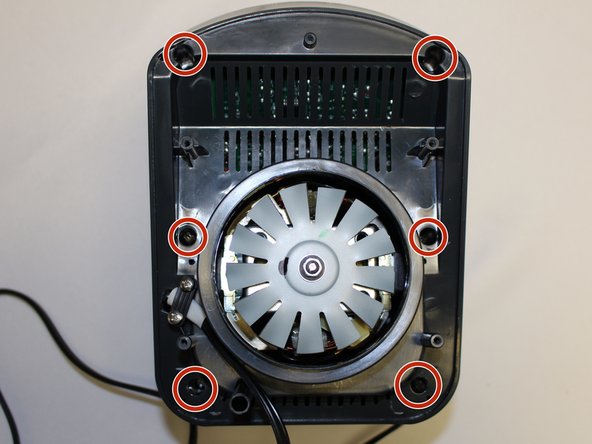
      • Using the Phillips #1 screwdriver, remove the 6 screws (13 mm long, 6 mm wide).

      询问修复机器人

      添加评论

    4. Ninja Professional Blender BL660 Power Button Panel Replacement: 步骤 4 中的图像 1,2 Ninja Professional Blender BL660 Power Button Panel Replacement: 步骤 4 中的图像 2,2
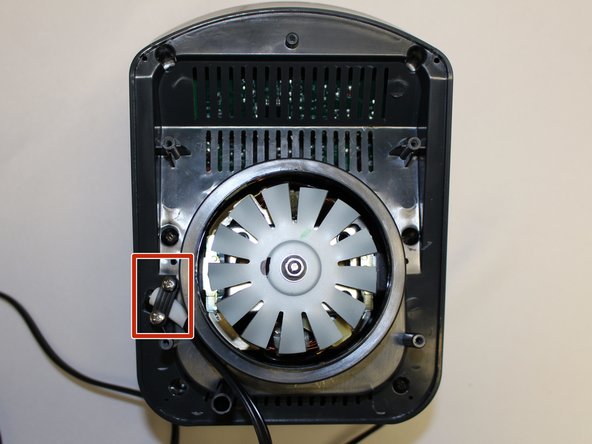
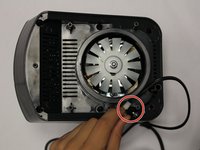
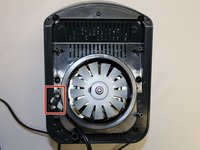
      • Using the Phillips #1 screwdriver, remove the two screws (5 mm long, 3 mm wide) holding the power cord onto the motor cover.

      询问修复机器人

      添加评论

    5. Ninja Professional Blender BL660 Power Button Panel Replacement: 步骤 5 中的图像 1,2 Ninja Professional Blender BL660 Power Button Panel Replacement: 步骤 5 中的图像 2,2
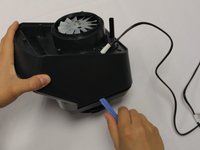
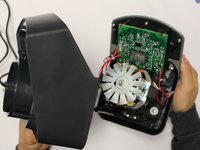
      • Using the iFixit plastic opening tool, pry the motor cover off the general housing. Once it is loose, lift it up to remove it off the base.

      • Slide the cover all the way to the end of the power cord.

      • Please note that the power cord does not completely come off the cover.

      询问修复机器人

      添加评论

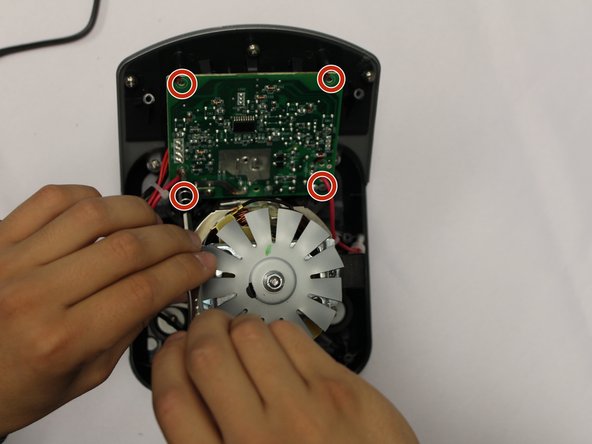
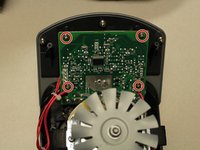
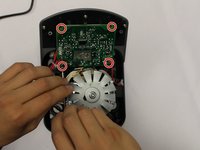
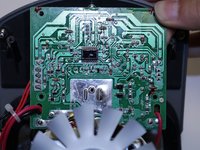
    1. Ninja Professional Blender BL660 Power Button Panel Replacement, Power Button Panel: 步骤 6 中的图像 1,3 Ninja Professional Blender BL660 Power Button Panel Replacement, Power Button Panel: 步骤 6 中的图像 2,3 Ninja Professional Blender BL660 Power Button Panel Replacement, Power Button Panel: 步骤 6 中的图像 3,3
      • Using the Phillips #2 screwdriver, remove the four screws holding the circuit board to the housing.

      询问修复机器人

      添加评论

    2. Ninja Professional Blender BL660 Power Button Panel Replacement: 步骤 7 中的图像 1,1
      • Using a pair of scissors, cut the zip ties holding the power wires in order to give the circuit board mobility.

      询问修复机器人

      添加评论

    3. Ninja Professional Blender BL660 Power Button Panel Replacement: 步骤 8 中的图像 1,1
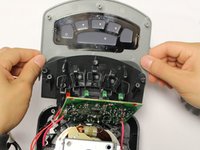
      • Using a Phillips #2 screwdriver, remove the 5 screws holding the power button panel cover.

      询问修复机器人

      添加评论

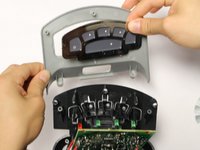
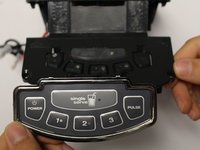
    4. Ninja Professional Blender BL660 Power Button Panel Replacement: 步骤 9 中的图像 1,3 Ninja Professional Blender BL660 Power Button Panel Replacement: 步骤 9 中的图像 2,3 Ninja Professional Blender BL660 Power Button Panel Replacement: 步骤 9 中的图像 3,3
      • Pull the power button panel cover off.

      • The power button panel comes off as a whole unit. Replace as needed.

      • Ninja Kitchen does not sell the power button panel. You will have to purchase one from a third party vendor.

      询问修复机器人

      添加评论

结论

To reassemble your device, follow these instructions in reverse order.

取消:我没有完成这个指南。

0指南评论

添加评论

浏览统计数据:

过去 24 小时: 0

过去 7 天: 4

过去 30 天: 41

总计 2,031