跳转到主内容
加入维修社区 - 创建账户

NexiGo NS32 Battery Replacement

你所需要的

  1. NexiGo NS32 Battery Replacement, Rear Case: 步骤 1 中的图像 1,1
    • Orient the controller so that it is face down.

  2. NexiGo NS32 Battery Replacement: 步骤 2 中的图像 1,2 NexiGo NS32 Battery Replacement: 步骤 2 中的图像 2,2
    • Remove the eight 9 mm Phillips screws that secure the rear case.

  3. NexiGo NS32 Battery Replacement: 步骤 3 中的图像 1,1
    • Lift the rear case up and off.

    • You may need to use an opening tool to help release the rear case, but avoid using excessive force so you don't damage the controller.

  4. NexiGo NS32 Battery Replacement, Battery: 步骤 4 中的图像 1,2 NexiGo NS32 Battery Replacement, Battery: 步骤 4 中的图像 2,2
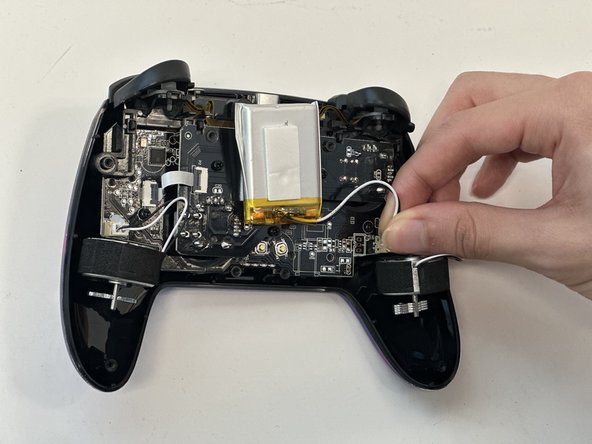
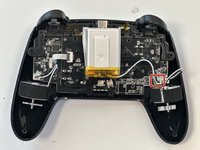
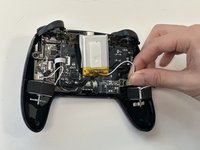
    • Grip the white battery connector and pull it directly out of its motherboard socket.

    • This may require some force, as the connectors are secured with a bit of adhesive. If you're having trouble with disconnection, apply some high-concentration isopropyl alcohol to the adhesive to loosen it.

    • Do not pull on the wires.

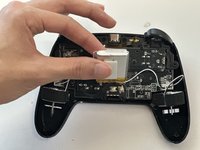
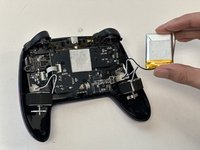
  5. NexiGo NS32 Battery Replacement: 步骤 5 中的图像 1,3 NexiGo NS32 Battery Replacement: 步骤 5 中的图像 2,3 NexiGo NS32 Battery Replacement: 步骤 5 中的图像 3,3
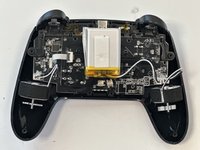
    • Lift the battery up and out.

    • Take care not to bend or puncture the battery as you remove it.

结论

To reassemble your device, follow these instructions in reverse order.

1指南评论

Do you know what model battery I would need to buy to replace the original?

Jack Dunne - 回复 分享

添加评论

浏览统计数据:

过去 24 小时: 0

过去 7 天: 2

过去 30 天: 10

总计 295