跳转到主内容
加入维修社区 - 创建账户

Motorola i886 Screen Replacement

你所需要的

  1. Motorola i886 Screen Replacement, Back Cover: 步骤 1 中的图像 1,2 Motorola i886 Screen Replacement, Back Cover: 步骤 1 中的图像 2,2
    • Undo the headphone jack and USB port cover with your fingertip. Place your middle finger in the indent on the upper left side of the back of the phone.

    询问修复机器人

    添加评论

  2. Motorola i886 Screen Replacement, Open: 步骤 2 中的图像 1,1
    • Pull back until cover is removed. Place cover aside.

    询问修复机器人

    添加评论

  3. Motorola i886 Screen Replacement, Battery: 步骤 3 中的图像 1,1
    • Locate battery and use your index finger to grasp the upper left side of the battery and pull back to remove. Set battery aside.

    询问修复机器人

    添加评论

  4. Motorola i886 Screen Replacement, SIM Card: 步骤 4 中的图像 1,1
    • Locate and use your thumb to slide the SIM card to the right until it is removed and set it aside.

    询问修复机器人

    添加评论

  5. Motorola i886 Screen Replacement, Screw Removal: 步骤 5 中的图像 1,2 Motorola i886 Screen Replacement, Screw Removal: 步骤 5 中的图像 2,2
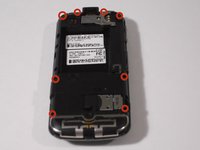
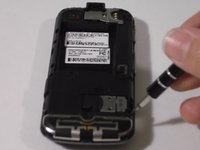
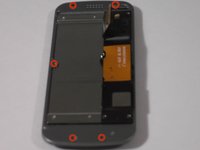
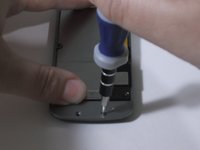
    • Remove eight black .4 centimeter screws on the top, bottom, and sides of the phone with a T5 Torx screwdriver by inserting it into the screws and turning it to the left. Set screws aside.

    询问修复机器人

    添加评论

  6. Motorola i886 Screen Replacement, Separating: 步骤 6 中的图像 1,1
    • Loosen four fastener pieces on the side and bottom with a plastic opening tool to pry them backwards.

    • Insert the plastic opening tool between the loosened casing and the rest of the phone and pry the two pieces apart to remove the casing.

    询问修复机器人

    添加评论

  7. Motorola i886 Screen Replacement: 步骤 7 中的图像 1,1
    • Remove the .3 centimeter silver screw with the T5 Torx screwdriver.

    • Use your fingertips to lift up the circuit board and lay it on the side of the phone. Note that the two pieces are attached by a gold and black strip.

    询问修复机器人

    添加评论

  8. Motorola i886 Screen Replacement, Keyboard Removal: 步骤 8 中的图像 1,1
    • Locate and grip the black, white, and blue keyboard layer with your fingernail, lift up to remove it.

    询问修复机器人

    添加评论

  9. Motorola i886 Screen Replacement, Disconnect: 步骤 9 中的图像 1,1
    • Disconnect piece connecting the two parts of the phone by using your index finger and thumb to pry them apart, you will hear a soft click.

    • Set aside the part of the phone without the strip.

    询问修复机器人

    添加评论

  10. Motorola i886 Screen Replacement: 步骤 10 中的图像 1,3 Motorola i886 Screen Replacement: 步骤 10 中的图像 2,3 Motorola i886 Screen Replacement: 步骤 10 中的图像 3,3
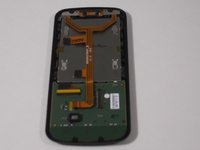
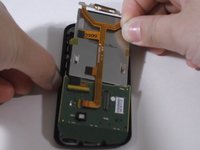
    • Remove the loose volume, speaker, and camera buttons.

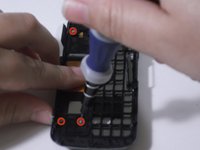
    • Remove four silver .2 centimeter screws above and below the gold and black strip with a T4 Torx screwdriver.

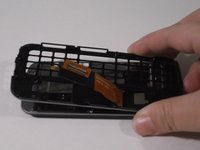
    • Separate the two parts of the phone by holding one side in each hand and pulling them apart. Set the part that held the slide-out keyboard aside.

    询问修复机器人

    添加评论

  11. Motorola i886 Screen Replacement, Screws: 步骤 11 中的图像 1,3 Motorola i886 Screen Replacement, Screws: 步骤 11 中的图像 2,3 Motorola i886 Screen Replacement, Screws: 步骤 11 中的图像 3,3
    在这个步骤中使用的工具:
    Tweezers
    $4.99
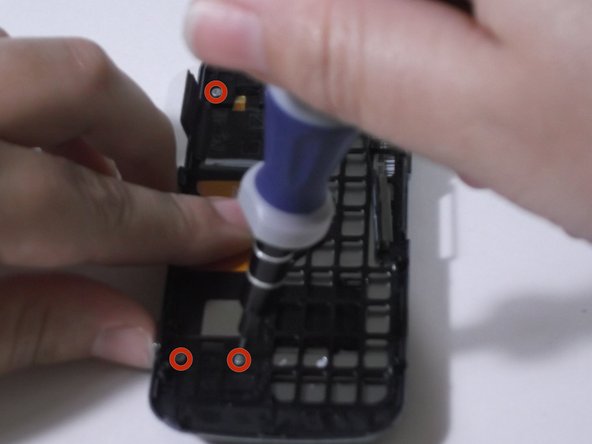
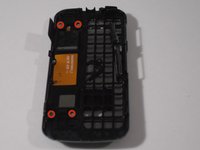
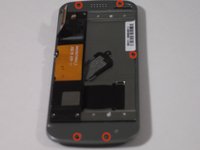
    • Remove six silver .3 centimeter screws from the top, bottom, and sides with the T4 Torx screwdriver.

    • One silver screw will be hidden by the sliding mechanism. Once you have removed the screw visible on one side, slide the mechanism over to reveal the other one.

    • The four screws on the top and bottom may not be visible. If your phone is new or has not been taken apart before, the four screw tops will be hidden by little circular stickers. These can be peeled off with tweezers.

    询问修复机器人

    添加评论

  12. Motorola i886 Screen Replacement: 步骤 12 中的图像 1,1
    • Insert the flat end of a Spudger in between these two pieces of the phone and move it along the sides to loosen and pry apart.

    询问修复机器人

    添加评论

  13. Motorola i886 Screen Replacement: 步骤 13 中的图像 1,1
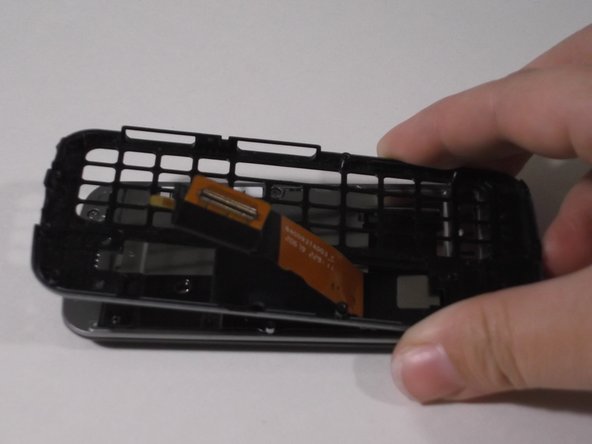
    • There will be a short, wide, black strip connecting the two parts. Separate in the same manner as the black and gold strip. Set aside the piece with the strip attached.

    询问修复机器人

    添加评论

  14. Motorola i886 Screen Replacement, Screen: 步骤 14 中的图像 1,2 Motorola i886 Screen Replacement, Screen: 步骤 14 中的图像 2,2
    • Peel back the yellow tape on the side of the screen using tweezers or your fingernails. Lift away screen and board.

    询问修复机器人

    添加评论

  15. Motorola i886 Screen Replacement, Remove Keyboard: 步骤 15 中的图像 1,1
    • Remove keyboard by lifting it out with your fingertips.

    询问修复机器人

    添加评论

  16. Motorola i886 Screen Replacement, Detach: 步骤 16 中的图像 1,1
    在这个步骤中使用的工具:
    Tweezers
    $4.99
    • Lift the yellow strip away from the back of the screen by gently gripping with tweezers and detaching the two, black, square, contact points.

    询问修复机器人

    添加评论

  17. Motorola i886 Screen Replacement, Screen Removal: 步骤 17 中的图像 1,1
    • Pry the bar connecting the screen and circuit board by prying it gently upwards with tweezers to detach, separate, and remove the screen.

    询问修复机器人

    添加评论

结论

To reassemble your device, follow these instructions in reverse order.

取消:我没有完成这个指南。

团队

0指南评论

添加评论

浏览统计数据:

过去 24 小时: 2

过去 7 天: 7

过去 30 天: 25

总计 516