跳转到主内容
加入维修社区 - 创建账户

Motorola V551 Keypad Replacement

你所需要的

  1. Motorola V551 Keypad Replacement, Battery: 步骤 1 中的图像 1,2 Motorola V551 Keypad Replacement, Battery: 步骤 1 中的图像 2,2
    • Press down on the chrome button on the bottom of the chassis. Simultaneously slide the back cover down, away from the phone.

    添加评论

  2. Motorola V551 Keypad Replacement: 步骤 2 中的图像 1,1
    • Lever the battery out by pressing upwards on the bottom corners of the battery.

    询问修复机器人

    添加评论

  3. Motorola V551 Keypad Replacement, Circuit Board: 步骤 3 中的图像 1,3 Motorola V551 Keypad Replacement, Circuit Board: 步骤 3 中的图像 2,3 Motorola V551 Keypad Replacement, Circuit Board: 步骤 3 中的图像 3,3
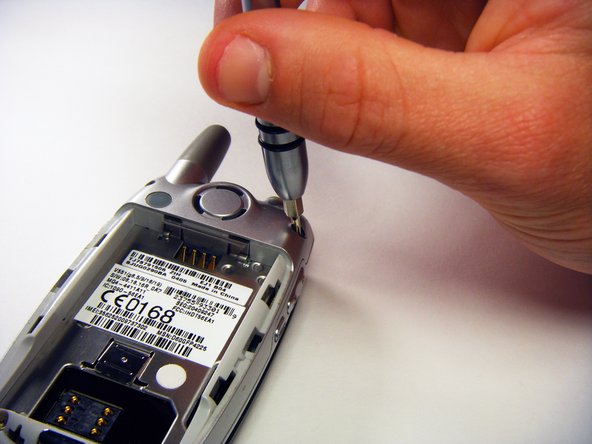
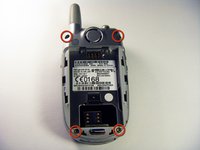
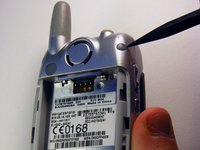
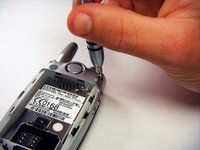
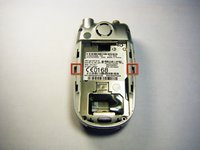
    • Remove the rubber screw covers using a plastic spudger.

    • Use a T6 Torx screwdriver to remove the screws underneath the rubber screw covers.

    询问修复机器人

    添加评论

  4. Motorola V551 Keypad Replacement: 步骤 4 中的图像 1,1
    • Unscrew the antenna.

    询问修复机器人

    添加评论

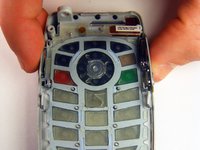
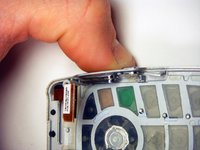
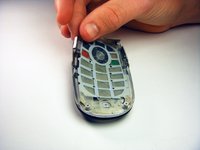
  5. Motorola V551 Keypad Replacement: 步骤 5 中的图像 1,3 Motorola V551 Keypad Replacement: 步骤 5 中的图像 2,3 Motorola V551 Keypad Replacement: 步骤 5 中的图像 3,3
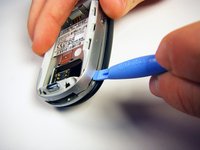
    • Gently release the two latches using an opening tool.

    • The plastic latches are very fragile. Don’t use excessive force or they might break.

    • Pry off the back panel by wedging an opening tool into the crevice between the back panel and the circuit board.

    • Lift the back panel off of the phone.

    询问修复机器人

    添加评论

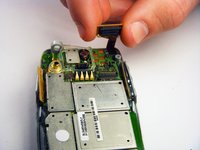
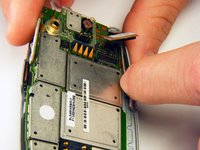
  6. Motorola V551 Keypad Replacement: 步骤 6 中的图像 1,2 Motorola V551 Keypad Replacement: 步骤 6 中的图像 2,2
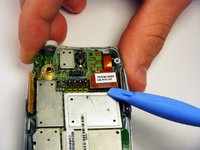
    • Loosen the copper circuit board connection with an opening tool.

    • Gently lift the copper connection.

    询问修复机器人

    添加评论

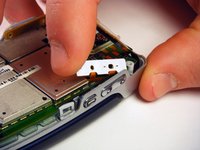
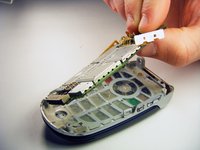
  7. Motorola V551 Keypad Replacement: 步骤 7 中的图像 1,3 Motorola V551 Keypad Replacement: 步骤 7 中的图像 2,3 Motorola V551 Keypad Replacement: 步骤 7 中的图像 3,3
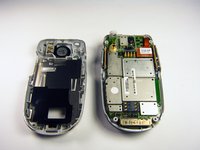
    • Lift up and pull out the pressure pad from under the buttons on the side of the chassis.

    • Gently lift the motherboard off of the front panel.

    询问修复机器人

    添加评论

  8. Motorola V551 Keypad Replacement, Keypad: 步骤 8 中的图像 1,3 Motorola V551 Keypad Replacement, Keypad: 步骤 8 中的图像 2,3 Motorola V551 Keypad Replacement, Keypad: 步骤 8 中的图像 3,3
    • Push both side keys in so they are not sticking out of the phone.

    • Remove the keypad.

    询问修复机器人

    添加评论

结论

To reassemble your device, follow these instructions in reverse order.

取消:我没有完成这个指南。

2等其他人完成本指南。

gregatron

于10/29/09注册

105 声望

创作了6篇指南

团队

Cal Poly, Team 6-6, Maness Fall 2009 Cal Poly, Team 6-6, Maness Fall 2009 的会员

CPSU-MANESS-F09S6G6

4 名成员

创作了12篇指南

0指南评论

添加评论

浏览统计数据:

过去 24 小时: 0

过去 7 天: 15

过去 30 天: 50

总计 2,449