跳转到主内容
加入维修社区 - 创建账户
Motorola Droid 4 MicroSD/SIM Card Reader Replacement

你所需要的

  1. Motorola Droid 4 MicroSD/SIM Card Reader Replacement, Removing Rear Panel: 步骤 1 中的图像 1,3 Motorola Droid 4 MicroSD/SIM Card Reader Replacement, Removing Rear Panel: 步骤 1 中的图像 2,3 Motorola Droid 4 MicroSD/SIM Card Reader Replacement, Removing Rear Panel: 步骤 1 中的图像 3,3
    • Insert the rear cover removal tool, or a paper clip, in the hole near the back camera lens.

    • Slide the cover down to remove.

    询问修复机器人

    添加评论

  2. Motorola Droid 4 MicroSD/SIM Card Reader Replacement, Battery: 步骤 2 中的图像 1,1
    • Remove the sticker on the rear compartment to reveal the battery.

    • Hold the battery with your thumb while removing the sticker or you might end up ripping the battery out of the phone, damaging the flex cable.

    询问修复机器人

    添加评论

  3. Motorola Droid 4 MicroSD/SIM Card Reader Replacement: 步骤 3 中的图像 1,2 Motorola Droid 4 MicroSD/SIM Card Reader Replacement: 步骤 3 中的图像 2,2
    在这个步骤中使用的工具:
    T5 Torx Screwdriver
    $5.49
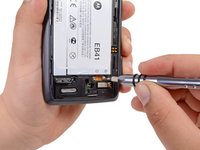
    • Use the T5 Torx Screwdriver to remove both 2.5 mm screws from the battery cable.

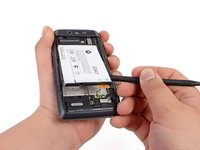
    • Use the Spudger to unstick the battery.

    • It's difficult to remove the battery without a pry tool like the spudger because of the strong adhesive. If you try removing it with just your fingers, the battery may bend.

    询问修复机器人

    添加评论

  4. Motorola Droid 4 MicroSD/SIM Card Reader Replacement, Camera Cover Removal: 步骤 4 中的图像 1,3 Motorola Droid 4 MicroSD/SIM Card Reader Replacement, Camera Cover Removal: 步骤 4 中的图像 2,3 Motorola Droid 4 MicroSD/SIM Card Reader Replacement, Camera Cover Removal: 步骤 4 中的图像 3,3
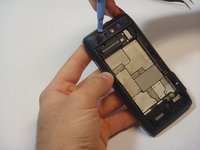
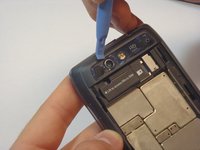
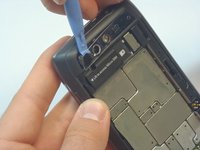
    • Using the blue plastic opening tool, pry off the thin plastic camera cover.

    • The plastic cover is fragile, so proceed carefully.

    询问修复机器人

    添加评论

  5. Motorola Droid 4 MicroSD/SIM Card Reader Replacement, Remove Screws: 步骤 5 中的图像 1,2 Motorola Droid 4 MicroSD/SIM Card Reader Replacement, Remove Screws: 步骤 5 中的图像 2,2
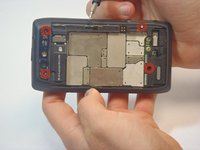
    • Remove the four screws, indicated by the red circles, with the screwdriver and T5 Torx bit.

    • The screws are philips 2.5mm. One screw is a different color (silver) from the others (black).

    询问修复机器人

    添加评论

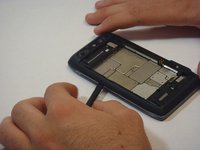
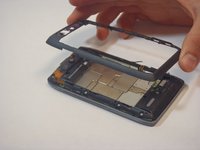
  6. Motorola Droid 4 MicroSD/SIM Card Reader Replacement, Remove Bezel: 步骤 6 中的图像 1,3 Motorola Droid 4 MicroSD/SIM Card Reader Replacement, Remove Bezel: 步骤 6 中的图像 2,3 Motorola Droid 4 MicroSD/SIM Card Reader Replacement, Remove Bezel: 步骤 6 中的图像 3,3
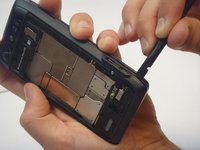
    • Insert the spudger between the rear bezel and the main housing.

    • The bezel is fragile, so proceed carefully.

    • Slide the spudger around all sides of the phone to separate the bezel from the housing.

    • Pry the bezel free.

    • Be careful of the adhesive that holds the bezel to the main housing. Prying too hard may damage your phone.

    询问修复机器人

    添加评论

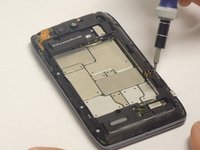
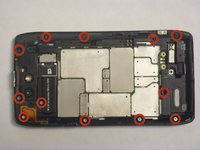
  7. Motorola Droid 4 MicroSD/SIM Card Reader Replacement, Removing screws: 步骤 7 中的图像 1,2 Motorola Droid 4 MicroSD/SIM Card Reader Replacement, Removing screws: 步骤 7 中的图像 2,2
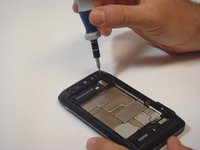
    • Remove the 12 screws holding the housing in place using a T5 Torx screwdriver.

    • Follow the red circles, indicated in the picture, to locate the screws.

    • The 12 screws are (silver) philips 2.5mm

    询问修复机器人

    添加评论

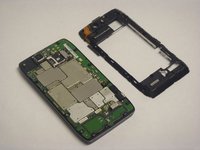
  8. Motorola Droid 4 MicroSD/SIM Card Reader Replacement, Separation of the Housing from the Motherboard: 步骤 8 中的图像 1,3 Motorola Droid 4 MicroSD/SIM Card Reader Replacement, Separation of the Housing from the Motherboard: 步骤 8 中的图像 2,3 Motorola Droid 4 MicroSD/SIM Card Reader Replacement, Separation of the Housing from the Motherboard: 步骤 8 中的图像 3,3
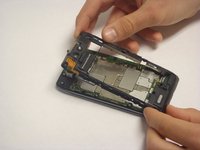
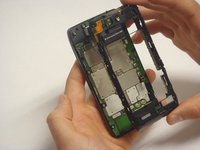
    • Separate the housing from the motherboard.

    • Be careful while separating the housing. The power and volume buttons are easily separated from the housing and can be damaged.

    询问修复机器人

    添加评论

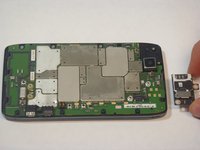
  9. Motorola Droid 4 MicroSD/SIM Card Reader Replacement, MicroSD/SIM Card Reader: 步骤 9 中的图像 1,3 Motorola Droid 4 MicroSD/SIM Card Reader Replacement, MicroSD/SIM Card Reader: 步骤 9 中的图像 2,3 Motorola Droid 4 MicroSD/SIM Card Reader Replacement, MicroSD/SIM Card Reader: 步骤 9 中的图像 3,3
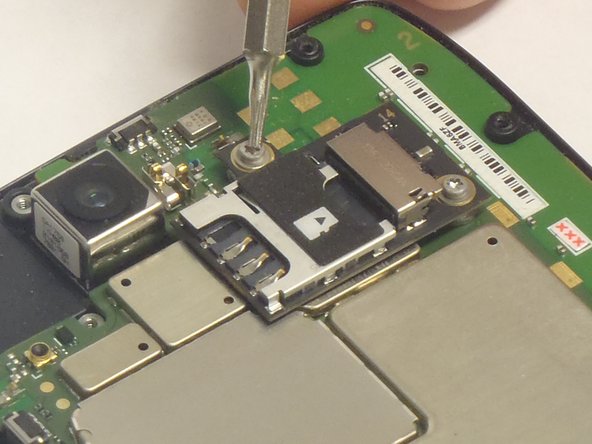
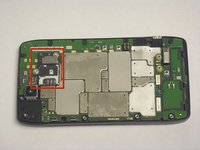
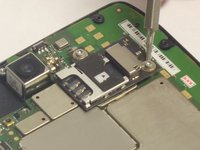
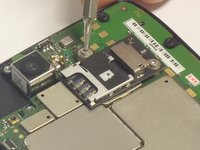
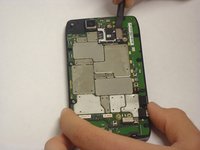
    • Once the Motherboard Housing is removed the complete Micro SD/SIM card reader is exposed, as indicated by the picture.

    • Remove the two screws that attach the reader to the Motherboard. The locations of the screws are indicated in the picture.

    询问修复机器人

    添加评论

  10. Motorola Droid 4 MicroSD/SIM Card Reader Replacement, Separate the reader from the motherboard: 步骤 10 中的图像 1,3 Motorola Droid 4 MicroSD/SIM Card Reader Replacement, Separate the reader from the motherboard: 步骤 10 中的图像 2,3 Motorola Droid 4 MicroSD/SIM Card Reader Replacement, Separate the reader from the motherboard: 步骤 10 中的图像 3,3
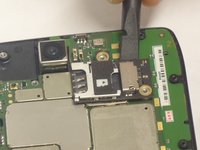
    • Using the spudger, pry off the Reader.

    • Be careful while removing the Reader. The connection to the motherboard is composed of small pins.

    询问修复机器人

    添加评论

结论

To reassemble your device, follow these instructions in reverse order.

取消:我没有完成这个指南。

另外一个人完成了本指南。

Javier

于09/29/14注册

533 声望

创作了4篇指南

团队

USF Tampa, Team 5-1, Mcgee Fall 2014 USF Tampa, Team 5-1, Mcgee Fall 2014 的会员

USFT-MCGEE-F14S5G1

5 名成员

创作了5篇指南

0指南评论

添加评论

浏览统计数据:

过去 24 小时: 3

过去 7 天: 8

过去 30 天: 41

总计 2,048