跳转到主内容
加入维修社区 - 创建账户

Motorola Defy Antenna Replacement

你所需要的

  1. Motorola Defy Antenna Replacement, Rear Case: 步骤 1 中的图像 1,1
    • Using the screwdriver and the T-5 bit, unscrew the seven 5 mm screws around the outside of the phone.

    询问修复机器人
  2. Motorola Defy Antenna Replacement: 步骤 2 中的图像 1,2 Motorola Defy Antenna Replacement: 步骤 2 中的图像 2,2
    • Remove the back cover of the phone by sliding the bottom black button to the unlock position and lifting it up.

    询问修复机器人
  3. Motorola Defy Antenna Replacement, Battery: 步骤 3 中的图像 1,1
    • Use a plastic opening tool to pry the battery out of the phone.

    询问修复机器人
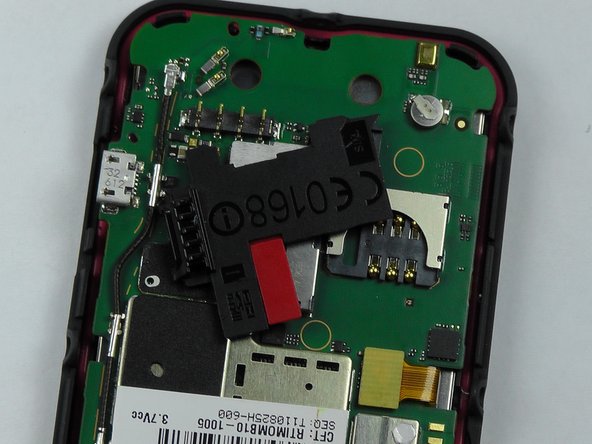
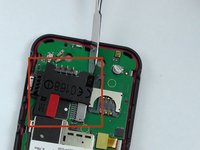
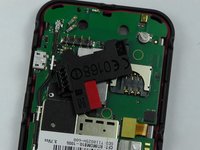
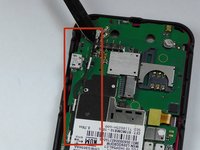
  4. Motorola Defy Antenna Replacement, Antenna: 步骤 4 中的图像 1,2 Motorola Defy Antenna Replacement, Antenna: 步骤 4 中的图像 2,2
    • Take the metal spudger and pry the black piece, where the sim card goes, off to get to the entire antenna.

    询问修复机器人
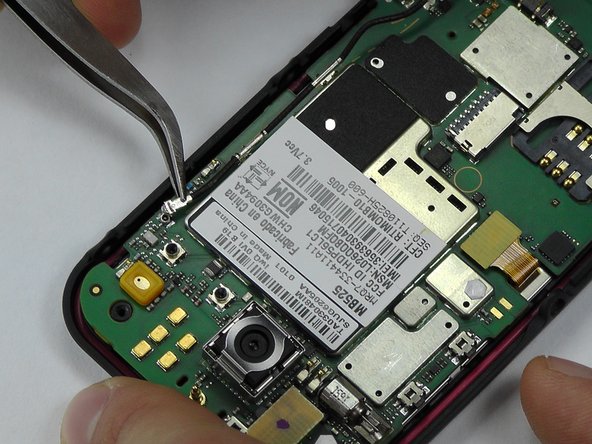
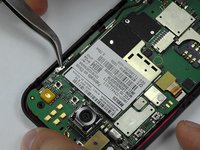
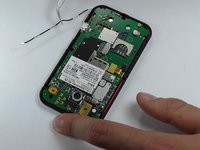
  5. Motorola Defy Antenna Replacement: 步骤 5 中的图像 1,3 Motorola Defy Antenna Replacement: 步骤 5 中的图像 2,3 Motorola Defy Antenna Replacement: 步骤 5 中的图像 3,3
    在这个步骤中使用的工具:
    Tweezers
    $4.99
    • Pry the antenna off using the metal spudger and tweezers and replace with the new one.

    询问修复机器人
结论

To reassemble your device, follow these instructions in reverse order.

Morgan Roark

于10/08/14注册

325 声望

创作了3篇指南

团队

USF Tampa, Team 14-2, Leahy Fall 2014 USF Tampa, Team 14-2, Leahy Fall 2014 的会员

USFT-LEAHY-F14S14G2

4 名成员

创作了6篇指南

0指南评论

添加评论

浏览统计数据:

过去 24 小时: 0

过去 7 天: 7

过去 30 天: 74

总计 1,035