跳转到主内容
加入维修社区 - 创建账户

Motorola Atrix HD Touchscreen and LCD Replacement

你所需要的

  1. Motorola Atrix HD  Touchscreen and LCD Replacement, Battery: 步骤 1 中的图像 1,3 Motorola Atrix HD  Touchscreen and LCD Replacement, Battery: 步骤 1 中的图像 2,3 Motorola Atrix HD  Touchscreen and LCD Replacement, Battery: 步骤 1 中的图像 3,3
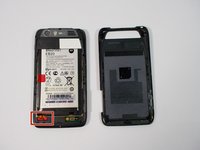
    • Before disassembling the phone, remove the SIM card and the MICRO-SD card, if equipped.

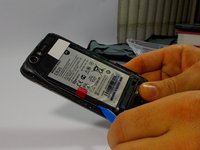
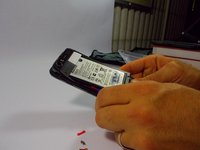
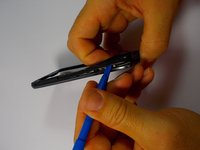
    • Begin taking apart the device by prying apart the back cover from the assembly using the plastic opening tool.

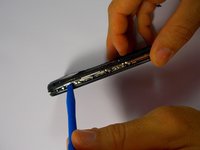
    • Continue working around the edge of the phone using the plastic opening tool.

    • When all the edges have been lifted apart, use your hands or plastic opening tool to peel the back plate from the battery. There are small adhesive strips between the back cover and the battery, so take care not to crack the back cover while prying open.

    询问修复机器人

    添加评论

  2. Motorola Atrix HD  Touchscreen and LCD Replacement: 步骤 2 中的图像 1,1
    • The adhesive strips are shown in the orange boxes. Be sure not to use too much force to pull off the back cover, or you may risk snapping the back cover.

    询问修复机器人

    添加评论

  3. Motorola Atrix HD  Touchscreen and LCD Replacement: 步骤 3 中的图像 1,3 Motorola Atrix HD  Touchscreen and LCD Replacement: 步骤 3 中的图像 2,3 Motorola Atrix HD  Touchscreen and LCD Replacement: 步骤 3 中的图像 3,3
    在这个步骤中使用的工具:
    Tweezers
    $4.99
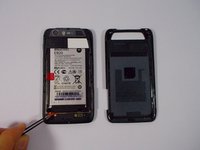
    • Remove the red rubber screw cover with a pair of tweezers

    询问修复机器人

    添加评论

  4. Motorola Atrix HD  Touchscreen and LCD Replacement: 步骤 4 中的图像 1,2 Motorola Atrix HD  Touchscreen and LCD Replacement: 步骤 4 中的图像 2,2
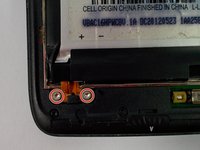
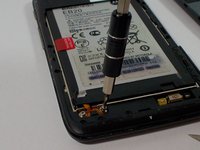
    • Use the T-5 Torx bit to remove the two silver 3.3 mm screws with integrated washers.

    询问修复机器人

    添加评论

  5. Motorola Atrix HD  Touchscreen and LCD Replacement: 步骤 5 中的图像 1,1
    • Lift the battery leads to the upward position. The ribbon cable is very thin, be gentle.

    询问修复机器人

    添加评论

  6. Motorola Atrix HD  Touchscreen and LCD Replacement: 步骤 6 中的图像 1,3 Motorola Atrix HD  Touchscreen and LCD Replacement: 步骤 6 中的图像 2,3 Motorola Atrix HD  Touchscreen and LCD Replacement: 步骤 6 中的图像 3,3
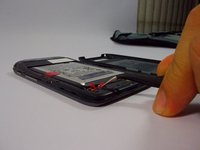
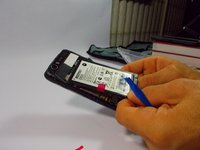
    • Use the plastic opening tool around the edges to loosen the battery.

    • Once the battery is loose, carefully lift from the bottom edge and remove the battery.

    询问修复机器人

    添加评论

  7. Motorola Atrix HD  Touchscreen and LCD Replacement: 步骤 7 中的图像 1,1
    • The battery may now be removed.

    询问修复机器人

    添加评论

  8. Motorola Atrix HD  Touchscreen and LCD Replacement, Rear Chassis: 步骤 8 中的图像 1,3 Motorola Atrix HD  Touchscreen and LCD Replacement, Rear Chassis: 步骤 8 中的图像 2,3 Motorola Atrix HD  Touchscreen and LCD Replacement, Rear Chassis: 步骤 8 中的图像 3,3
    • Begin by removing the back cover using the plastic opening tool. There are adhesive strips attached to the back cover, so take care when prying case to prevent cracking

    • The adhesive strips may stay on the back cover or the battery.

    询问修复机器人

    添加评论

  9. Motorola Atrix HD  Touchscreen and LCD Replacement: 步骤 9 中的图像 1,2 Motorola Atrix HD  Touchscreen and LCD Replacement: 步骤 9 中的图像 2,2
    • The back case portion may be removed after the battery has been removed.

    • Use the T5 Torx screwdriver to remove the 10 coarse-thread 5mm screws

    询问修复机器人

    添加评论

  10. Motorola Atrix HD  Touchscreen and LCD Replacement: 步骤 10 中的图像 1,3 Motorola Atrix HD  Touchscreen and LCD Replacement: 步骤 10 中的图像 2,3 Motorola Atrix HD  Touchscreen and LCD Replacement: 步骤 10 中的图像 3,3
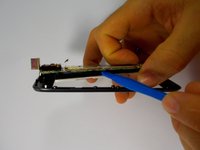
    • Now with the screws removed, use the plastic opening tool to lift the edges of the front assembly.

    • Continue to use the plastic opening tool around the edges of the device to remove the front assembly.

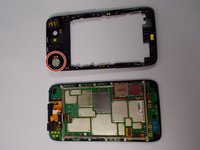
    • The speaker is located in the upper corner of the case. It it attached with adhesive and can be removed by gently prying with the plastic opening tool

    询问修复机器人

    添加评论

  11. Motorola Atrix HD  Touchscreen and LCD Replacement, Touchscreen and LCD display: 步骤 11 中的图像 1,2 Motorola Atrix HD  Touchscreen and LCD Replacement, Touchscreen and LCD display: 步骤 11 中的图像 2,2
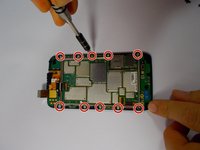
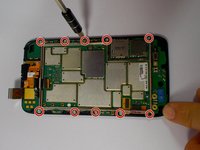
    • Begin by removing the 10 Torx T5 motherboard baseplate screws

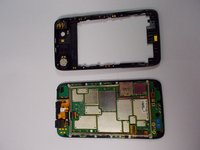
    • The back chassis can now be removed.

    询问修复机器人

    添加评论

  12. Motorola Atrix HD  Touchscreen and LCD Replacement: 步骤 12 中的图像 1,2 Motorola Atrix HD  Touchscreen and LCD Replacement: 步骤 12 中的图像 2,2
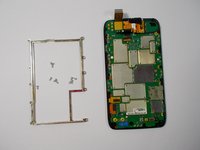
    • Remove the 10 Torx T5 screws, that hold the metal frame to the motherboard.

    询问修复机器人

    添加评论

  13. Motorola Atrix HD  Touchscreen and LCD Replacement: 步骤 13 中的图像 1,3 Motorola Atrix HD  Touchscreen and LCD Replacement: 步骤 13 中的图像 2,3 Motorola Atrix HD  Touchscreen and LCD Replacement: 步骤 13 中的图像 3,3
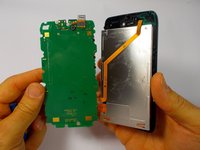
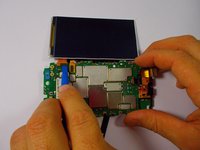
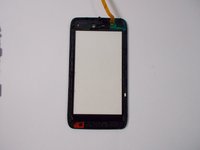
    • After following the steps to access the motherboard, you are ready to remove the touchscreen and LCD display.

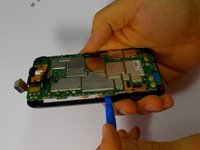
    • Use the plastic opening tool to separate the LCD display from the motherboard.

    • The touchscreen may separate from the LCD, however they are both connected to the motherboard as one unit.

    询问修复机器人

    添加评论

  14. Motorola Atrix HD  Touchscreen and LCD Replacement: 步骤 14 中的图像 1,3 Motorola Atrix HD  Touchscreen and LCD Replacement: 步骤 14 中的图像 2,3 Motorola Atrix HD  Touchscreen and LCD Replacement: 步骤 14 中的图像 3,3
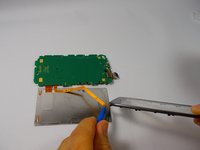
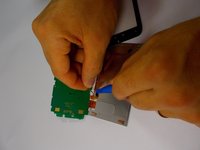
    • Remove the ribbon cable from the back of the lcd using the plastic opening tool or spudger.

    • Use care removing the ribbon cables. They are very thin and are broken easily.

    询问修复机器人

    添加评论

  15. Motorola Atrix HD  Touchscreen and LCD Replacement: 步骤 15 中的图像 1,2 Motorola Atrix HD  Touchscreen and LCD Replacement: 步骤 15 中的图像 2,2
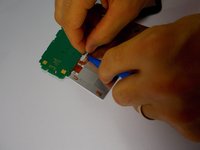
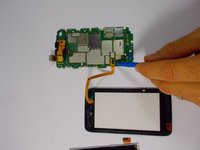
    • Remove the ribbon cable connecting the LCD display to the motherboard, be mindful that the ribbon cable is very thin.

    • With the LCD display removed, remove the ribbon cable connecting the touchscreen to the motherboard

    询问修复机器人

    添加评论

  16. Motorola Atrix HD  Touchscreen and LCD Replacement: 步骤 16 中的图像 1,2 Motorola Atrix HD  Touchscreen and LCD Replacement: 步骤 16 中的图像 2,2
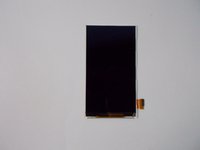
    • The LCD display and the touchscreen may now be replaced.

    询问修复机器人

    添加评论

结论

To reassemble your device, follow these instructions in reverse order.

取消:我没有完成这个指南。

4等其他人完成本指南。

团队

UMass Dartmouth, Team 1-8, Miles Fall 2015 UMass Dartmouth, Team 1-8, Miles Fall 2015 的会员

UMASSD-MILES-F15S1G8

3 名成员

创作了10篇指南

0指南评论

添加评论

浏览统计数据:

过去 24 小时: 5

过去 7 天: 16

过去 30 天: 37

总计 1,348