跳转到主内容
加入维修社区 - 创建账户

Microsoft Surface Pro 2 Audio Ports Replacement

你所需要的

  1. Microsoft Surface Pro 2 Audio Ports Replacement, LCD Display: 步骤 1 中的图像 1,2 Microsoft Surface Pro 2 Audio Ports Replacement, LCD Display: 步骤 1 中的图像 2,2
    • To avoid electrical shocks, unplug and turn off your Surface Pro 2 before proceeding.

    询问修复机器人

    添加评论

  2. Microsoft Surface Pro 2 Audio Ports Replacement: 步骤 2 中的图像 1,1
    • Avoid any skin or eye contact with the heating pad or heating gun because they may cause bodily harm.

    • Using a heating pad or heating gun, heat the edges of the screen to soften the glue. This area extends roughly one inch from the edge of the device.

    • The glue is under the darker border of the device display.

    询问修复机器人

    添加评论

  3. Microsoft Surface Pro 2 Audio Ports Replacement: 步骤 3 中的图像 1,1
    • Using a plastic opening tool and a suction cup as needed for leverage, gently insert one edge of the opening tool under the corner of the screen.

    • If the tool does not easily slide under the screen, return to heating before proceeding.

    • Slowly work the tool around the entire edge of the screen.

    询问修复机器人

    添加评论

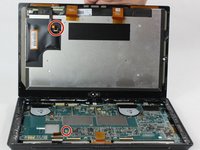
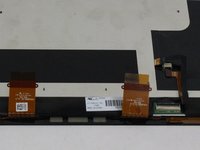
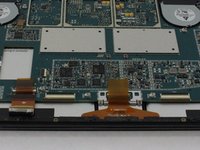
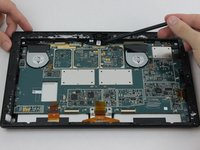
  4. Microsoft Surface Pro 2 Audio Ports Replacement: 步骤 4 中的图像 1,3 Microsoft Surface Pro 2 Audio Ports Replacement: 步骤 4 中的图像 2,3 Microsoft Surface Pro 2 Audio Ports Replacement: 步骤 4 中的图像 3,3
    • Detach the orange cables that connect the screen to the motherboard by pulling on the small tabs. Using the nylon spudger, release these cables.

    • Please note the third small connector in red.

    • Allow the glue to cool before letting it come into contact with any other surface.

    询问修复机器人

    添加评论

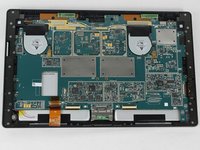
  5. Microsoft Surface Pro 2 Audio Ports Replacement, Motherboard: 步骤 5 中的图像 1,3 Microsoft Surface Pro 2 Audio Ports Replacement, Motherboard: 步骤 5 中的图像 2,3 Microsoft Surface Pro 2 Audio Ports Replacement, Motherboard: 步骤 5 中的图像 3,3
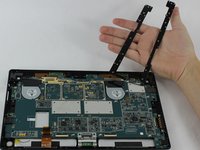
    • Make sure that the front-facing camera is completely disconnected, and then remove the plastic bracket.

    • Remove the 22 screws on the bezel.

    • Remove the left and right brackets; the left has 16 screws and the right has 15 screws.

    • The three different torx screws used are T3, T4, and T5.

    询问修复机器人

    添加评论

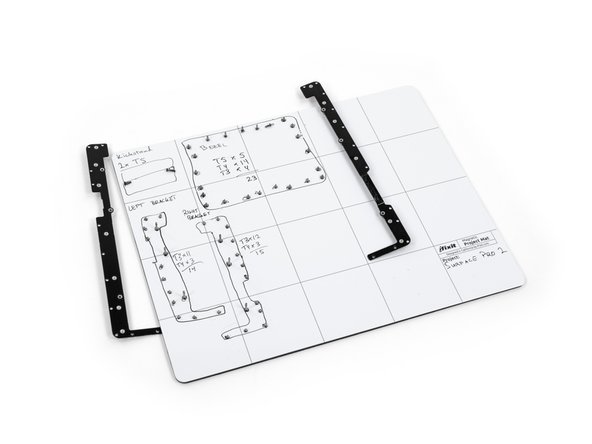
  6. Microsoft Surface Pro 2 Audio Ports Replacement: 步骤 6 中的图像 1,3 Microsoft Surface Pro 2 Audio Ports Replacement: 步骤 6 中的图像 2,3 Microsoft Surface Pro 2 Audio Ports Replacement: 步骤 6 中的图像 3,3
    • Once the brackets are removed, set them aside.

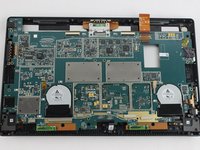
    • The motherboard itself also has screws.

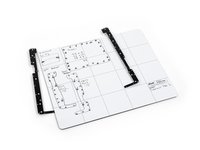
    • Remove the 25 screws of varying sizes that attach the motherboard to the back plate.

    • View the attached photo of a screw diagram to help keep track of your screws.

    询问修复机器人

    添加评论

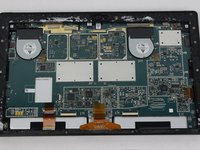
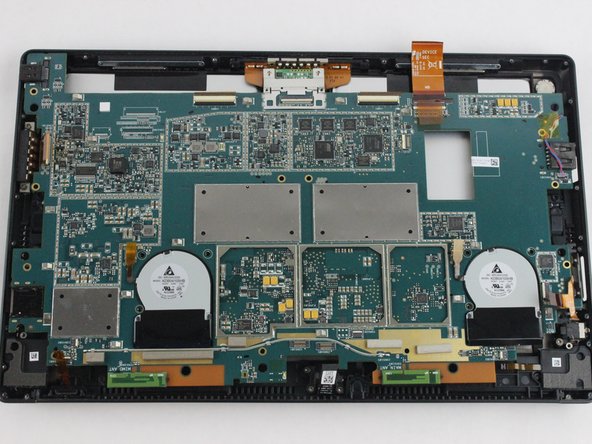
  7. Microsoft Surface Pro 2 Audio Ports Replacement: 步骤 7 中的图像 1,3 Microsoft Surface Pro 2 Audio Ports Replacement: 步骤 7 中的图像 2,3 Microsoft Surface Pro 2 Audio Ports Replacement: 步骤 7 中的图像 3,3
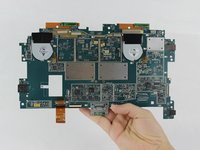
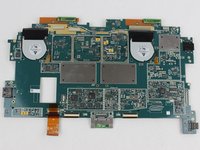
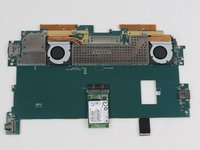
    • You have now completely removed the motherboard, and it should look like the pictures shown.

    • Be sure to be cautious with all the connections with the cables on the motherboard.

    询问修复机器人

    添加评论

  8. Microsoft Surface Pro 2 Audio Ports Replacement, Audio Ports: 步骤 8 中的图像 1,2 Microsoft Surface Pro 2 Audio Ports Replacement, Audio Ports: 步骤 8 中的图像 2,2
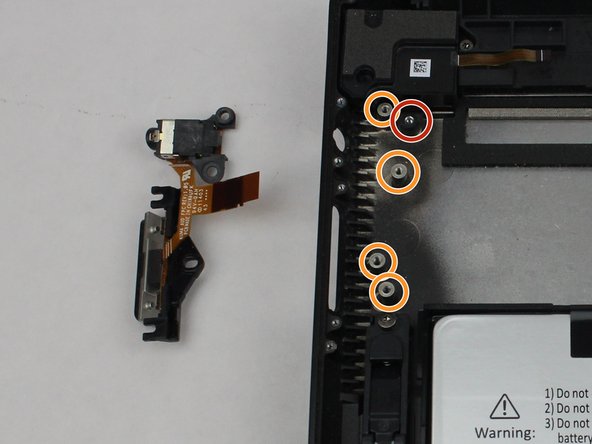
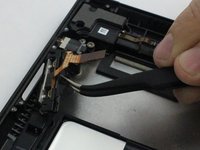
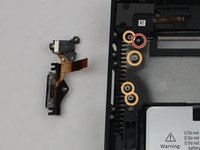
    • The entire assembly can be removed by taking out one final screw.

    • These screws as well as the ribbon were removed during the perquisite guide for removing the motherboard.

    询问修复机器人

    添加评论

结论

To reassemble your device, follow these instructions in reverse order.

取消:我没有完成这个指南。

Mathew B

于09/19/16注册

323 声望

创作了2篇指南

团队

USF Tampa, Team 6-2, Remmell Fall 2016 USF Tampa, Team 6-2, Remmell Fall 2016 的会员

USFT-REMMELL-F16S6G2

4 名成员

创作了11篇指南

0指南评论

添加评论

浏览统计数据:

过去 24 小时: 1

过去 7 天: 4

过去 30 天: 36

总计 1,840