跳转到主内容
加入维修社区 - 创建账户

Mac mini Late 2014 PCIe SSD Cable Replacement

你所需要的

    1. Mac mini Late 2014 PCIe SSD Cable Replacement, Bottom Cover: 步骤 1 中的图像 1,1
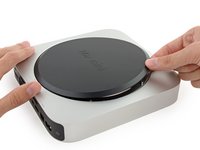
      • The bottom cover is clipped onto three screw posts.

      • Pry near, but not right on the screw posts.

      添加评论

    2. Mac mini Late 2014 PCIe SSD Cable Replacement: 步骤 2 中的图像 1,3 Mac mini Late 2014 PCIe SSD Cable Replacement: 步骤 2 中的图像 2,3 Mac mini Late 2014 PCIe SSD Cable Replacement: 步骤 2 中的图像 3,3
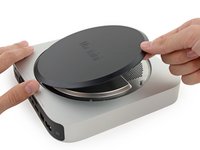
      • Use the plastic opening tool to pry the bottom cover up off of the Mac mini.

      添加评论

    3. Mac mini Late 2014 PCIe SSD Cable Replacement: 步骤 3 中的图像 1,2 Mac mini Late 2014 PCIe SSD Cable Replacement: 步骤 3 中的图像 2,2
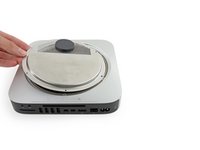
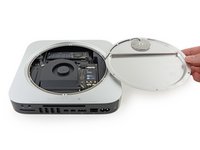
      • Lift and remove the bottom cover.

      添加评论

    1. Mac mini Late 2014 PCIe SSD Cable Replacement, Antenna Plate: 步骤 4 中的图像 1,1
      • Remove the following TR6 screws from the antenna plate:

      • Three 4.1 mm screws

      • Three 1.9 mm screws

      添加评论

    2. Mac mini Late 2014 PCIe SSD Cable Replacement: 步骤 5 中的图像 1,2 Mac mini Late 2014 PCIe SSD Cable Replacement: 步骤 5 中的图像 2,2
      • Do not completely remove the antenna plate; it is still connected to the Mac mini by an antenna cable.

      • With the I/O ports facing you, flip the antenna plate to the right to allow access to the antenna cable connector.

      添加评论

    3. Mac mini Late 2014 PCIe SSD Cable Replacement: 步骤 6 中的图像 1,1
      • Remove the single 3.4 mm T6 screw and washer from the antenna cable.

      • Be careful not to lose the washer when removing the screw.

      添加评论

    4. Mac mini Late 2014 PCIe SSD Cable Replacement: 步骤 7 中的图像 1,2 Mac mini Late 2014 PCIe SSD Cable Replacement: 步骤 7 中的图像 2,2
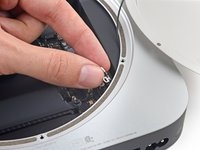
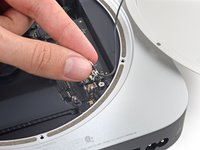
      • Use the point of a spudger to lift the antenna connector straight up off its socket on the airport card.

      添加评论

    5. Mac mini Late 2014 PCIe SSD Cable Replacement: 步骤 8 中的图像 1,2 Mac mini Late 2014 PCIe SSD Cable Replacement: 步骤 8 中的图像 2,2
      • Carefully pull the antenna cable out from the gap between the power supply and case.

      添加评论

    6. Mac mini Late 2014 PCIe SSD Cable Replacement: 步骤 9 中的图像 1,1
      • Remove the antenna plate from the Mac mini.

      添加评论

    1. Mac mini Late 2014 PCIe SSD Cable Replacement, SSD: 步骤 10 中的图像 1,1
      • Remove the 5 mm T5 screw securing the SSD.

      添加评论

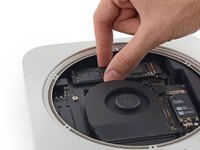
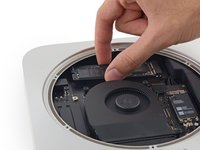
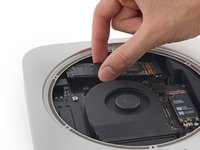
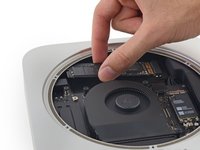
    2. Mac mini Late 2014 PCIe SSD Cable Replacement: 步骤 11 中的图像 1,3 Mac mini Late 2014 PCIe SSD Cable Replacement: 步骤 11 中的图像 2,3 Mac mini Late 2014 PCIe SSD Cable Replacement: 步骤 11 中的图像 3,3
      • Lift the free end of the SSD up slightly and pull it out of its socket.

      询问修复机器人

      添加评论

    3. Mac mini Late 2014 PCIe SSD Cable Replacement: 步骤 12 中的图像 1,3 Mac mini Late 2014 PCIe SSD Cable Replacement: 步骤 12 中的图像 2,3 Mac mini Late 2014 PCIe SSD Cable Replacement: 步骤 12 中的图像 3,3
      • Carefully lift the SSD out of the case without scratching or touching the gold contacts.

      添加评论

    1. Mac mini Late 2014 PCIe SSD Cable Replacement, PCIe SSD Cable: 步骤 13 中的图像 1,1
      • Remove the two 2.6 mm T6 screws securing the PCIe SSD cable bracket.

      添加评论

    2. Mac mini Late 2014 PCIe SSD Cable Replacement: 步骤 14 中的图像 1,2 Mac mini Late 2014 PCIe SSD Cable Replacement: 步骤 14 中的图像 2,2
      • Remove the PCIe SSD cable bracket.

      询问修复机器人

      添加评论

    3. Mac mini Late 2014 PCIe SSD Cable Replacement: 步骤 15 中的图像 1,2 Mac mini Late 2014 PCIe SSD Cable Replacement: 步骤 15 中的图像 2,2
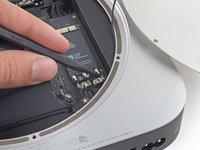
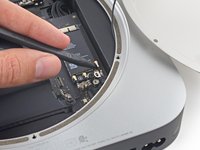
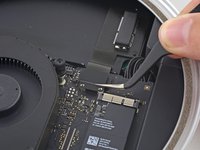
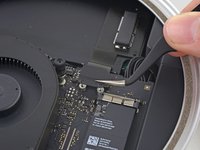
      • Use the flat end of a spudger to lift the PCIe SSD connector straight up off of its connector on the logic board.

      • Be careful not to pry up on the socket itself.

      询问修复机器人

      添加评论

    4. Mac mini Late 2014 PCIe SSD Cable Replacement: 步骤 16 中的图像 1,2 Mac mini Late 2014 PCIe SSD Cable Replacement: 步骤 16 中的图像 2,2
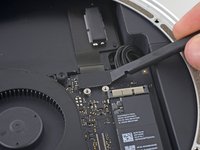
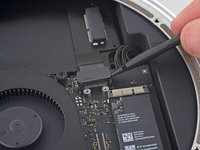
      • Slip the flat end of a spudger under the SSD cable to lift it off the adhesive holding it to the Mac mini.

      添加评论

    5. Mac mini Late 2014 PCIe SSD Cable Replacement: 步骤 17 中的图像 1,1
      • Remove the PCIe SSD cable from the Mac mini.

      添加评论

结论

To reassemble your device, follow these instructions in reverse order.

取消:我没有完成这个指南。

29等其他人完成本指南。

Sam Goldheart

于10/18/12注册

477,759 声望

创作了538篇指南

团队

iFixit iFixit 的会员

Staff

123 名成员

创作了36,232篇指南

8指南评论

Where i can buy the PCIe SSD card?

melvin suarez - 回复 分享
Where i can buy the PCIe SSD card, someone?

Claudio Vargas - 回复 分享
I can supply these cables. Please reply to this thread.

Thomas Hall - 回复 分享

I found the ssd kit on eBay for $69ish. However, it doesn't include the ssd. Is it mPCI-e or is it an M.2 module?

Angelo - 回复 分享

The SSD is neither, I believe. It is the same as the SSDs in the 2014 and up MacBook Pros. Pin format is 12+16

Daniel Abdulla - 回复 分享

添加评论

浏览统计数据:

过去 24 小时: 1

过去 7 天: 23

过去 30 天: 172

总计 65,367