跳转到主内容
加入维修社区 - 创建账户

Logitech MX Keys Feet Replacement

你所需要的

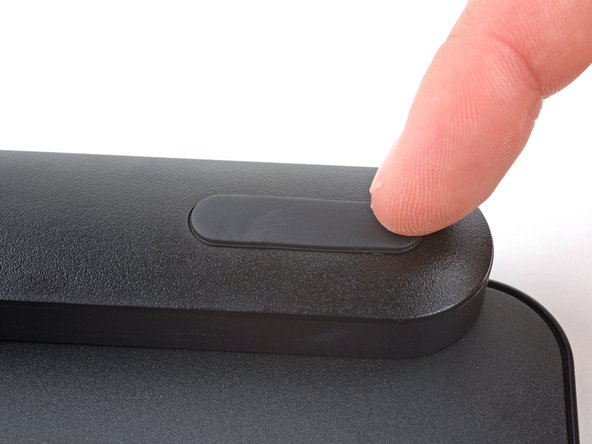
  1. Logitech MX Keys Feet Replacement, Prepare your keyboard for disassembly: 步骤 1 中的图像 1,3 Logitech MX Keys Feet Replacement, Prepare your keyboard for disassembly: 步骤 1 中的图像 2,3 Logitech MX Keys Feet Replacement, Prepare your keyboard for disassembly: 步骤 1 中的图像 3,3
    • Slide the keyboard's power switch into the OFF position.

    • A red indicator should be visible beneath the switch.

    • Unplug all cables from your keyboard.

    • Lay your keyboard down with the feet facing up on a clean work surface.

    • If your work surface may scratch the keyboard, place a soft towel under it.

  2. Logitech MX Keys Feet Replacement, Remove the feet: 步骤 2 中的图像 1,2 Logitech MX Keys Feet Replacement, Remove the feet: 步骤 2 中的图像 2,2
    • Heat an iOpener and lay it on the top left foot for one minute.

    • Alternatively, you can use a hair dryer on the Low heat setting to soften the adhesive.

    • If you're using a hair dryer, only heat the feet a few seconds at a time or you may warp the plastic.

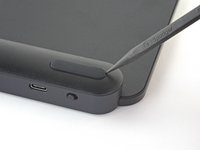
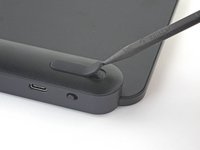
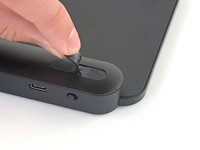
  3. Logitech MX Keys Feet Replacement: 步骤 3 中的图像 1,3 Logitech MX Keys Feet Replacement: 步骤 3 中的图像 2,3 Logitech MX Keys Feet Replacement: 步骤 3 中的图像 3,3
    • The foot should come up without much force. If it feels stuck, apply more heat and try again.

    • Insert the point of a spudger under an end of the foot.

    • Push the spudger underneath the foot and lift until you can grip it with your fingers.

    • Peel the foot up and remove it.

    • Repeat the process to remove the remaining feet.

    • If you're replacing the battery, you only need to remove the feet along the top edge.

  4. Logitech MX Keys Feet Replacement, Reassembly information: 步骤 4 中的图像 1,2 Logitech MX Keys Feet Replacement, Reassembly information: 步骤 4 中的图像 2,2
    在这个步骤中使用的工具:
    Tesa 61395 Tape
    $2.99
    • To install the feet during reassembly:

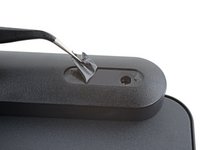
    • Use a pair of angled tweezers to peel up and remove all the plastic film from the foot recesses.

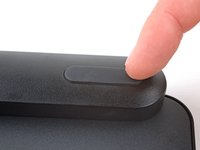
    • If you're installing new feet, remove them from their backing and firmly press them into place.

    • If you're reusing the feet, use a strip of double-sided tape to secure them in their recesses.

结论

Repair didn’t go as planned? Try some basic troubleshooting, or ask our Answers community for help.

2等其他人完成本指南。

Spencer Day

于09/14/22注册

160,178 声望

创作了1,045篇指南

团队

iFixit iFixit 的会员

Staff

123 名成员

创作了23,992篇指南

1指南评论

Where do you buy replacement 'feet' for the MX Keys?

maxtraxpro - 回复

添加评论

浏览统计数据:

过去 24 小时: 16

过去 7 天: 80

过去 30 天: 349

总计 4,384