简介
This guide is to show how to replace the paddle assembly on the Logitech G29 Driving Force. The paddle assembly is responsible for shifting the car on the game up or down a gear.
This repair may be necessary if the car on the game is not shifting as that is crucial to this device. Have a good place to organize screws ready before doing this repair as there are a lot to take off. Make sure that the device is properly plugged and that it is still not working before tearing down the device.
你所需要的
-
-
-
Remove the six 32 mm hex screws from the faceplate of the steering wheel.
 询问修复机器人
-
-
-


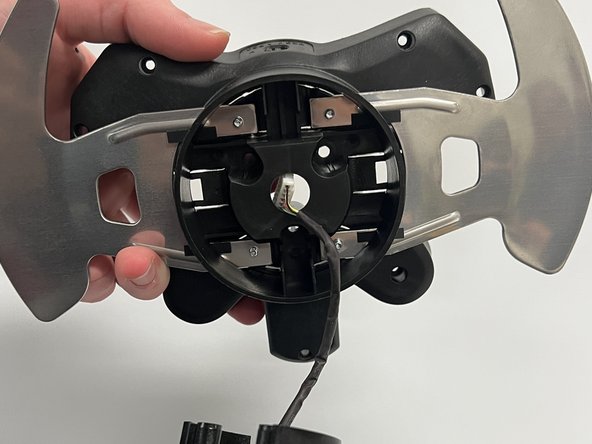
To reassemble your device, follow these instructions in reverse order.
5等其他人完成本指南。

团队

Western Carolina University, Team 1-5, Virtue Fall 2022 Western Carolina University, Team 1-5, Virtue Fall 2022 的会员
WCU-VIRTUE-F22S1G5
4 名成员
创作了55篇指南
3指南评论
Where can I buy the paddle assembly
@kevinjungh90689 have you found this out ? my paddle snapped off and I need to get a new one
Fizaan Ahmed - 回复 分享
@fizaanahmed Perhaps eBay?
